


This guide explains how to diagnose and clear an active TPMS warning light on 2016 to 2017 Buick Envision models using Launch Creader TPMS 5011 V2 / 511S V2. It covers sensor diagnosis, replacement sensor programming, OBD relearning, and the final road test calibration.
Technical Overview
Vehicle: 2017 Buick Envision based on the 2016 MY platform
Problem: TPMS warning light remains active on the instrument cluster
Tools: Launch Creader TPMS 5011 V2 / 511S V2
Sensor Frequency: 315MHz
Step 1 Identify the Faulty TPMS Sensor
1. Turn on Launch TPMS 5011 V2, select TPMS, and enter the Buick vehicle menu.
2. Select Envision → 2016/01 to 2017/12 (315MHz) [13598772]
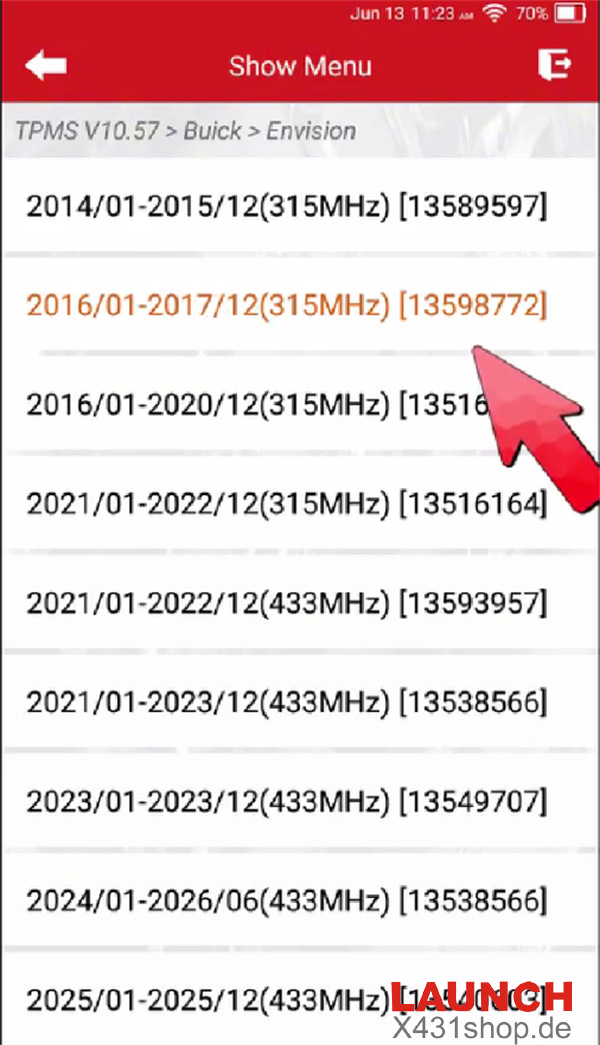
Note: If the sensor cannot be activated, try another available menu option for the same model year.
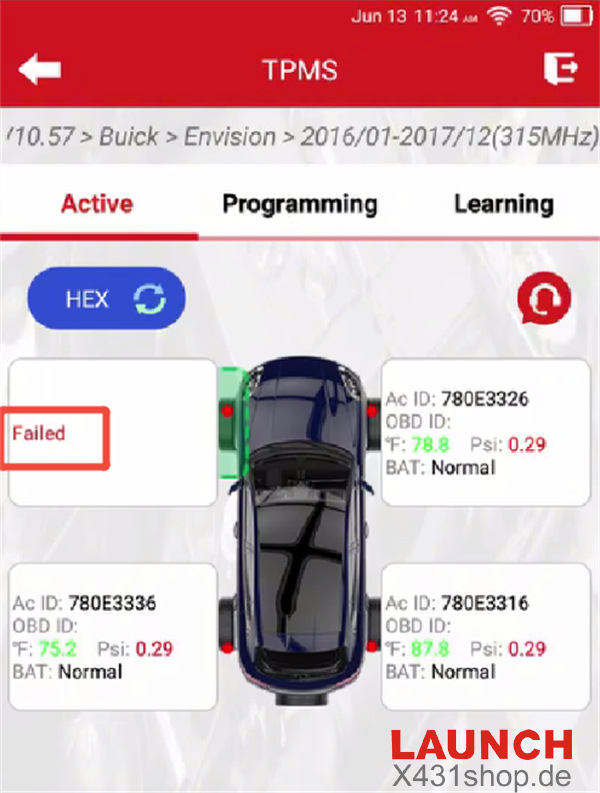
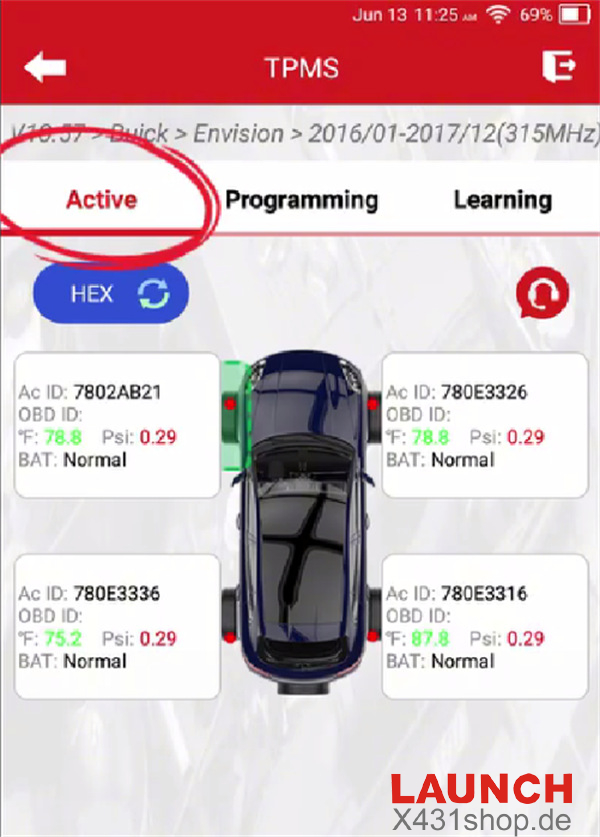
3. Choose Active and activate the four TPMS sensors one by one.
4. In this example, the Front Right (FR), Rear Right (RR), and Rear Left (RL) sensors respond correctly. The Front Left (FL) sensor does not transmit a signal, indicating that its battery is likely depleted and the sensor needs to be replaced.
Step 2 Program the Replacement TPMS Sensor
1. Remove the failed factory TPMS sensor from the FL wheel.
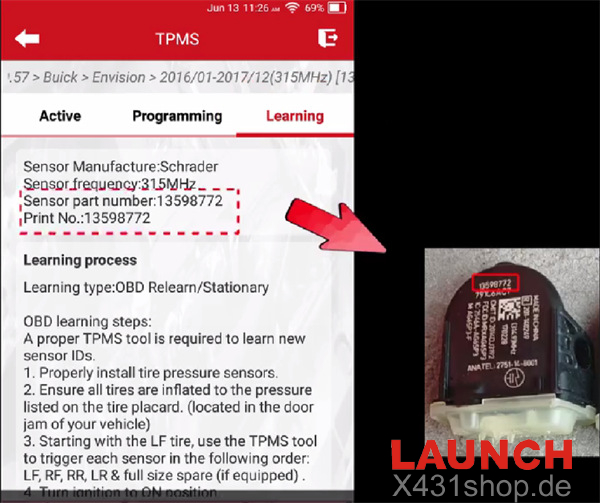
2. On the Launch tool, enter Learning to check the compatible sensor part number.
3. Go to Programming and select Auto to create a new sensor ID.
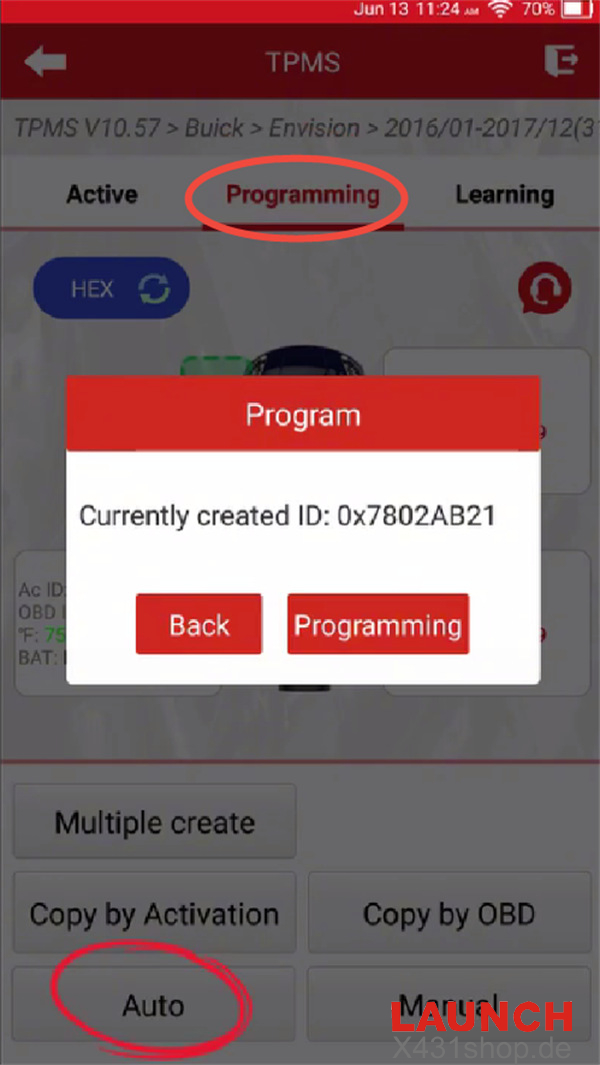
You can also use Manual programming by entering the sensor ID yourself, or use Copy by OBD when applicable.
4. Hold the Launch TPMS tool close to the new blank sensor and wait for the programming process to reach 100%.
Step 3 Install and Activate the New Sensor
1. Install the newly programmed Launch sensor into the FL wheel assembly, then inflate the tire to the manufacturer’s recommended pressure.
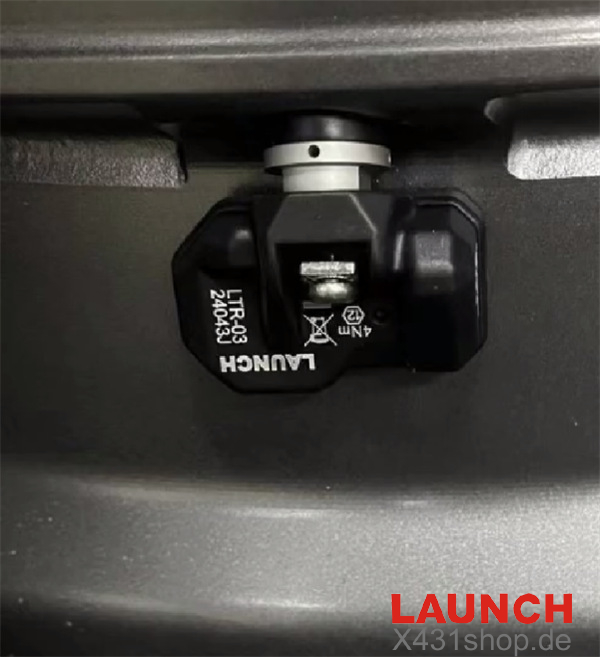
2. Select Active on the Launch tool and trigger the replacement FL sensor to confirm that it is transmitting data correctly.
Step 4 Complete OBD Relearn and Road Calibration
1. Enter Learning, select OBD Relearn, and follow the instructions displayed on the Launch device.
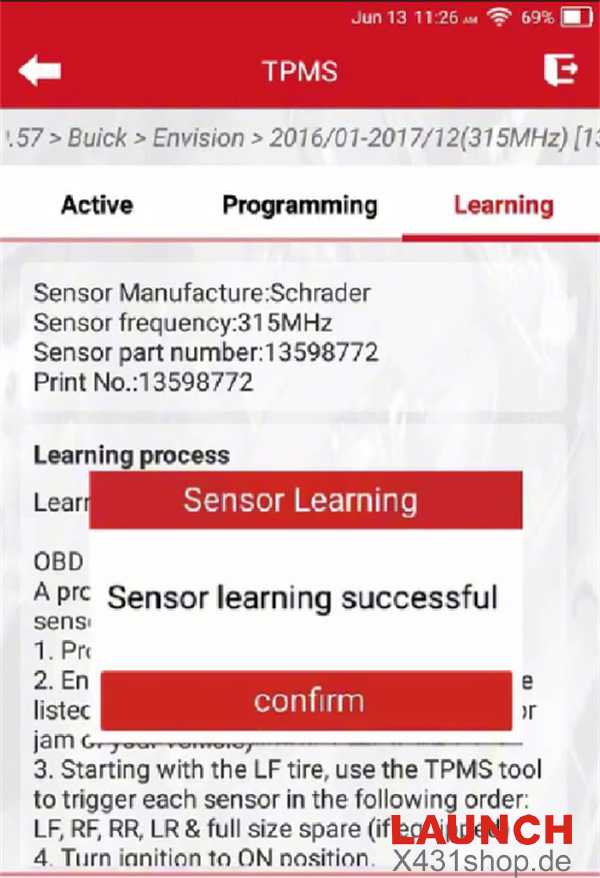
After the relearn procedure is completed, the TPMS warning light should turn off and the tire pressure information should appear on the vehicle display.
If the pressure information is still unavailable or the warning light remains illuminated, drive the vehicle for approximately 15 minutes at 30 km/h (19 mph) or above. This allows the TPMS system to complete its automatic calibration.
2. Once calibration is finished, check the TPMS warning light and live tire pressure readings again to confirm that the system is operating normally.