


Problem
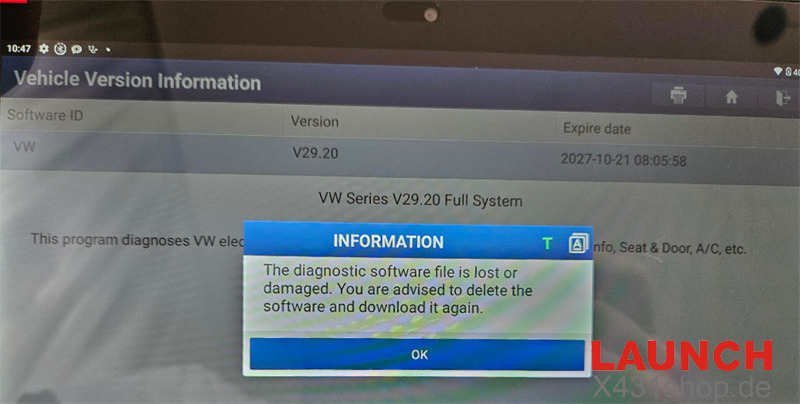
When connecting to Volkswagen vehicles or running General OBD II / EOBD diagnostics, Launch X431 PAD V Elite tablet may display a system prompt stating that the diagnostic software file is lost or damaged. This issue typically occurs due to corrupted software cache files or incomplete background updates.
Step-by-Step Troubleshooting Procedure:
Step 1: Clear Corrupted Diagnostic Cache
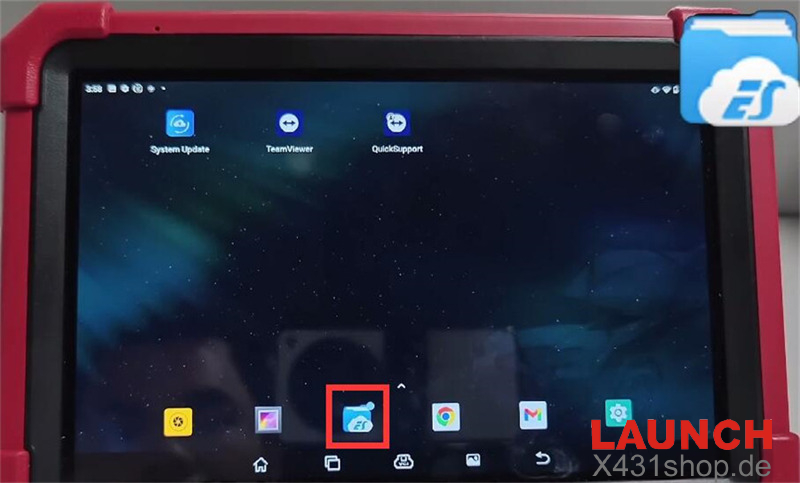
- Open ES File Explorer from the main Android menu.
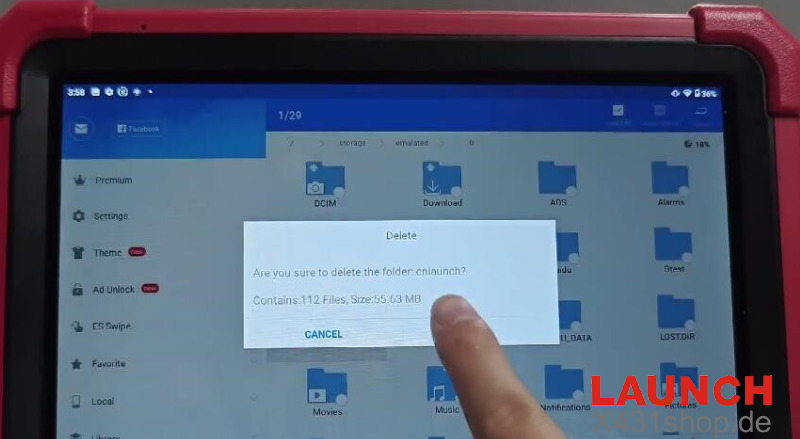
- Navigate to internal storage and locate the folder named cnlaunch.
- Delete the cnlaunch folder completely
Step 2: Reinstall and Update Diagnostic Software
- Reopen the official Launch X431 application.
- Log into your account and navigate to the Update Center.
- Re-download and install the required VW and General OBD diagnostic packages
Step 3: Factory Reset (If Problem Persists)
- If the prompt still appears after updating, backup your key files.
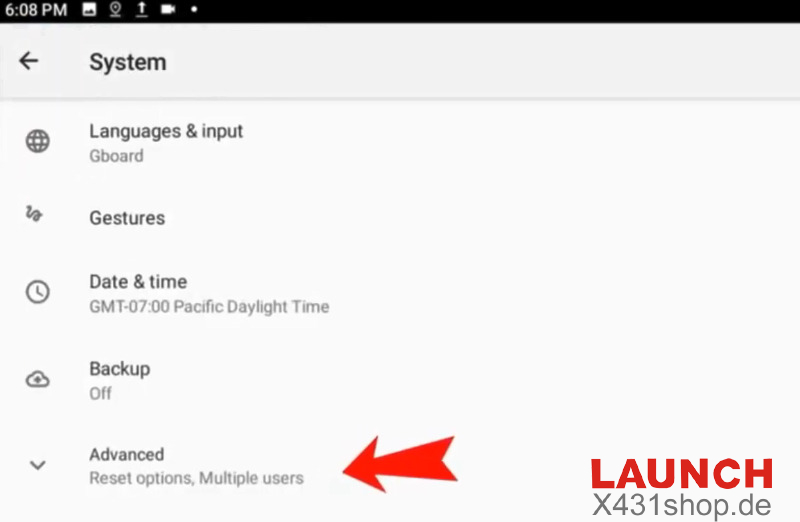
- Go to Android Settings> System > Advanced-> Reset Options.
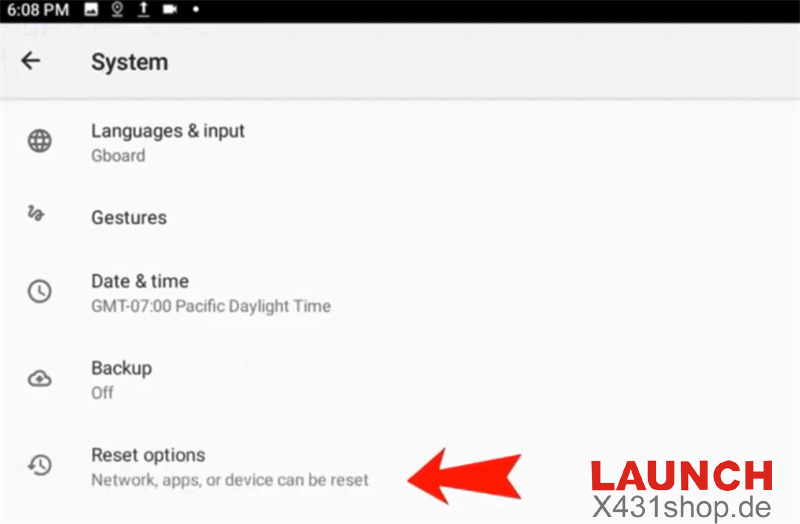
- Select Erase all data (factory reset)-> Erase all datato restore system files
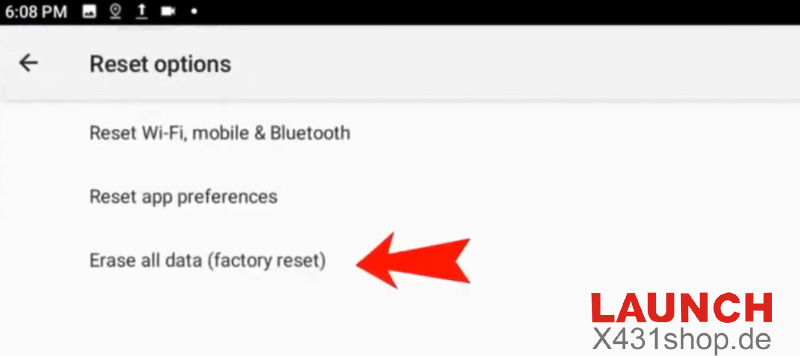
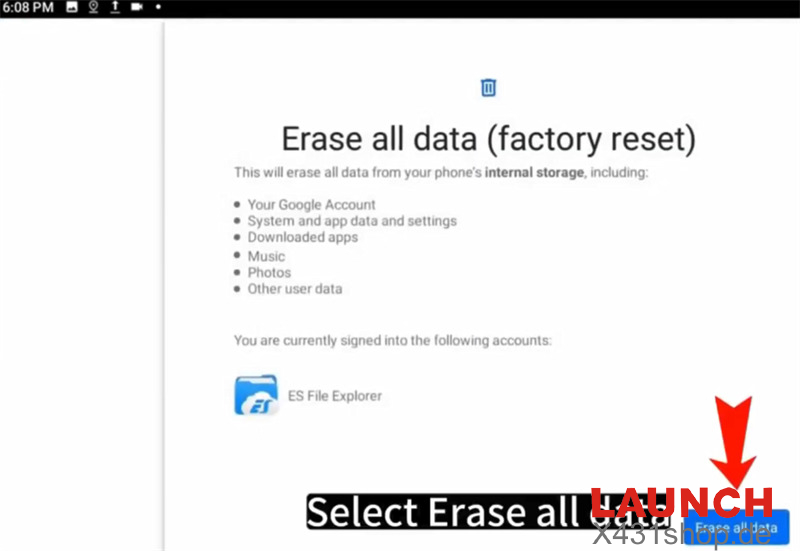
- Reinstall the main Launch app and update your vehicle software.
Reference:
http://blog.x431shop.de/how-to-fix-accidental-app-deletion-or-installation-issues-on-launch-x431