

When servicing commercial vehicles like 2020 JAC Shuailing, complex electrical faults and multiple DTCs require efficient diagnostic logic. The AI Workspace feature on compatible LAUNCH heavy-duty truck diagnostic tools provides automated root-cause analysis, saving technicians from manual troubleshooting.
System Requirements & Compatibility
Target Vehicle: 2020 JAC Shuailing
Supported Diagnostic Systems: LAUNCH high-end Link series tablets
- X431 PAD5 LINK HD (X431 PAD V with HD Truck Software License And Adapter Pack)
- X431 V+ SmartLINK HD (PRO3 LINK HD)
- X431 PAD9 LINK
Software Version: JAC HD software V12.11 or higher.
Operational Procedure
1. Software Navigation: Open the diagnostic application and select Diagnose followed by HD.
2. Vehicle Selection: Choose JAC and open the JAC HD software package.
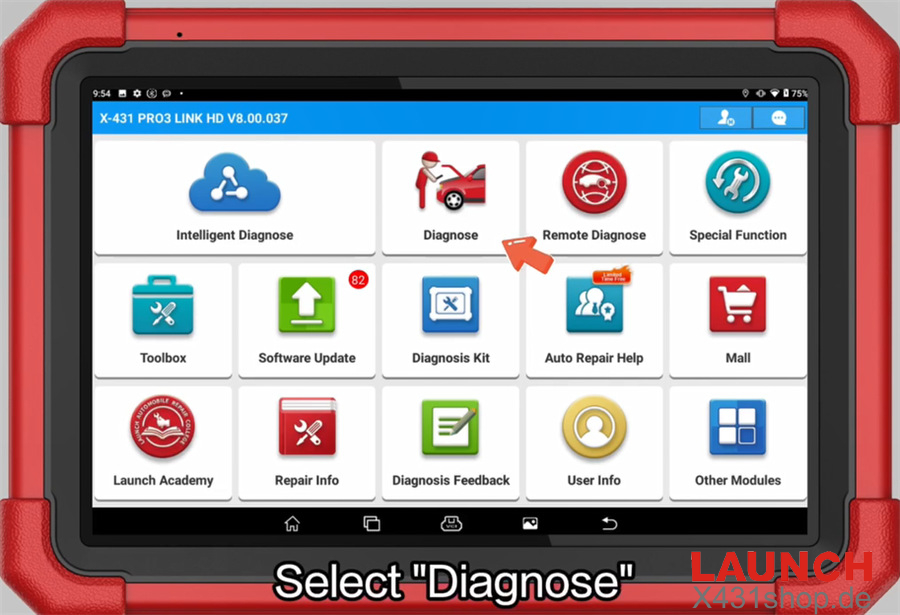
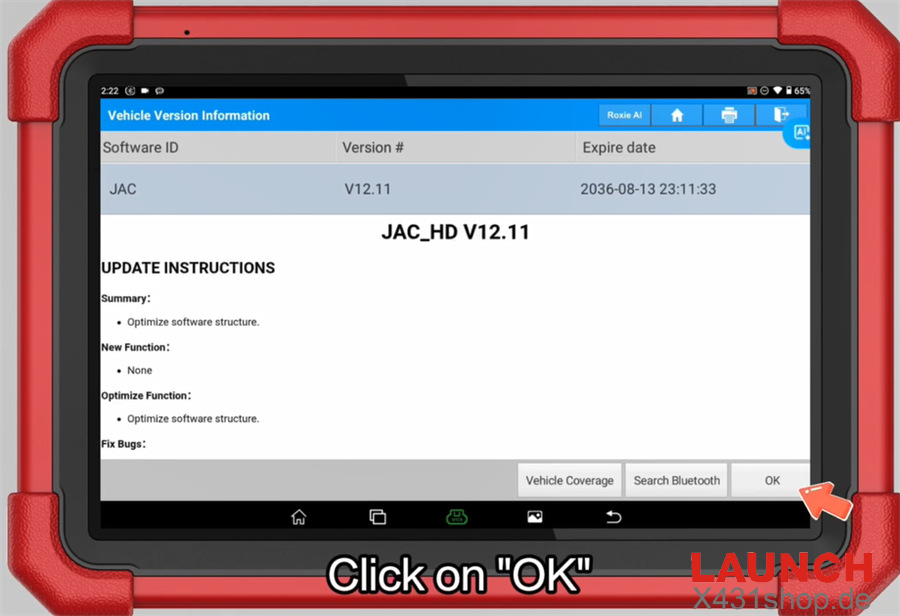
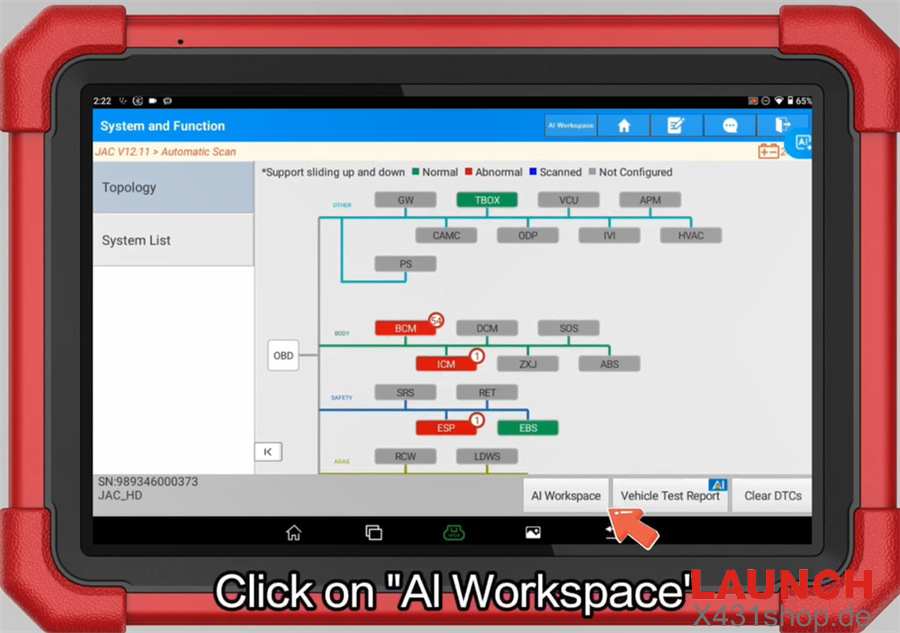
3. Scan Execution: Select Automatic Scan to execute a High-speed Scan across vehicle modules.
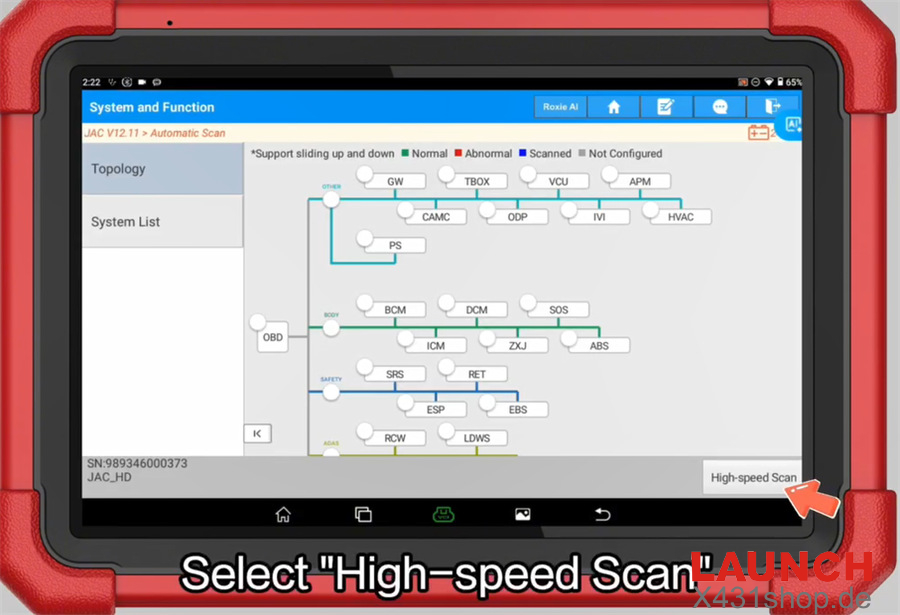
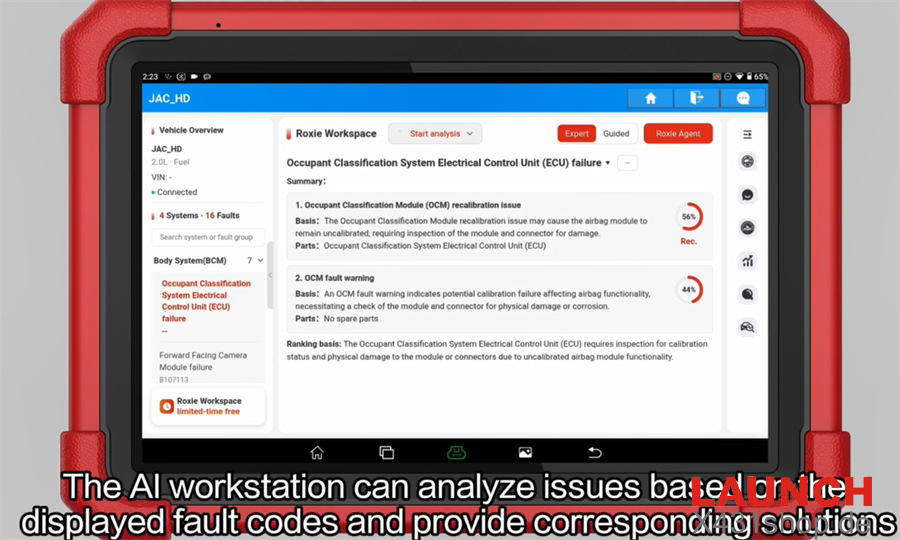
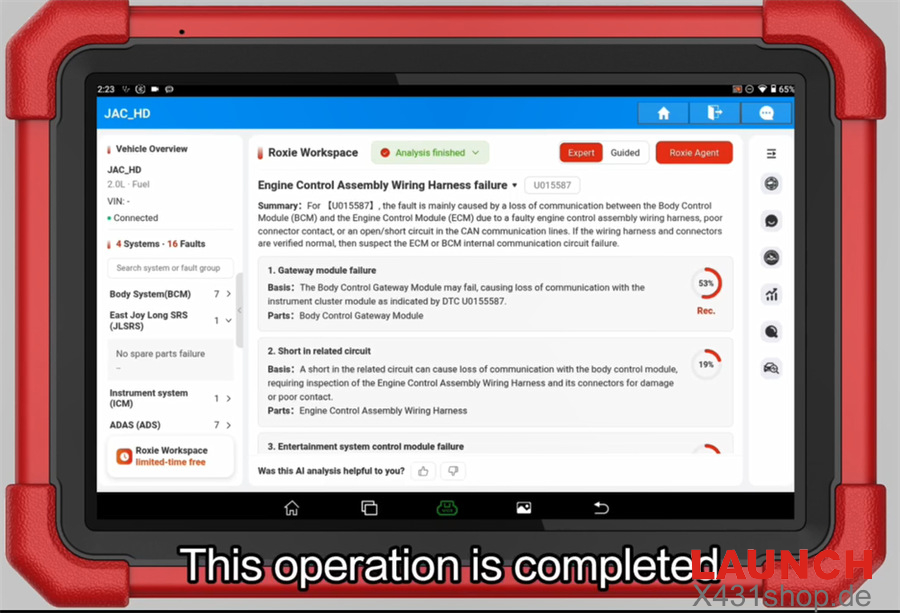
4. AI Analysis: Tap AI Workspace to initiate intelligent evaluation of the retrieved fault codes. The system will process the data and display comprehensive repair solutions.