




If your Launch X431 PROS Elite displays the message: “Failed to get VCI information, please try again after pull and plug VCI!” the VCI may not be communicating properly with the tablet.
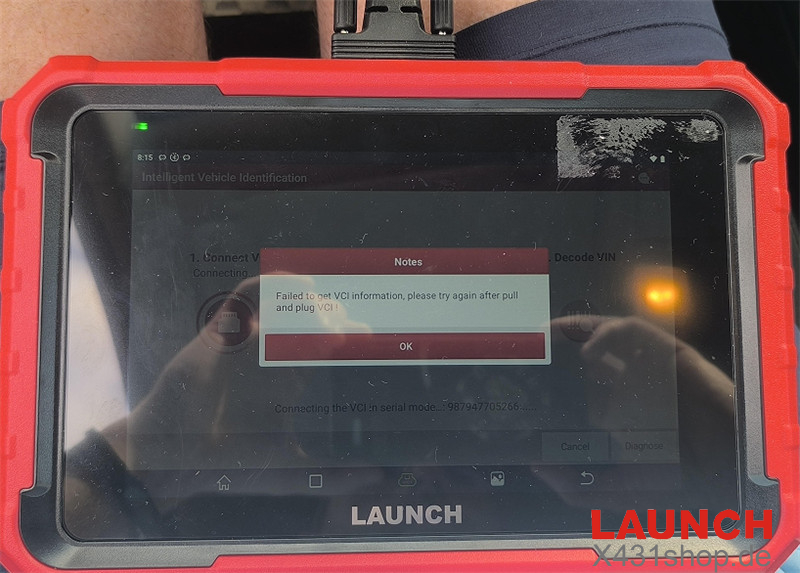
Solution
Disconnect the VCI and plug it back in.
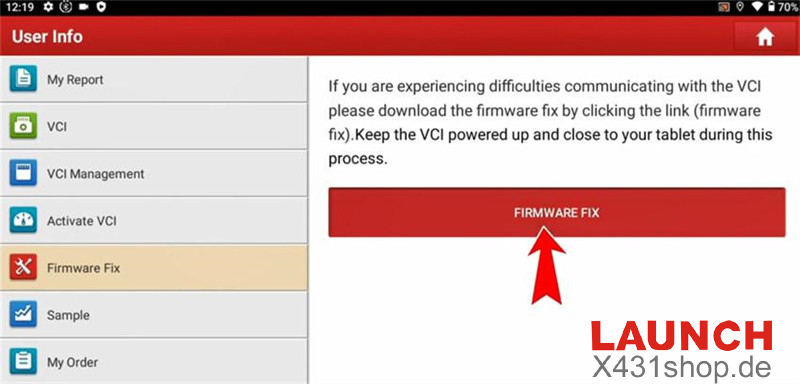
Open User Info > Firmware Fix > FIRMWARE FIX.
If the following Chinese interface appears, tap Clear eMMC.
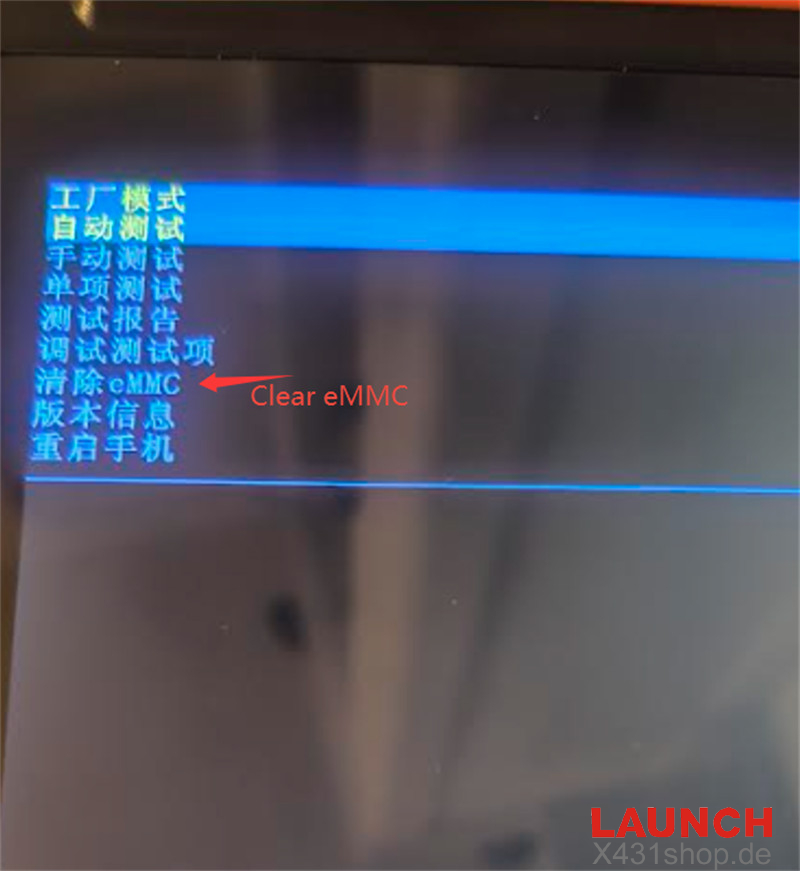
After the firmware repair is complete, reconnect the VCI if necessary and check whether the device communicates normally again. This should resolve the “Failed to get VCI information” error on X431 PROS Elite.
Tech support:
E-Mail: sales@X431shop.de
Business WhatsApp: +86 17782330462
Tel: 0086-17782330462