






Learn how to replace and program a 2023 Mercedes-AMG GT TPMS sensor using Launch TPMS 5011 V2. A complete technical guide covering sensor activation, OBD relearning, and troubleshooting.
Steps
1. Access the TPMS Menu
Power on your TPMS 5011 V2 Tire Pressure Tool. From the main operating interface, select the [TPMS] icon.
2. Select Your Vehicle Model
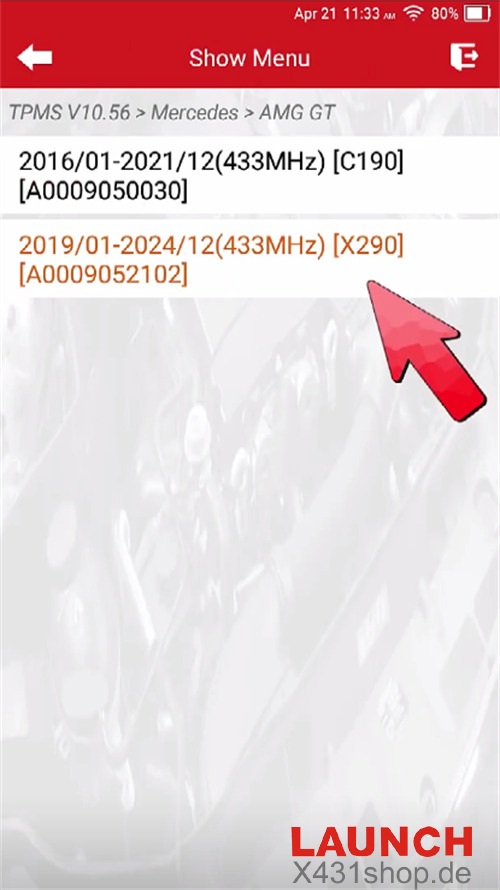
Navigate through the menu to match your specific vehicle:
MERCEDES → AMG GT → 2019/01-2024/12 (433MHz) [X290][A0009052102]
3. Trigger All Four Sensors
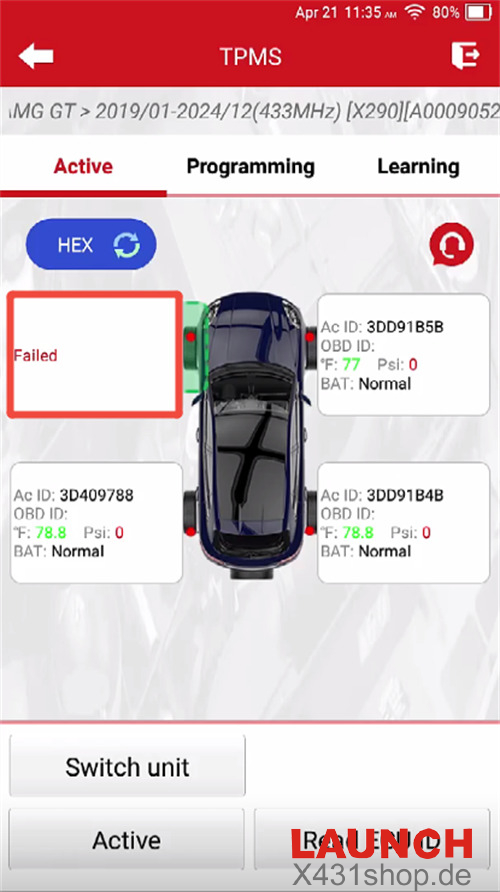
Select the [Active] function to test the communication of each wheel sensor.
4. Identify the Defective Sensor
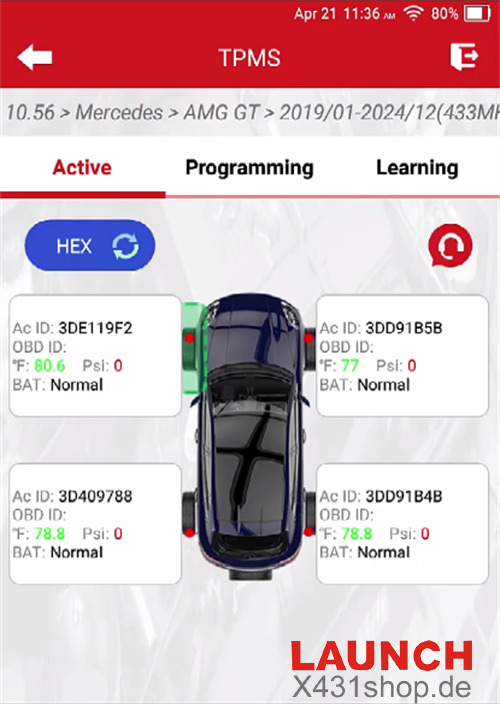
In this case, the FR (Front Right), RR (Rear Right), and RL (Rear Left) sensors respond successfully.
The FL (Front Left) sensor fails to activate, confirming it is damaged and requires replacement.
5. Remove the Faulty Sensor & Prepare for Learning
Physically remove the failed sensor from the FL wheel.
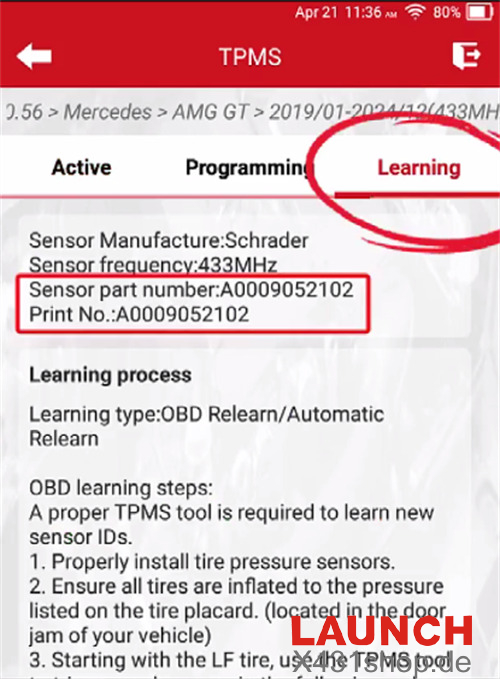
On the tool, select [Learning] and verify the sensor part number or print number displayed in the menu.
Important: Proceed only if the numbers match. If you are using a different brand of universal replacement sensor, move directly to the programming step.
6. Program the New Sensor
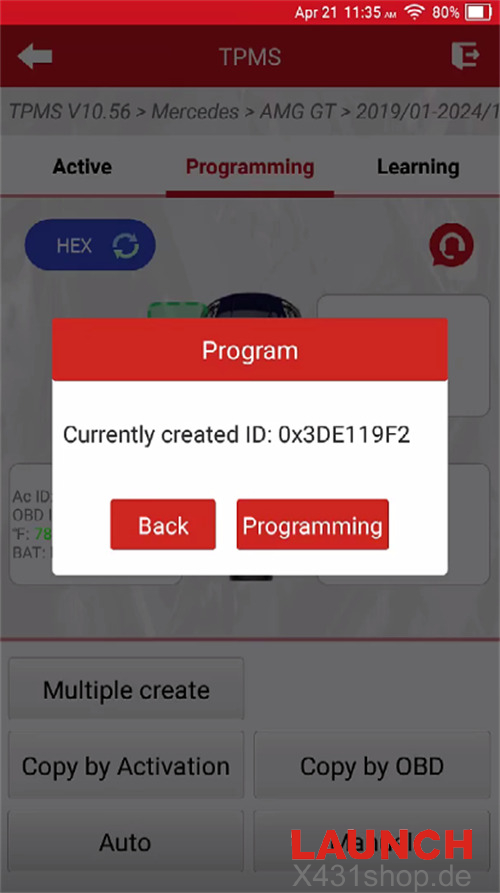
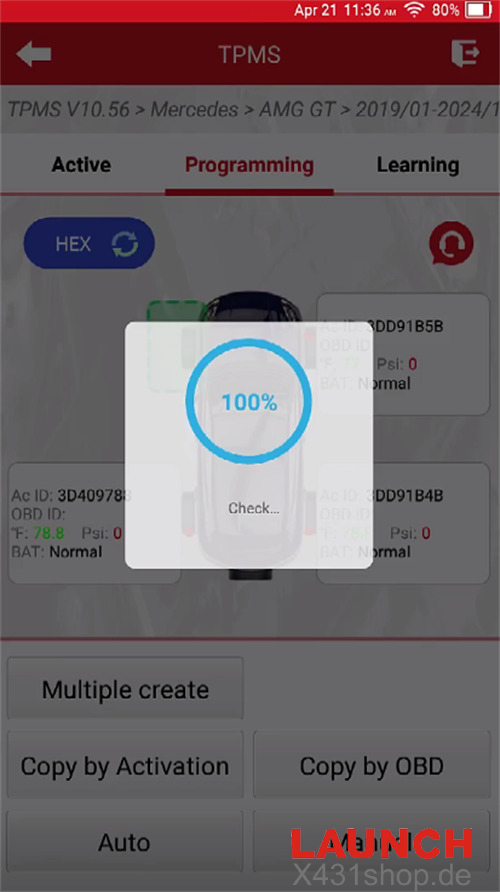
Click [Programming] and select [Auto].
Alternative Methods: You may also choose [Manual] to type in the original ID or [Copy by OBD].
Pro Tip: If you use manual methods and the dashboard still doesn’t show pressure values later, you will need to follow the standard Mercedes Relearn procedure.
Wait for the programming process to reach 100%.
7. Installation & Inflation
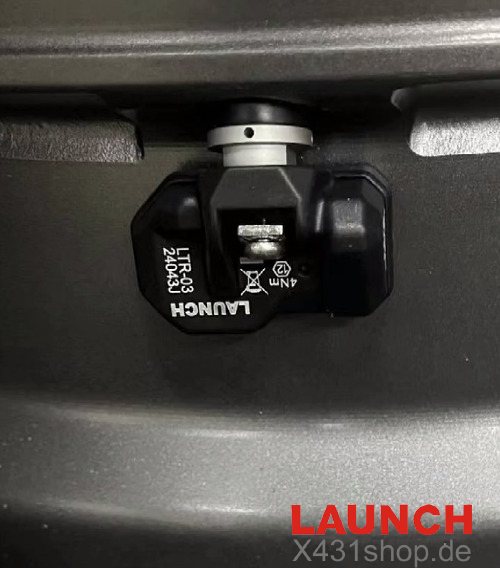
Install the newly programmed Launch sensor into the FL wheel and inflate the tire to the manufacturer’s recommended pressure.
8. Activate the New Sensor
Go back to the [Active] menu and trigger the FL wheel position to ensure the tool recognizes the new hardware.
9. Perform OBD Relearn
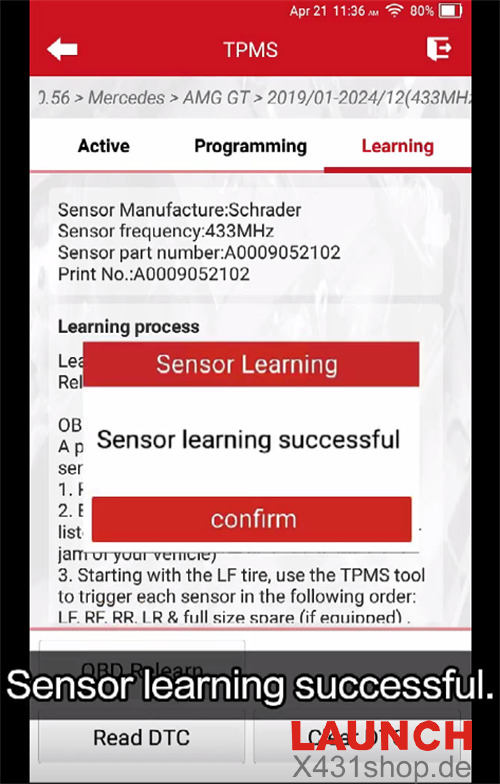
Select [Learning] → [OBD Relearn].
Follow the on-screen prompts to write the new sensor ID to the vehicle’s ECU via the OBDII port.
10. Verify the Repair
The tire pressure warning light on the dashboard should now turn off. On most Mercedes-AMG models, the real-time pressure values will appear on the instrument cluster shortly after.
Troubleshooting: Values Not Showing?
If the warning light is off but the pressure readings haven’t updated yet, simply perform a Road Test:
Drive the vehicle at a speed of 30 km/h (20 mph) or higher for approximately 15 minutes.
Once the system completes its self-calibration, the values will populate. As long as no new warnings appear, the job is complete!