


To change the language on Launch X431 IMMO Plus key programmer (supporting over 25 languages including English, Spanish, French, German, and Portuguese), set your target language as priority #1 in the Android system settings, connect to Wi-Fi, and run a full Software Update within the X431 IMMO application to download updated vehicle packages.
Step-by-Step Language Setup
1. Reconfigure System Language Settings:
- Power on your X431 IMMO Plus diagnostic tablet.
- Access Settings from the primary home screen desktop
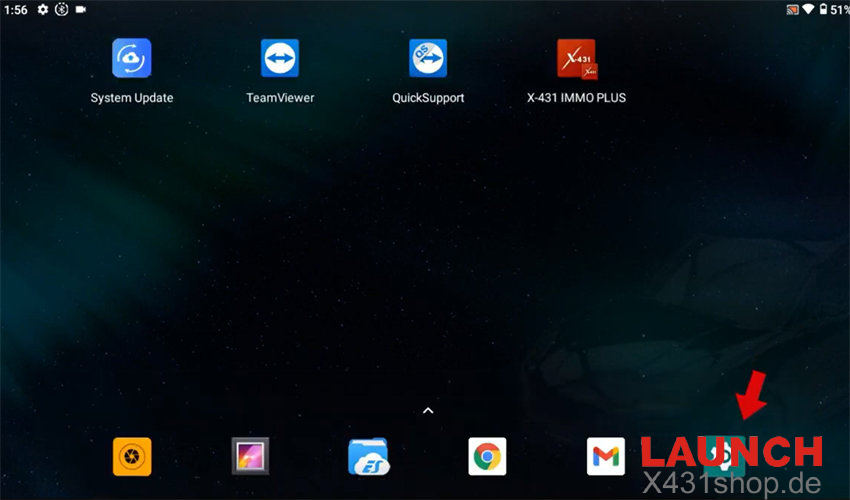
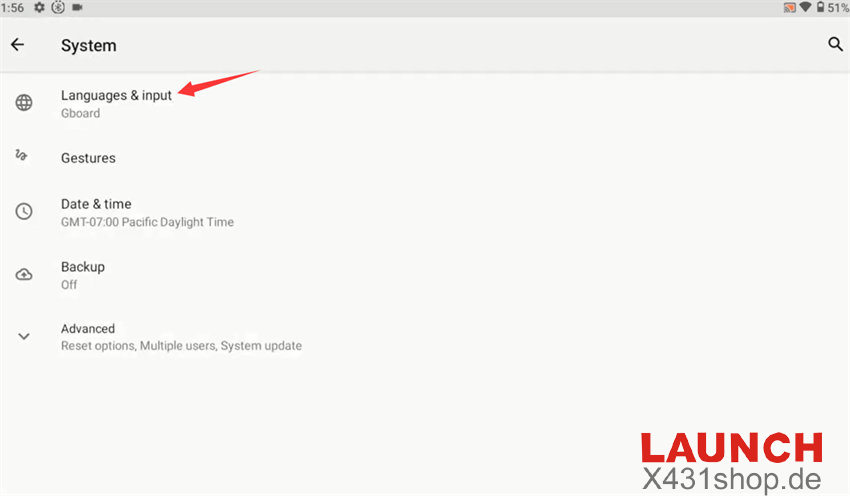
- Navigate to System > Languages & input > Languages.
- Select Add a language and pick your desired menu language from the global list
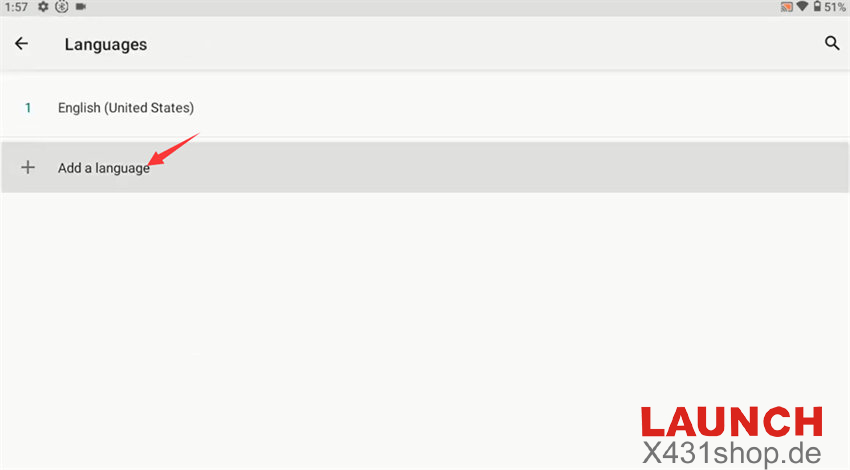
- Press and hold the newly added language, dragging it up to the top (#1) position to set it as the default OS language
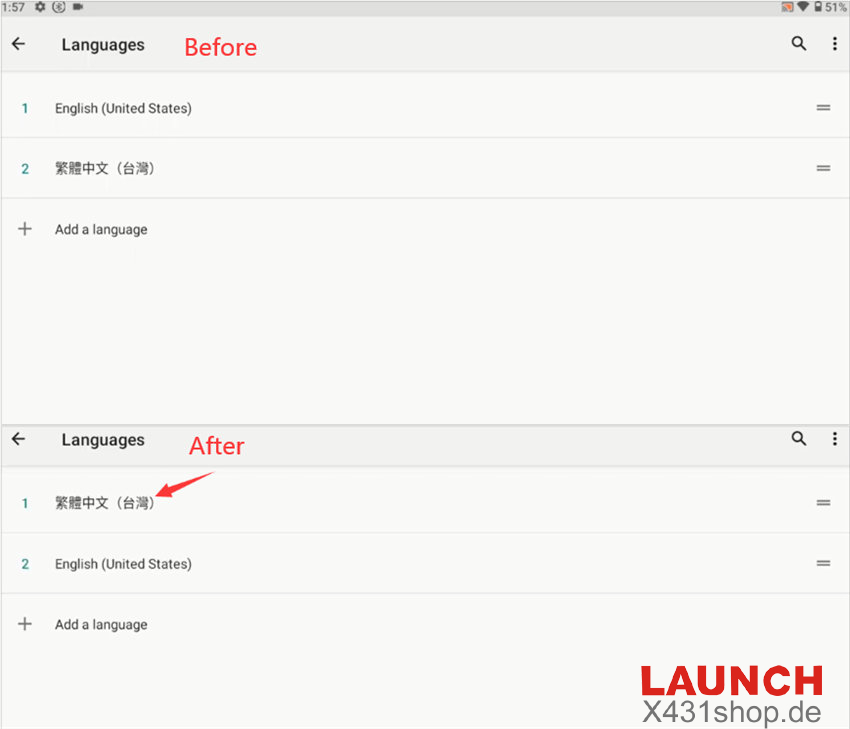
- Exit back to the main Settings menu.
2. Establish Active Internet Connection:
- Tap Wi-Fi within the settings menu and connect the tablet to a stable local network.
3. Synchronize Vehicle & IMMO Software:
- Launch the main X431 IMMO Plus application from your desktop.
- Enter the Software Update section to refresh and download matching vehicle software packages into your new language.