





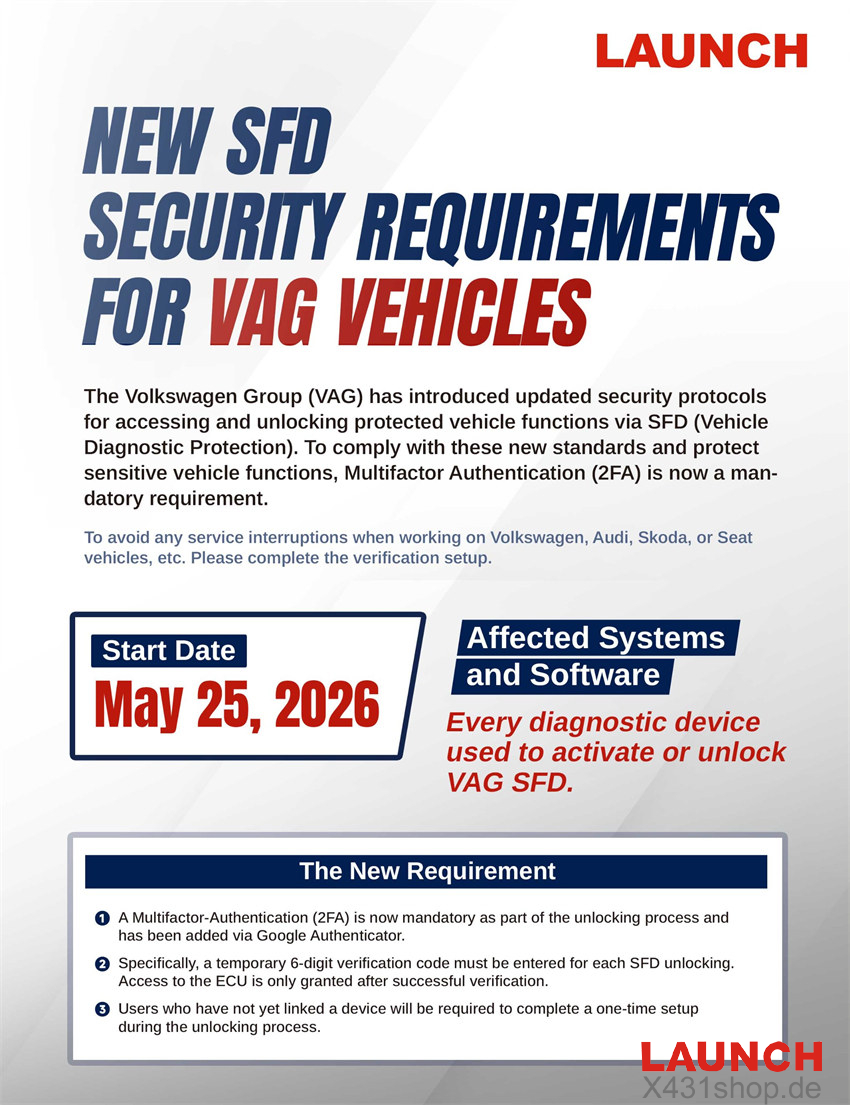
Volkswagen Group (VAG) has introduced enhanced security measures for accessing protected vehicle functions through the SFD (Schutz Fahrzeug Diagnose) system. As a result, LAUNCH X431 users servicing Volkswagen, Audi, Skoda, and Seat vehicles must now complete a mandatory two-factor authentication (2FA) process when performing SFD-related operations.
This update is designed to strengthen vehicle cybersecurity and ensure that access to protected control units remains secure.
Supported LAUNCH Devices
7-Inch Series
8-Inch Series
10.1-Inch and Larger Models
- X431 PRO5
- X431 PRO3 ACE Elite
- X431 PRO3 APEX
- X431 PRO DYNO
- X431 PRO3S+ V5.0 Elite
- X431 PRO3S+ Elite
- X431 PRO3 V+ Elite
- X431 PAD V
- X431 PAD VII
Additional supported X431 models
Effective Date
The new authentication requirement will take effect on: May 25, 2026
From this date onward, all SFD activation and unlocking procedures on supported VAG vehicles will require identity verification through Google Authenticator.
What Has Changed?
To improve security, VAG now requires an additional verification step before granting access to protected functions.
Mandatory Two-Factor Authentication
Google Authenticator has been integrated into the SFD unlocking workflow. Users must verify their identity before protected vehicle functions can be accessed.
Dynamic Verification Codes
Each SFD unlock request requires a temporary six-digit code generated by Google Authenticator. Without a valid code, the unlock process cannot proceed.
One-Time Device Registration
Users who have not previously linked their device will be prompted to complete a one-time setup process during their first SFD activation after the update.
How the New SFD Verification Process Works
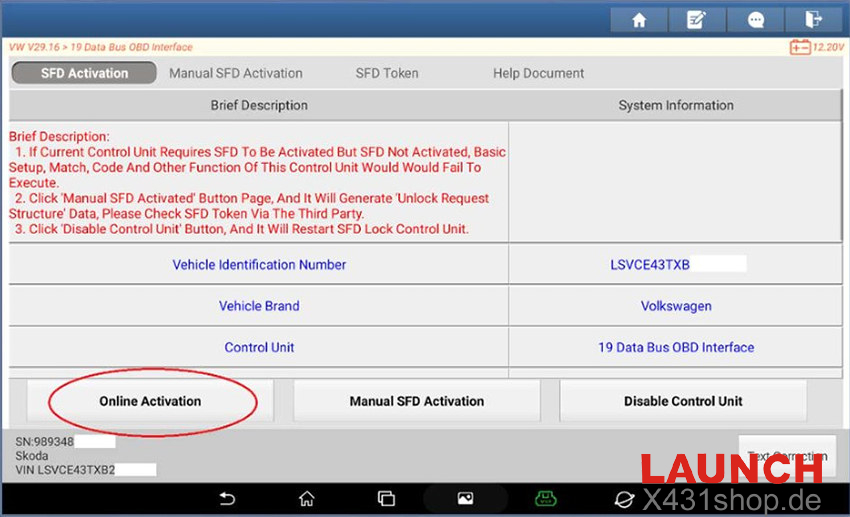
Step 1: Start SFD Activation
Begin the normal SFD unlock procedure on your LAUNCH X431 diagnostic scanner.
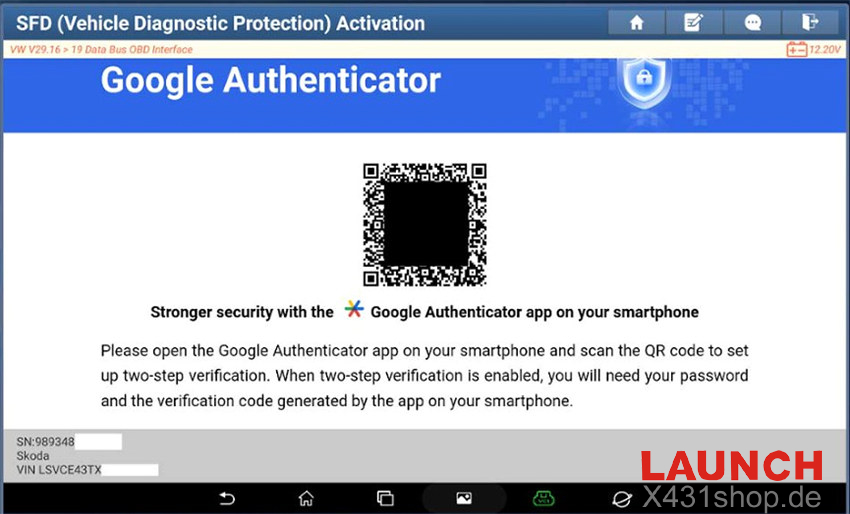
Step 2: Link Google Authenticator
During initial setup, a QR code will appear on the screen. Open the Google Authenticator app on your smartphone and scan the displayed QR code to establish the connection.
Step 3: Obtain Verification Code
After linking the device, Google Authenticator will automatically generate a temporary six-digit security code.
Step 4: Enter the Security Code
Input the generated code into the verification field on the LAUNCH device and confirm the operation.
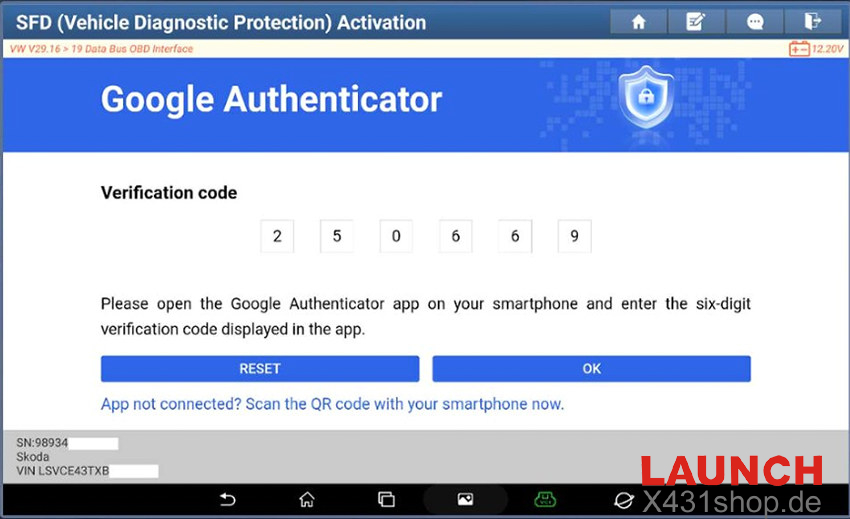
Step 5: Access Granted
Once verification is successful, the SFD protection is released and the diagnostic session can continue normally.
To avoid delays during service, make sure:
- Your LAUNCH X431 software is updated
- Google Authenticator is installed on your smartphone
- Device registration has been completed before arriving at the vehicle
This update affects all technicians performing SFD-related diagnostics and programming on newer Volkswagen Group vehicles. Completing the setup in advance will help ensure a smoother workflow during future service operations.