





This guide provides detailed instructions on how to perform smart key matching for Lexus ES200 using Launch X431 IMMO series tablets (X431 IMMO Elite, IMMO Plus, and IMMO Pro).
The entire process consists of four main stages:
Step 1: Generate Remote
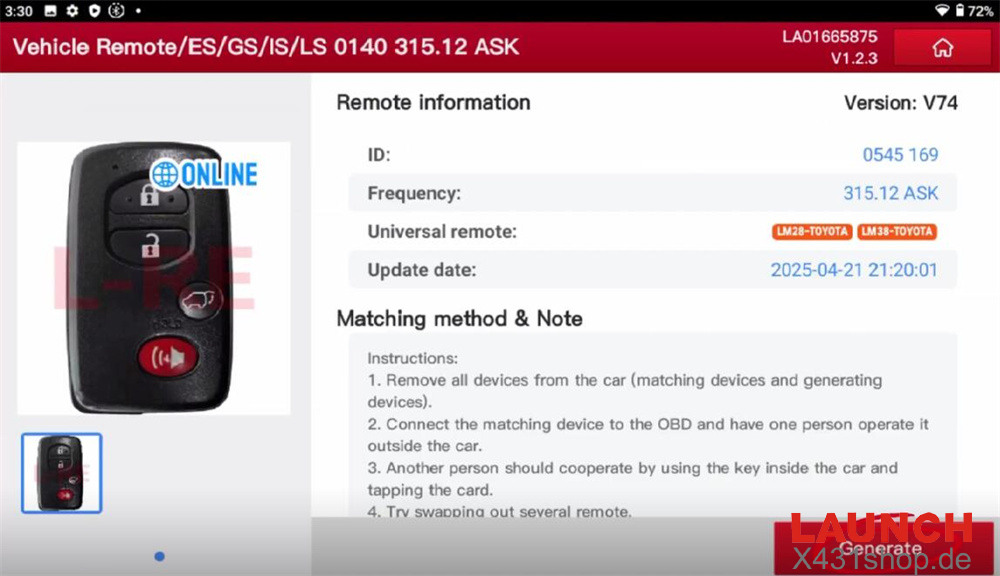
Begin by generating a remote using Launch X431 Key Programmer.
Navigate to:
Vehicle Remote → ASIA → Lexus → All Remotes → ES/GS/IS/LS 0140 315.12 ASK → Generate.
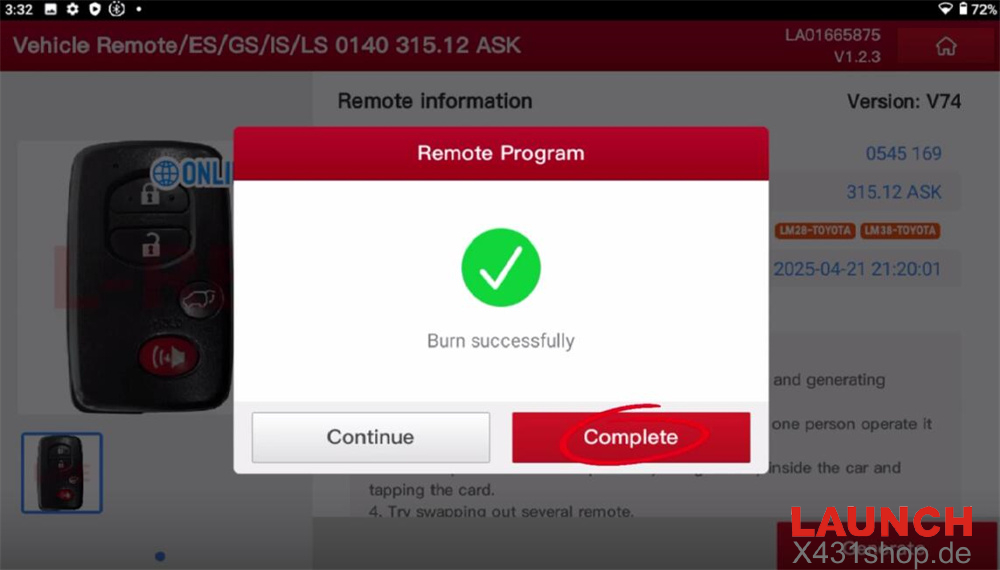
Once the remote is successfully generated, proceed to the next step.
Step 2: Read Immobilizer Data
Read the immobilizer data via the OBD interface.
Follow this path:
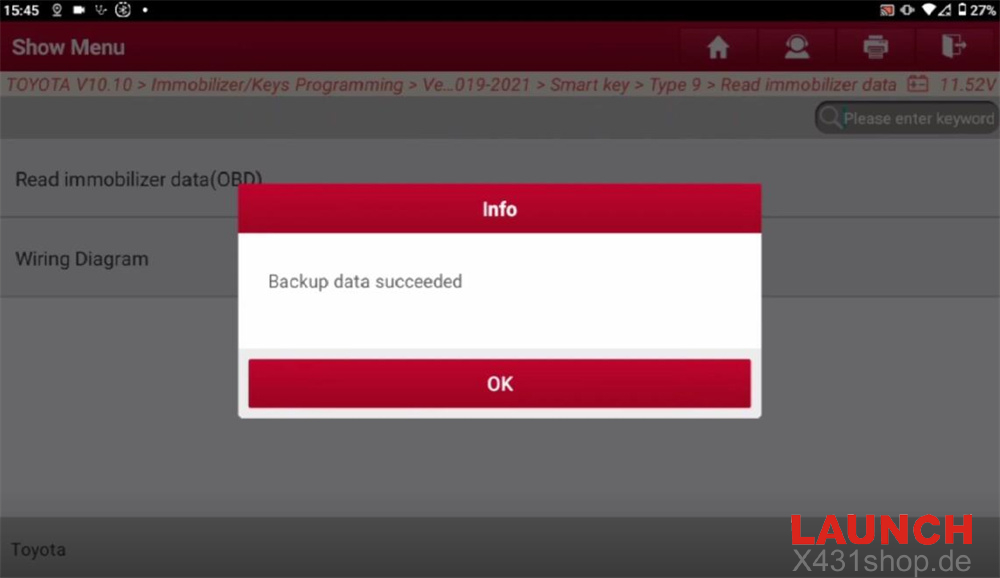
TOYOTA → Immobilizer/Keys Programming → Vehicle Mode → Other Region → RAV4 → 2019–2021 → Smart Key → Type 9 → Read Immobilizer Data.
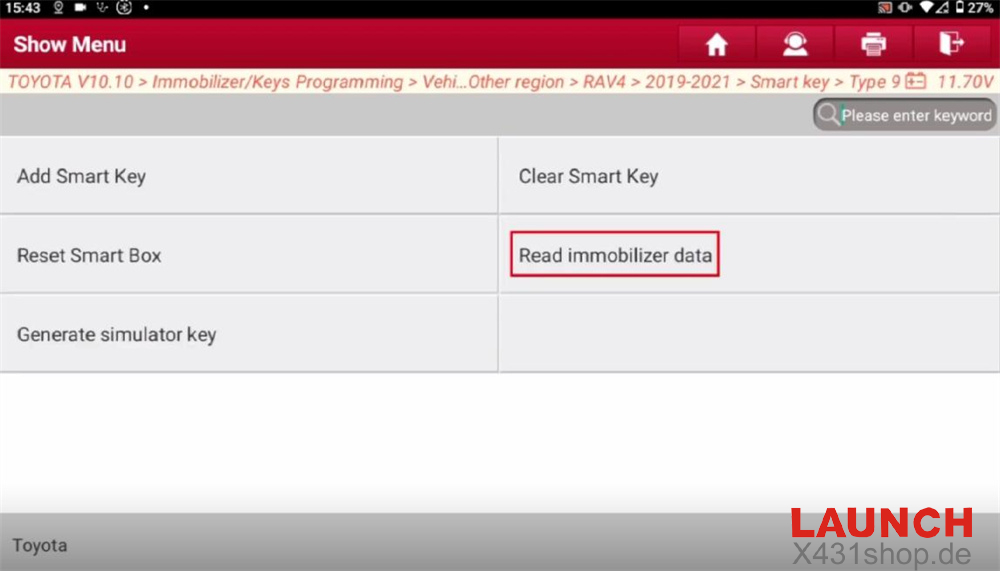
Select “Read Immobilizer Data (OBD)” to extract data from the vehicle’s smart box.
This step allows subsequent functions to be performed without a password.
After confirming the no-remove ECU operation, turn on the ignition switch to begin reading.
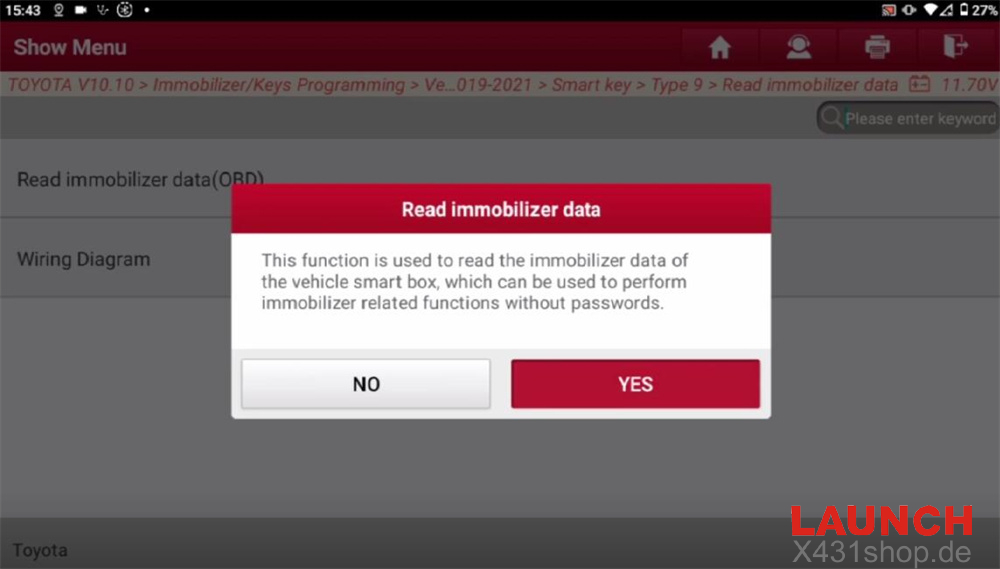
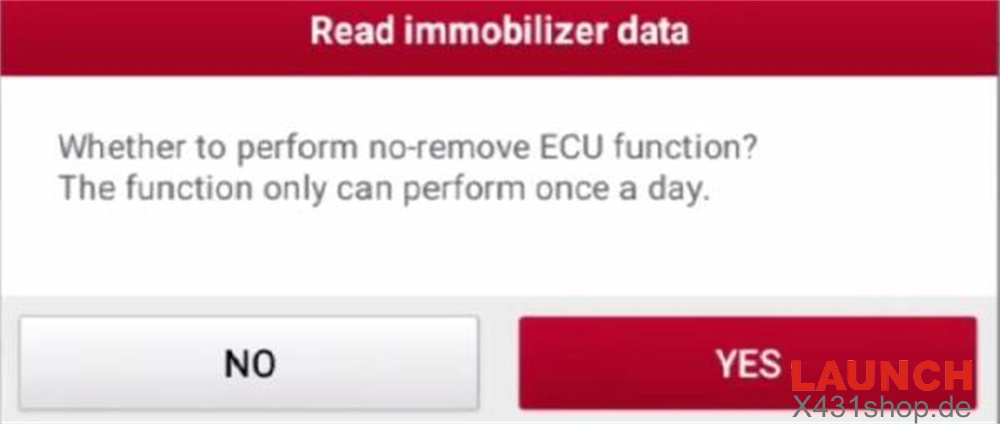
Save the retrieved data as a .bin file once the process is complete.
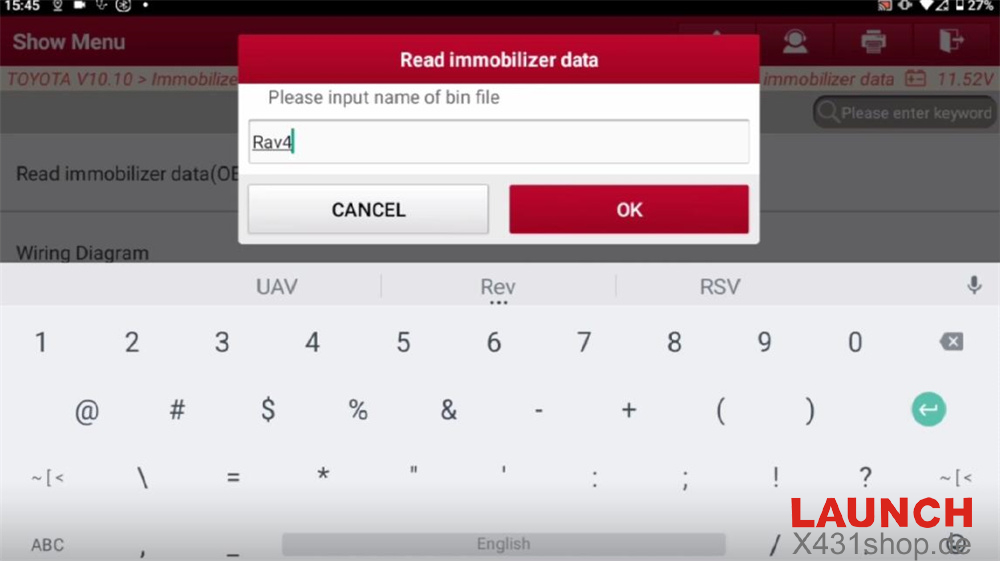
Step 3: Generate Simulator Key
Care review the on-screen instructions:
1. This function generates a simulator key when all keys are lost. Prepare the programmer and simulator key beforehand.
2. Bring the simulator key close to the Start button to illuminate the instrument panel, then proceed to add the smart key.
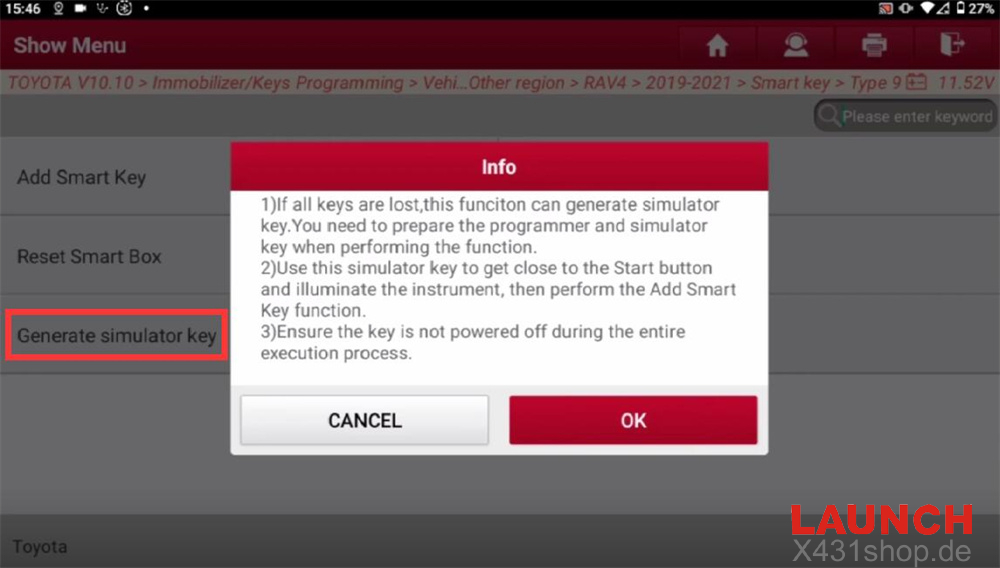
3. Ensure the key remains powered throughout the process.
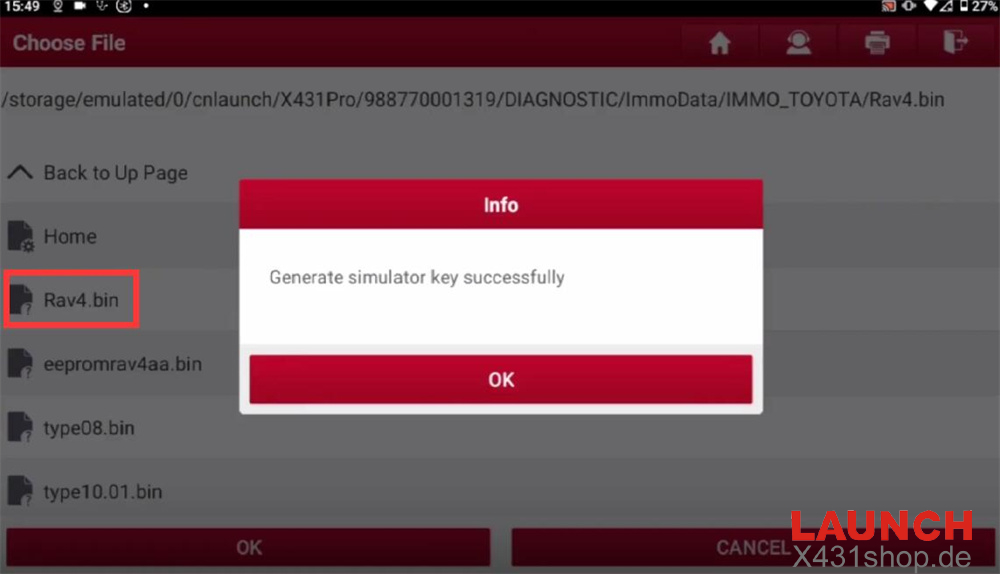
After confirmation, select the original immobilizer data to generate the simulator key.
Step 4: Add Smart Key
This function supports matching up to 6 keys.
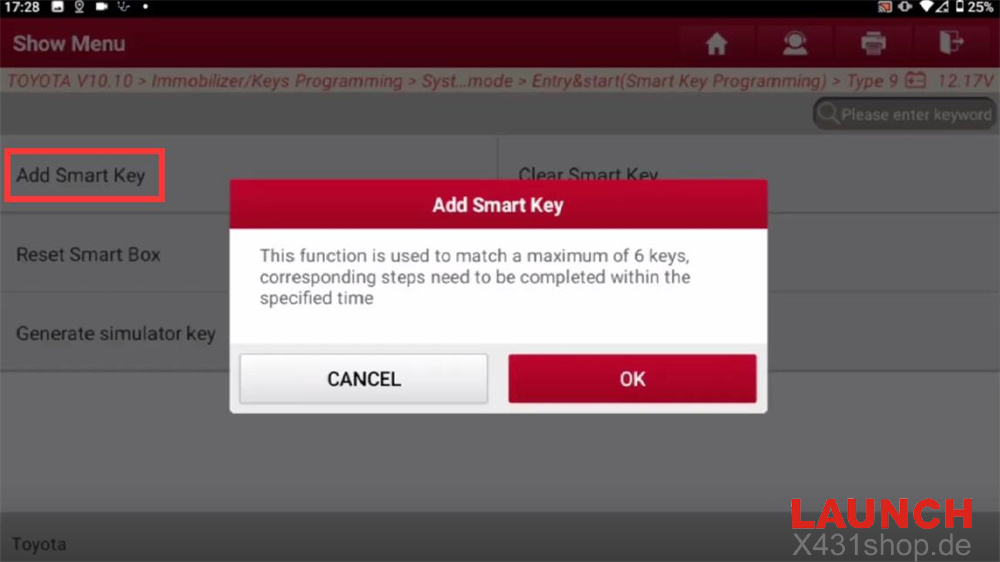
Follow the instructions within the specified time limit:
Turn on the ignition switch, activate the hazard lights, and then turn off the ignition.
The system will prompt you to confirm whether immobilizer data has been read.
Select the original .bin data file, then place a matched key near the Start button.
After one beep, bring the new key close to the button.
Two beeps will confirm successful matching.
This completes the full smart key matching process for the Lexus ES200 using Launch X431 IMMO Elite or X431 IMMO Plus.
Tech support:
E-Mail: sales@X431shop.de
WhatsApp: +86 17782330462
Tel: 0086-17782330462