







Both Launch X431 ECU Programmer and X431 X-Prog3 with PC Adapter can clone Chevrolet Bosch MR140 computer on bench, no X431 tablet required.
The operation guide is similar.
Main difference:
- X431 ECU Programmer works with its own X-431 ECU & TCU Programmer PC software (require V10.52)
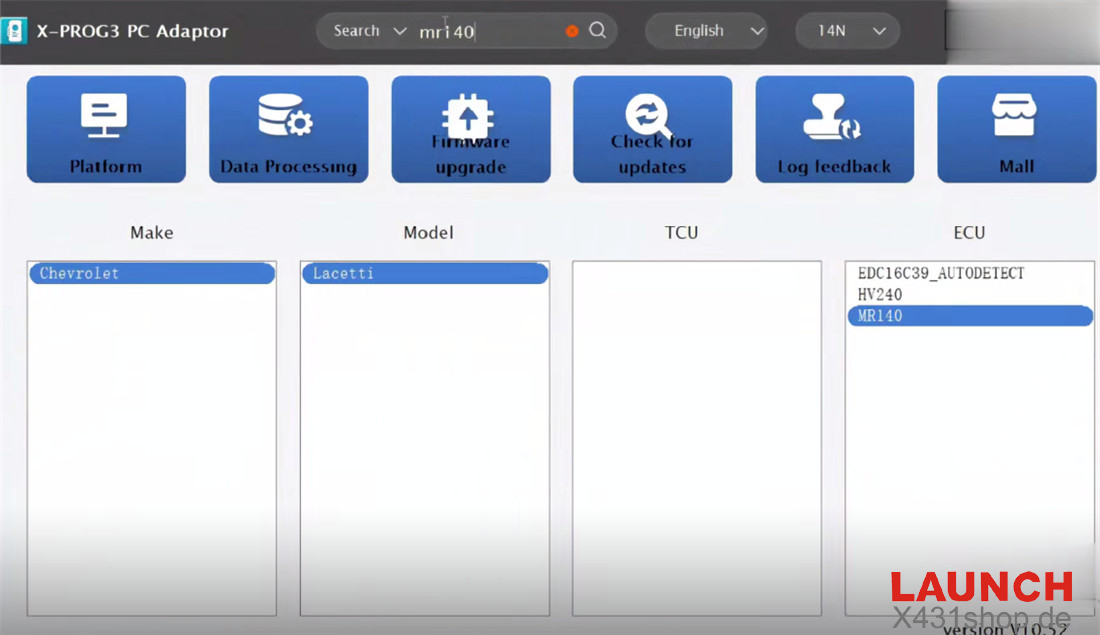
- X431 X-Prog3 and PC Adapter works with its own X-PROG3 PC Adaptor PC software (require V10.52)
How to clone ECU:
1. by Launch X-431 ECU Programmer
Connect X-431 ECU Programmer to a PC
Run X-431 ECU & TCU Programmer software
Search mr140, find the corresponding ECU model: Chevrolet Lacetti MR140
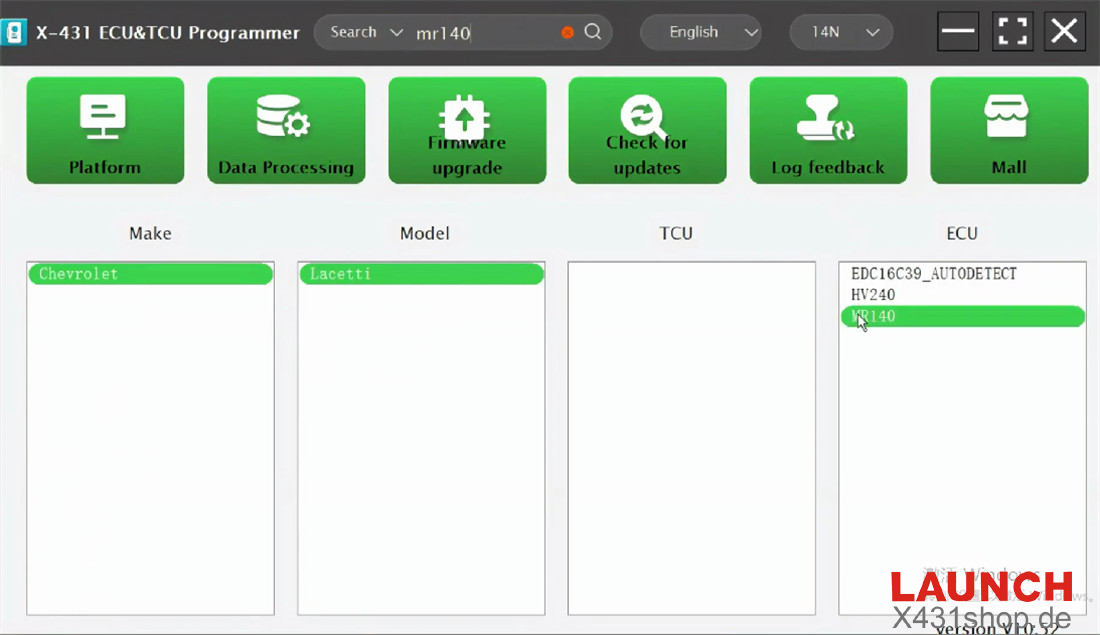
Select connection type “BENCH”
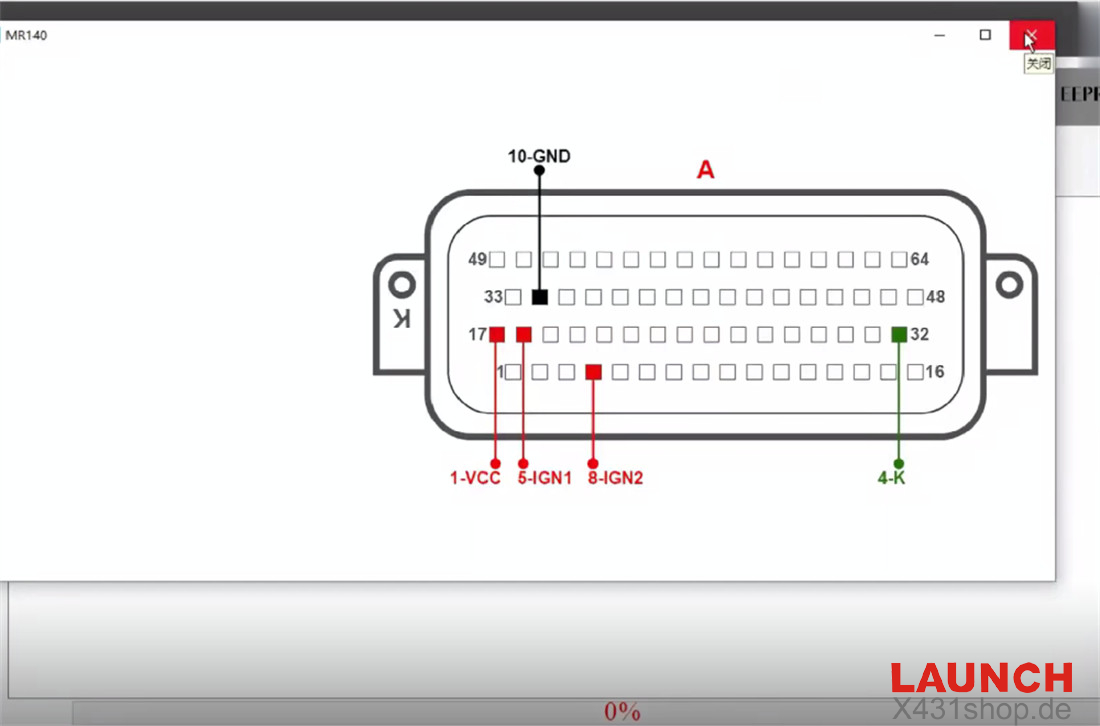
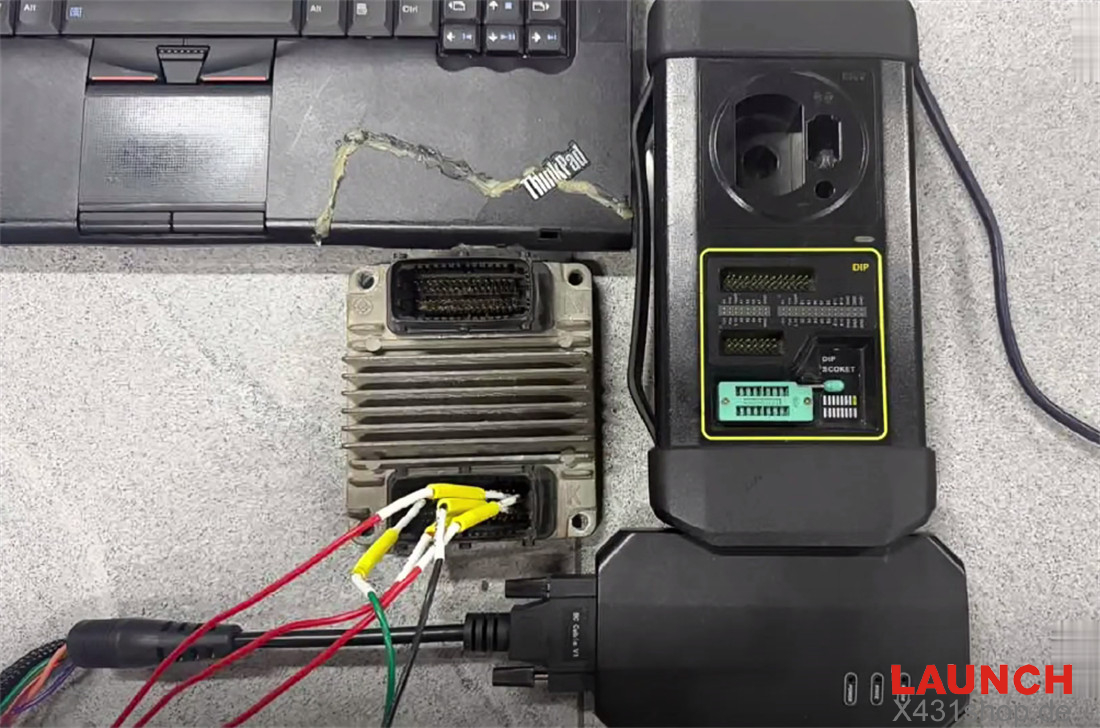
Follow the direct connection of diagram to connect Launch X431 ECU & TCU Programmer and the original Chevrolet Bosch MR140 ECU properly
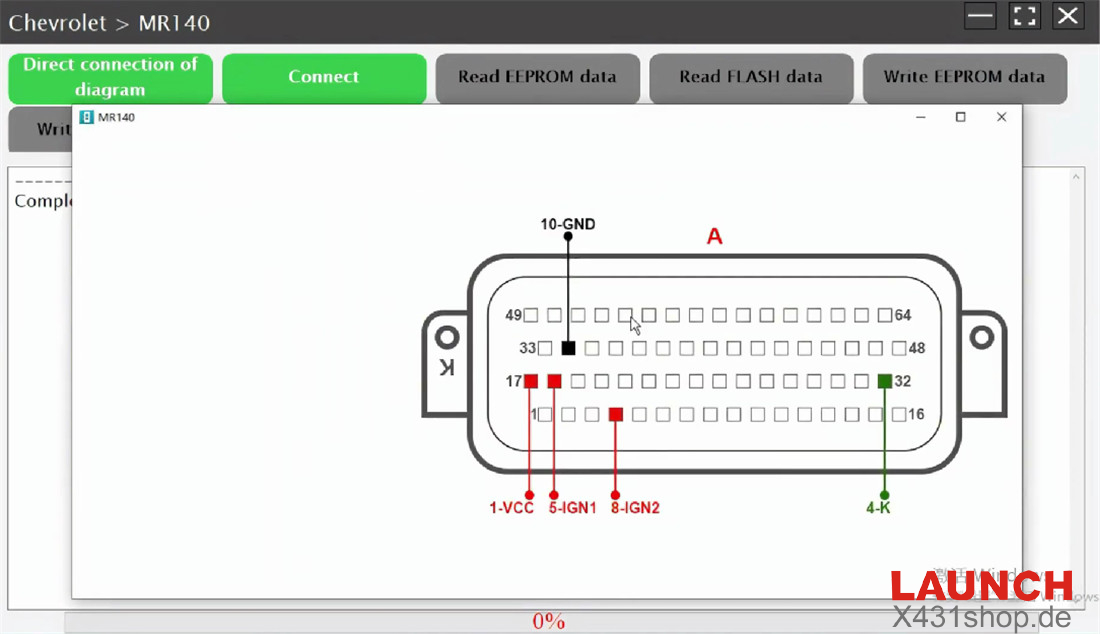
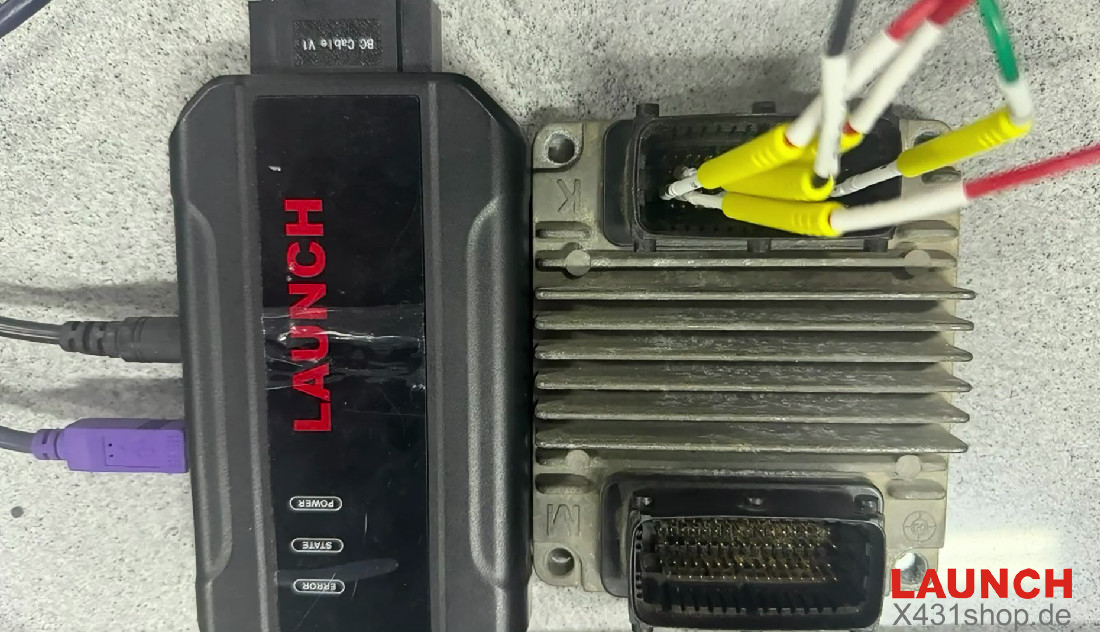
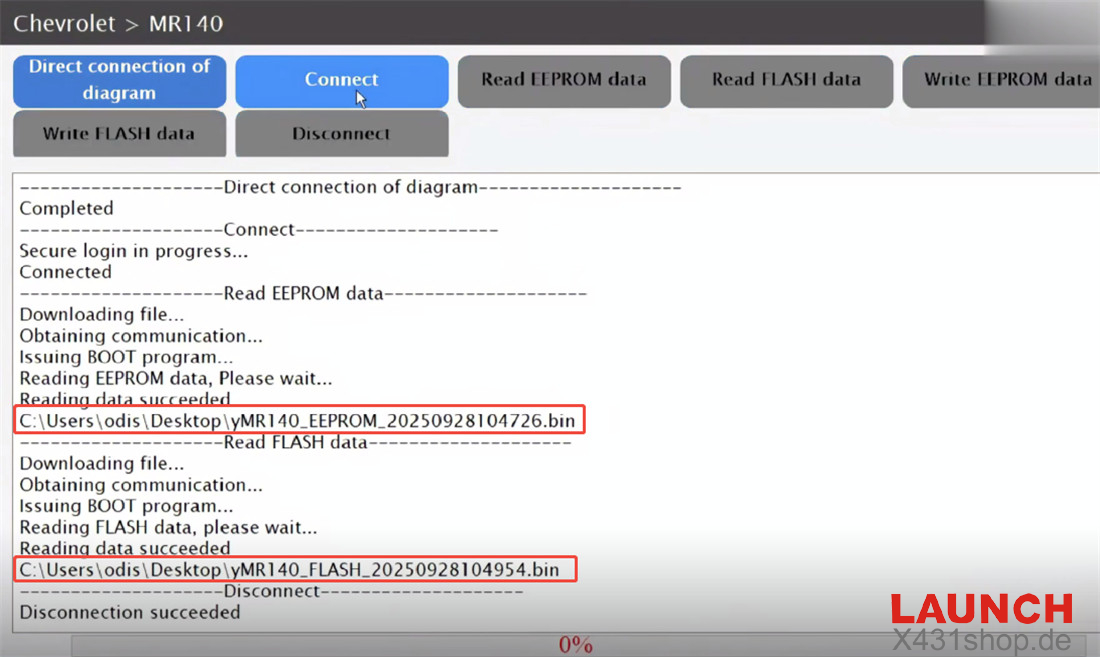
Click “Connect” to complete connection
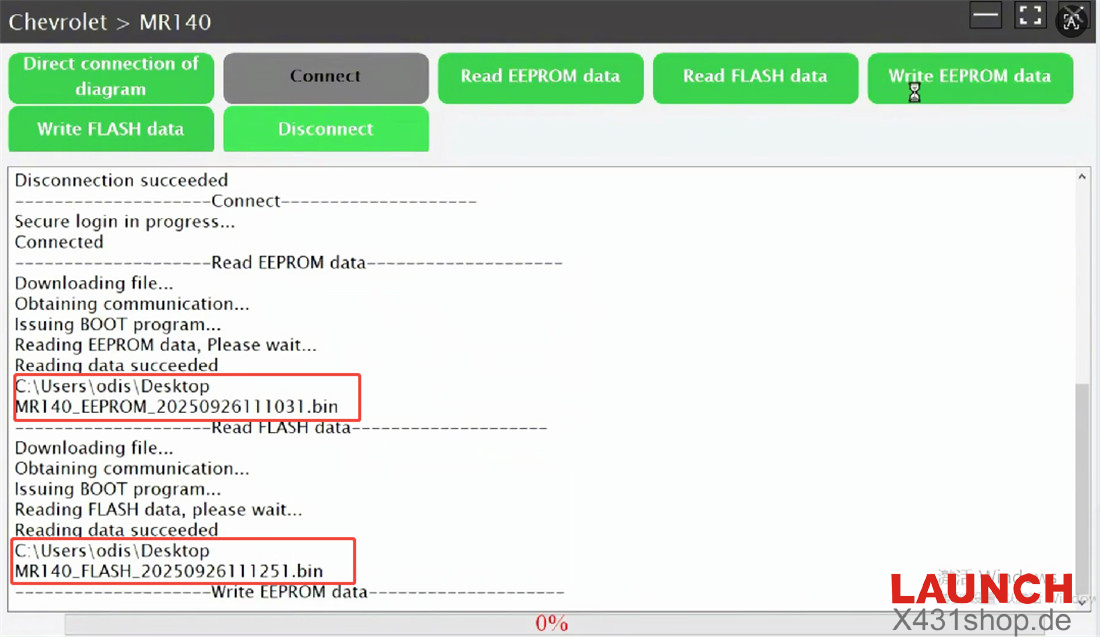
Then read EEPROM and FLASH data separately
Save both data after reading
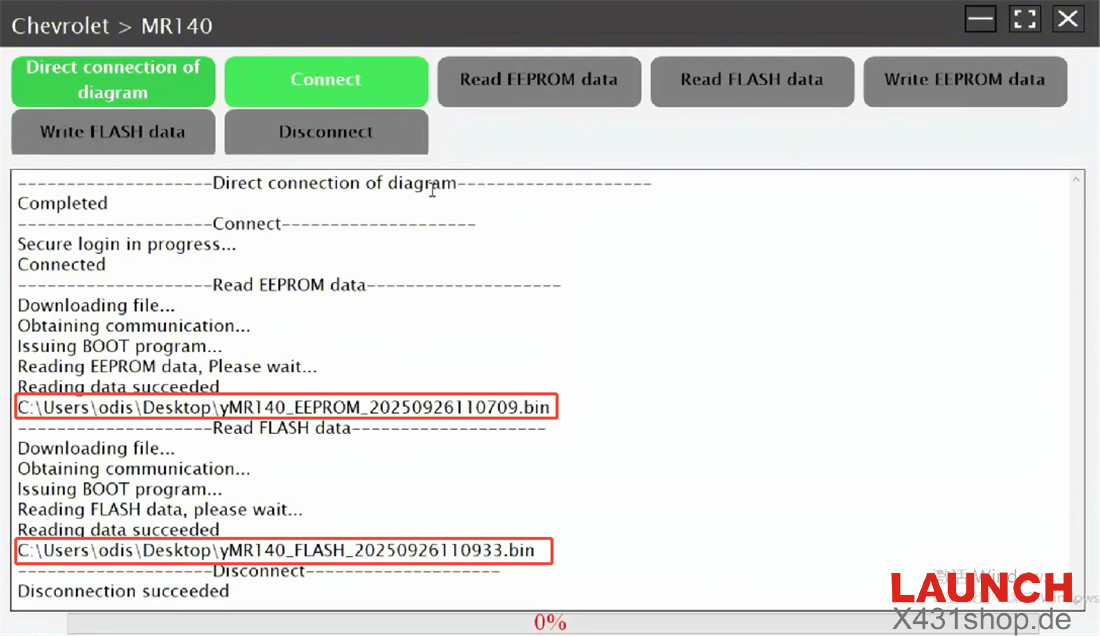
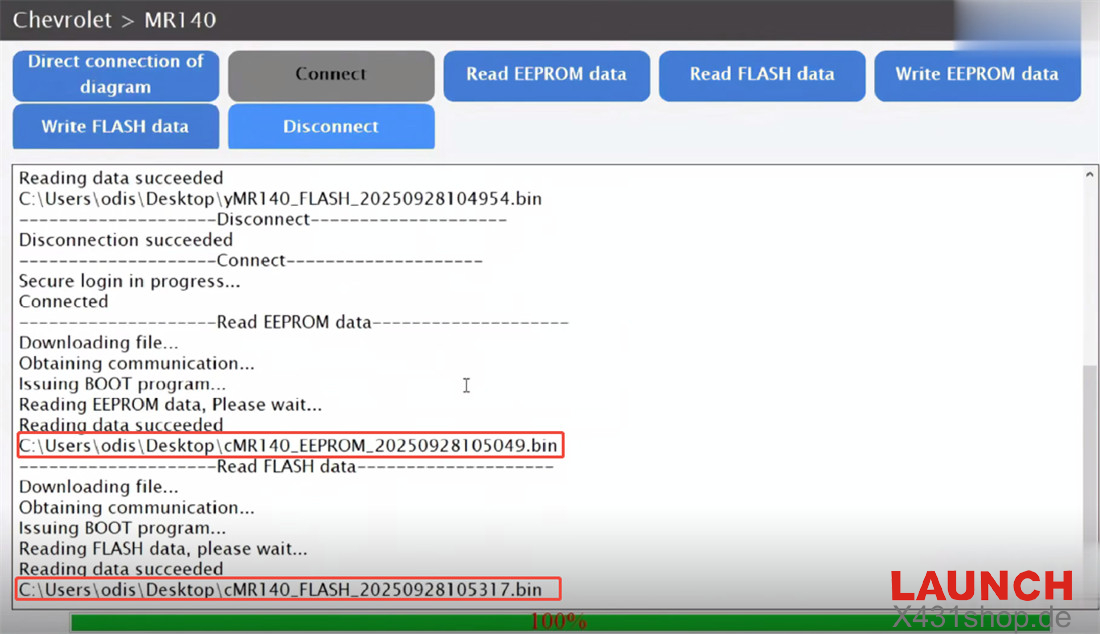
Disconnect the original ECU, and connect X431 ECU Programmer the new ECU on bench
Read and save new EEPROM and FLASH data as well
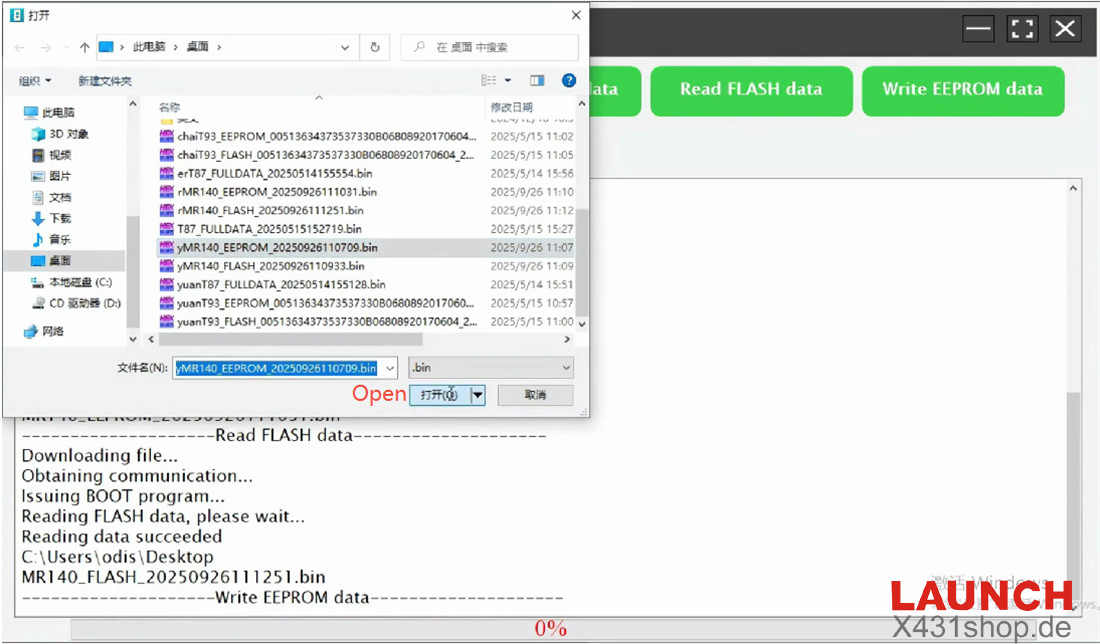
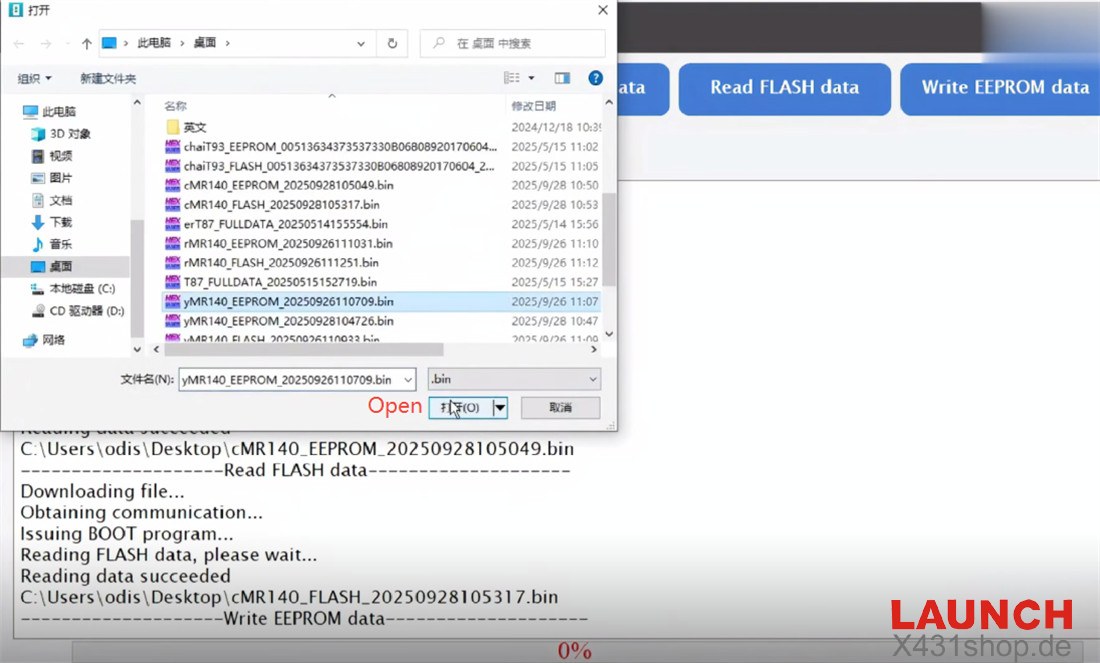
Select the original MR140 ECU data and write into the new ECU
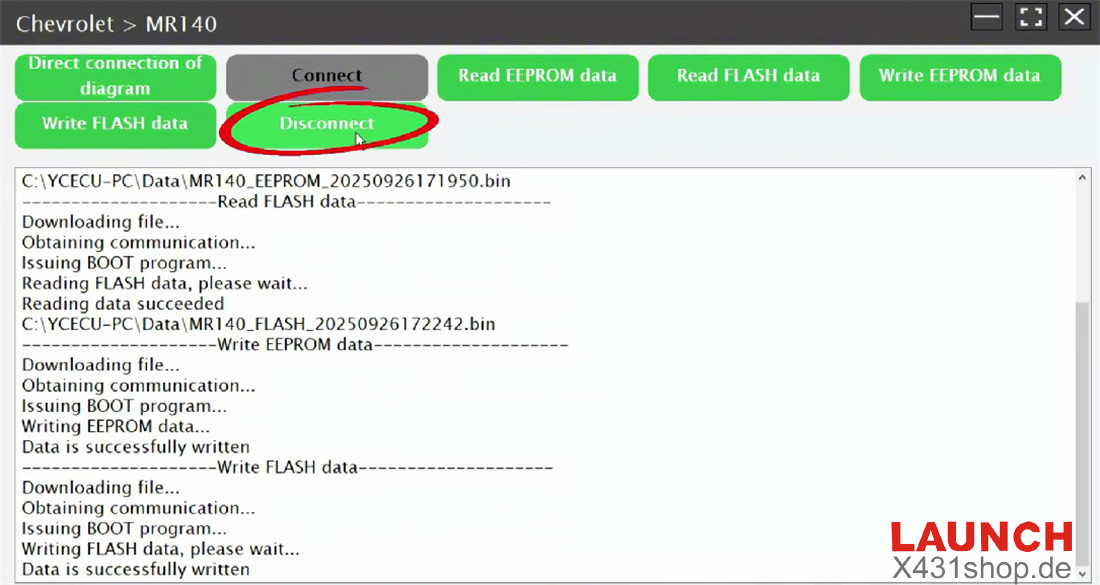
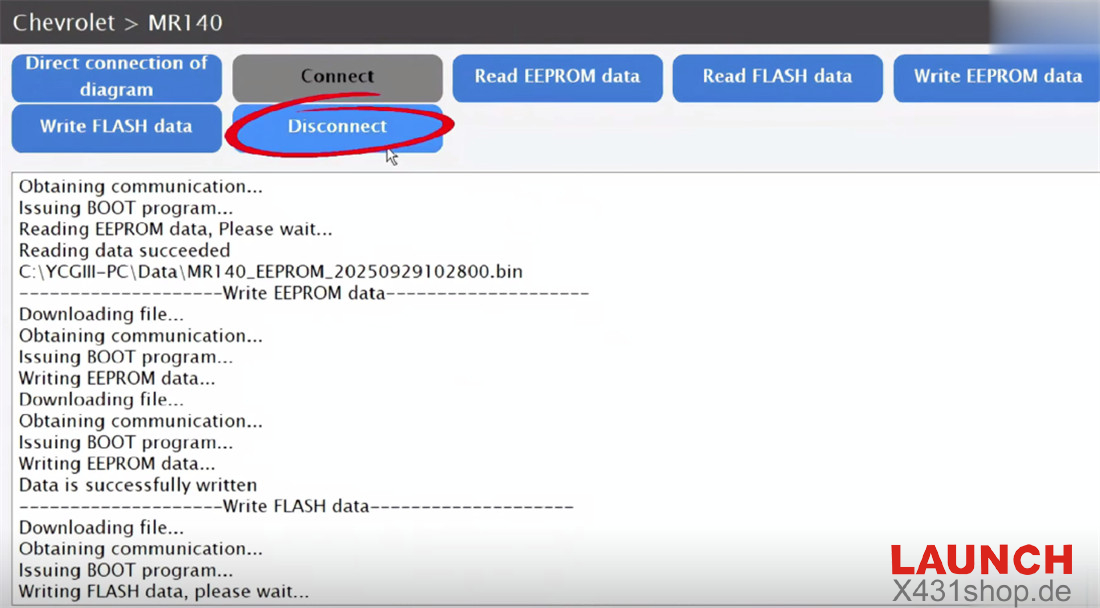
Wait for the data writing is complete
Video guide:
2. by Launch X-431 X-Prog3 PC Adapter
Perform the same process as X-431 ECU Programmer, the difference is that need to connect X431 X-Prog3 key programmer and PC Adapter.
Video guide: