




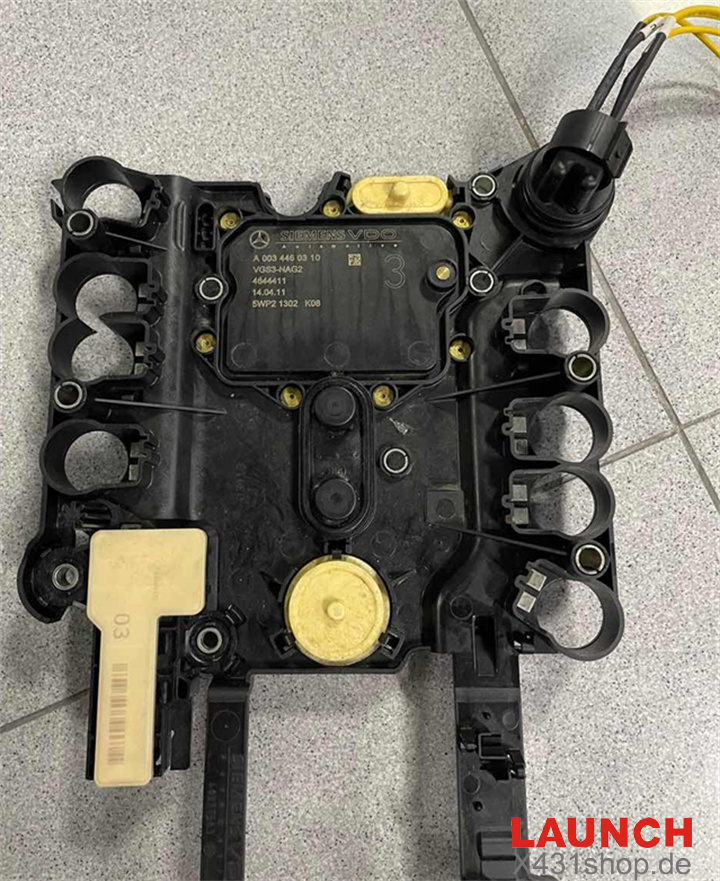
Replacing a used Mercedes-Benz 7G-Tronic VGS3 NAG2 transmission control module is not as simple as direct installation. Since every TCU is locked to the original vehicle through immobilizer personalization, a second-hand module must first be erased and renewed before it can work in another car.
With LAUNCH X431 PRO5 and Smartlink C, technicians can perform a complete bench virginization process without relying on expensive dealer-level equipment. After resetting the module, the TCU becomes ready for adaptation and programming in a different vehicle.
Below is the complete bench renewal procedure for the Mercedes-Benz VGS3 NAG2 transmission control unit.
Required Equipment
- LAUNCH X431 PRO5
- LAUNCH Smartlink C VCI
- Mercedes-Benz VGS3 NAG2 TCU
- Stable bench power supply
Step 1 Enter the Mercedes-Benz IMMO Function
Open X431 PRO5 diagnostic software and access the Mercedes-Benz anti-theft menu. Make sure the Smartlink C interface is properly connected and recognized before continuing.
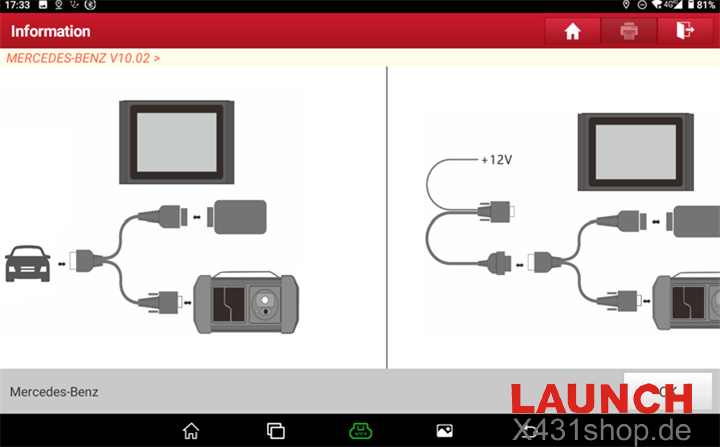
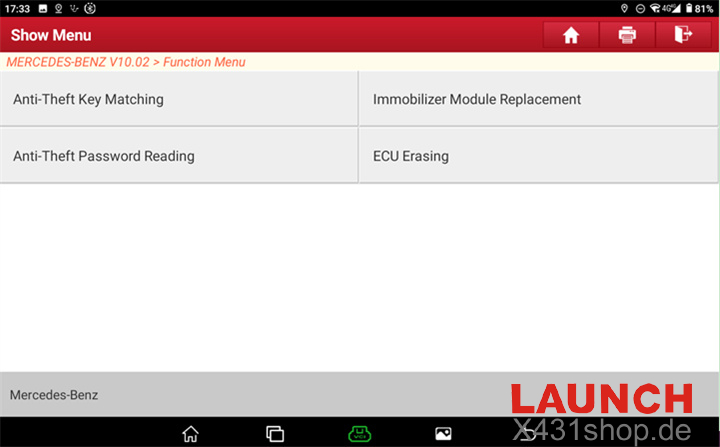
Step 2 Open the ECU Erasing Function
Inside the immobilizer system menu, select ECU Erasing to access the module reset and renewal functions.
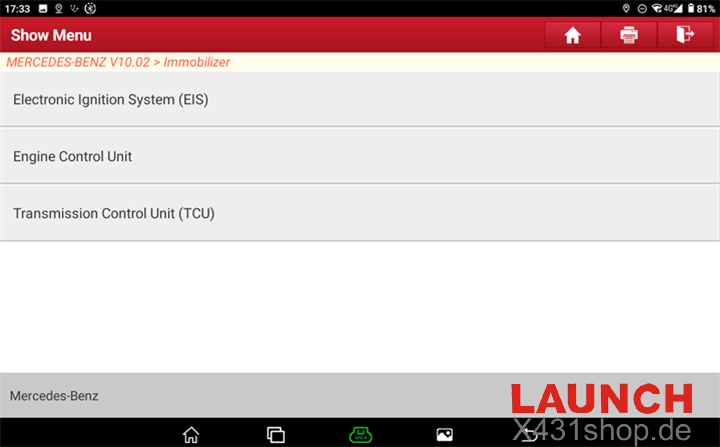
Step 3 Select the Transmission Module
Choose Transmission Control Unit from the supported control module list.
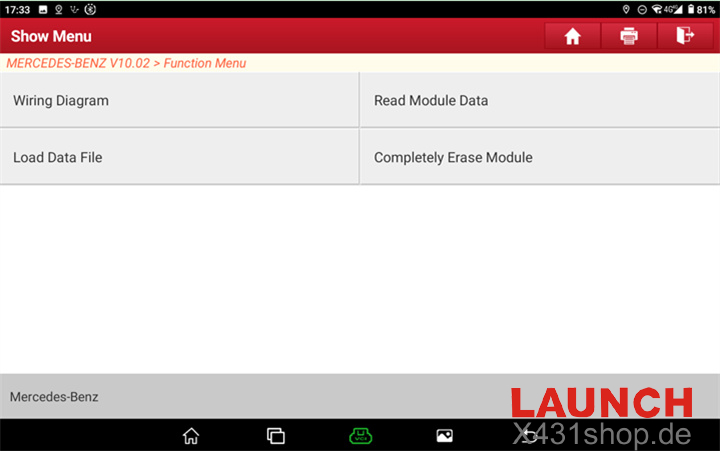
Step 4 View the Wiring Diagram
Press the Wiring Diagram button to display the official pinout information for the VGS3 NAG2 TCU.
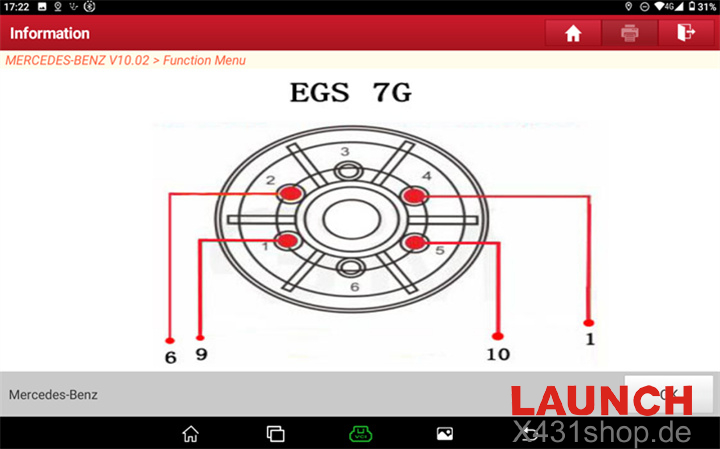
Step 5 Connect the Module on Bench
Follow the wiring diagram carefully and connect power supply, ground, and communication lines to the TCU. Double-check all wiring before moving forward.
Step 6 Start the Virginization Process
After confirming stable power and communication, select Completely Erase Module.
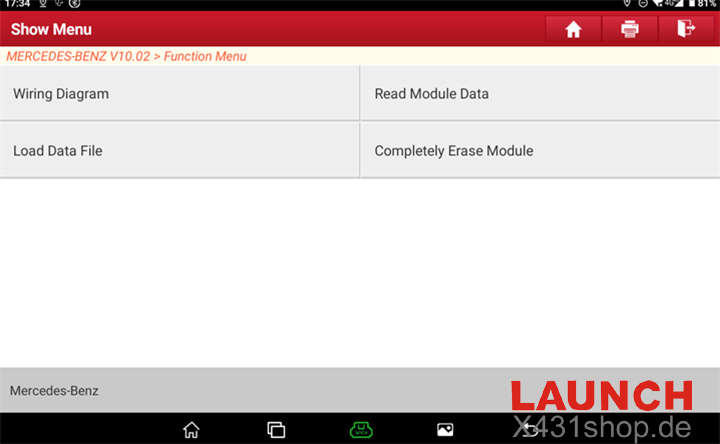
Step 7 Confirm System Warnings
Read the on-screen warnings regarding immobilizer operations and confirm to proceed.
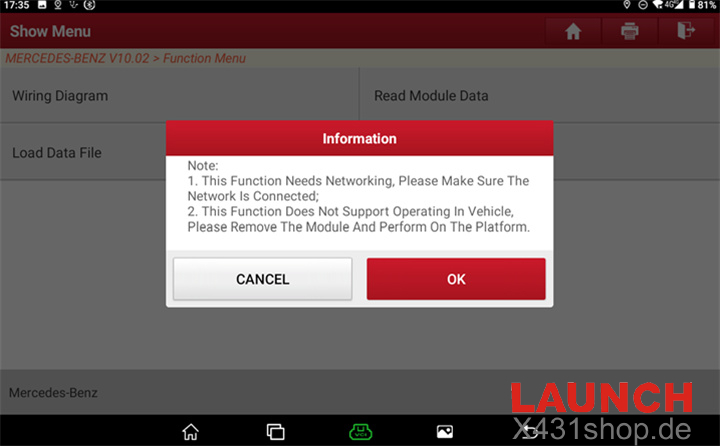
Step 8 Read Current TCU Status
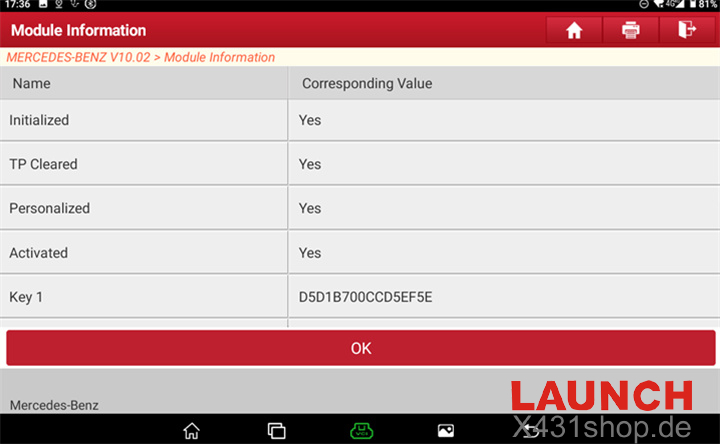
The system will analyze the module and display its current status. Normally, a used module will show Personalized and Activated status.
Press OK to continue sending the erase command.
Step 9 Choose Whether to Back Up Data
The device will ask whether you want to save the original coding information.
- Select Yes if backup or cloning is needed
- Select No for full renewal of the donor module
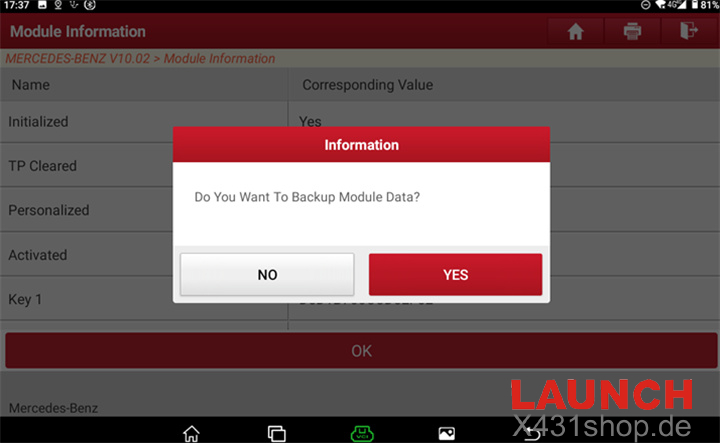
Step 10 Authorize the Reset Operation
Confirm the final security prompt and begin the reset procedure.
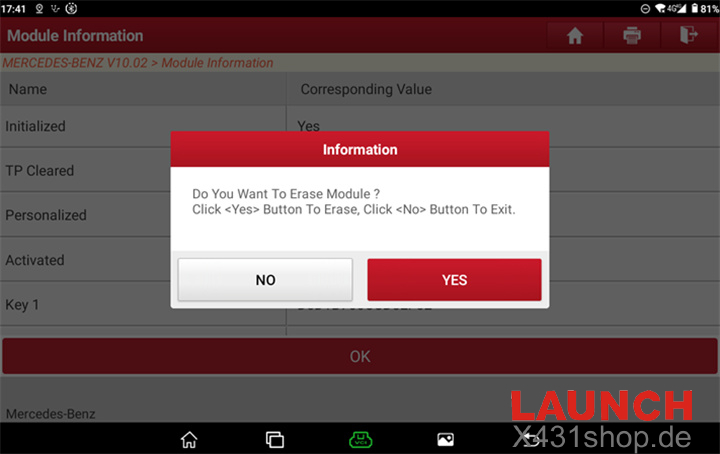
Step 11 Online Calculation and EEPROM Reset
The LAUNCH PRO5 will communicate with the server to calculate security data and perform the EEPROM erase process automatically.
During this stage, maintain stable voltage and avoid disconnecting cables.
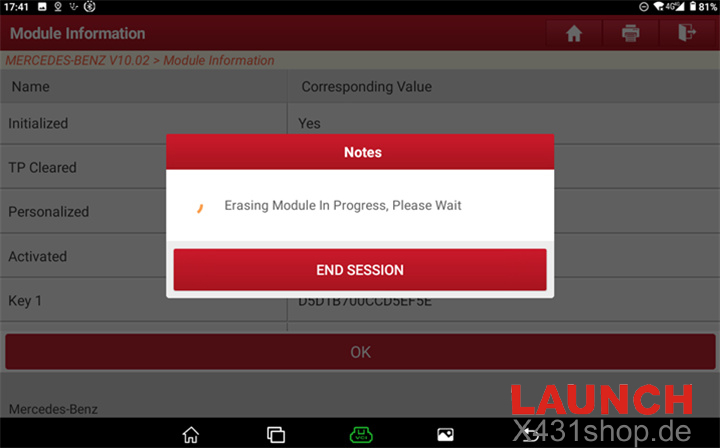
Step 12 Verify Successful Erasing
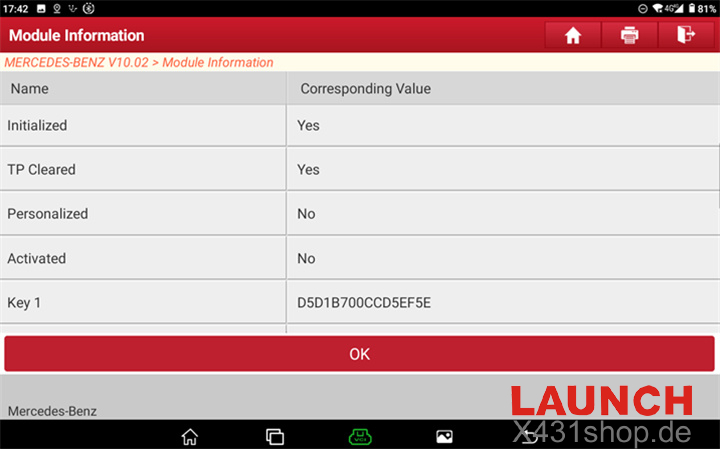
Once completed, the system will display a successful erase message. The module status will refresh and show that Personalized, Activated, and Locked are all set to No.
The VGS3 NAG2 TCU is now fully virginized and ready for installation and adaptation in another vehicle.
For workshops handling Mercedes-Benz transmission replacement and immobilizer repair, LAUNCH X431 PRO5 Diagnostic Tool offers an efficient and practical bench solution for VGS3 NAG2 TCU renewal.