



How to fix the issue when a Launch X431 V+, X431 Pro5, or X431 Pro3S+ Lenovo Android tablet shows “The device is corrupt and will not boot.”
If your Launch X431 tablet cannot boot and displays a corruption message, follow the steps below to reflash the firmware and restore the device to factory settings.

Step 1: Download the Launch X431 605FC Patch(Mega link, RAR, 54.7MB)
The patch package includes the following files:
- QUD.WIN.1.1 Installer-10040.5.zip
- QPST.WIN.2.7 Installer-00447.3.zip
- emmc_appsboot_printlog_and_repair.mbn
Step 2: Reflash the Launch X431 Lenovo Android Tablet
Part 1: Flash the special aboot.img using QFIL
Download emmc_appsboot_printlog_and_repair.mbn as the special aboot image.
Prepare X431 Android tablet (example: WIFI PRC TB-X605FC_S000078_200119_PRC).
Open QFIL and load the software package TB-X605FC_S000078_200119_PRC.

Power off the tablet. Press the power button while connecting the USB cable to enter EDL mode.
QFIL should detect port 9008.

Go to Tools → Partition Manager, then click OK.


Locate the partition labeled “aboot” in the list.

Right-click the aboot partition and select Manage Partition Data.

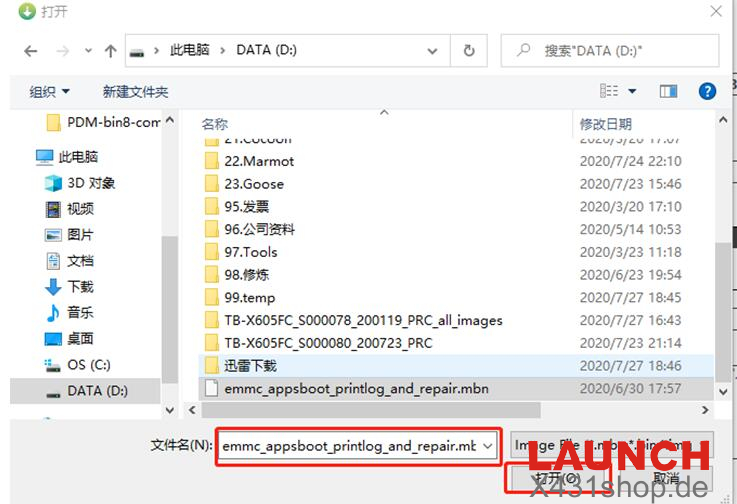
Click Load Image.

Load the file emmc_appsboot_printlog_and_repair.mbn.
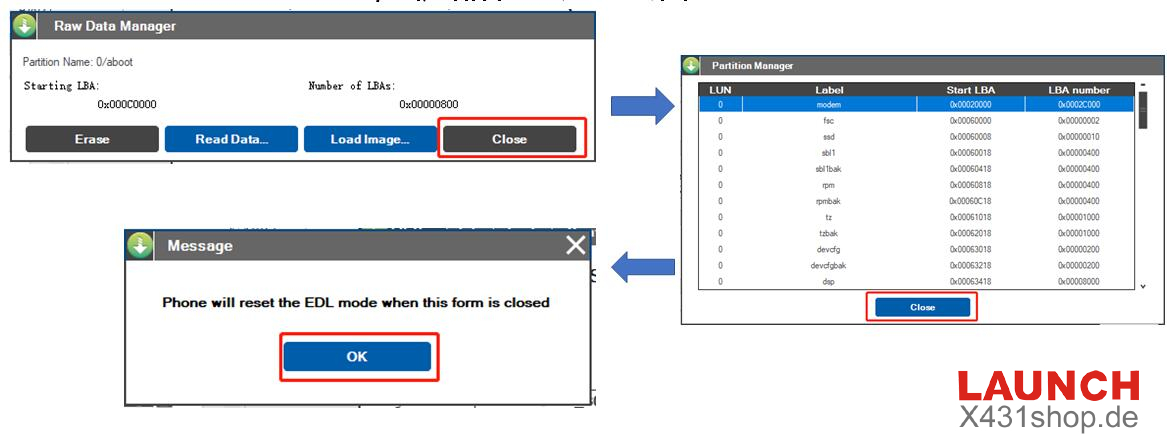
Wait for the flashing process to complete, then click Close → Close → OK.
The tablet will reboot automatically.
Part 2: Restore the tablet to default firmware
Power off the Launch X431 device.
Hold the Volume Up button and connect the USB cable to enter 9008 mode again.
Use QFIL to flash the original firmware back to the device.
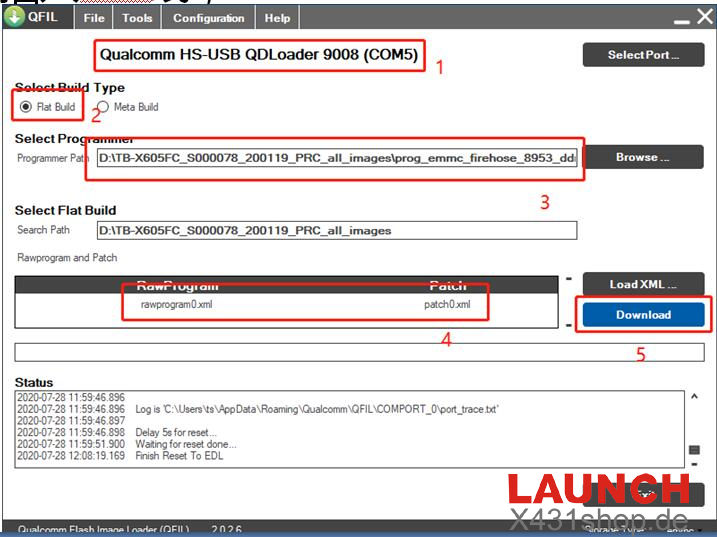
After completing this step, the RPBM partition data error should be resolved.
Important Notice
If the tablet fails to boot after flashing the special aboot.img, the issue may be hardware-related or different from this case. In that situation, it is recommended to send the device back to your dealer for further inspection.
Technical Support
E-Mail: sales@X431shop.de
Business WhatsApp: +86 17782330462
Tel: 0086-17782330462