






This guide shows you how to clear the “starter battery failure” error on a Porsche using the Launch X431 IMMO Plus, IMMO Elite, or IMMO PRO.
When this error happens, the car’s battery control system locks up. We will show you how to fix the battery data step-by-step so your car can run normally again.
What You Need
Before starting, make sure your Launch tablet is fully updated and connected to the internet. For this job, you must take the battery control module out of the car and work on a test bench.
- Tools: Launch X431 IMMO Plus, IMMO Elite, or IMMO PRO
- Software: Porsche Version 10.25 or newer
- Car Model: Porsche Cayenne (2018 to 2022)
How to Find the Menu
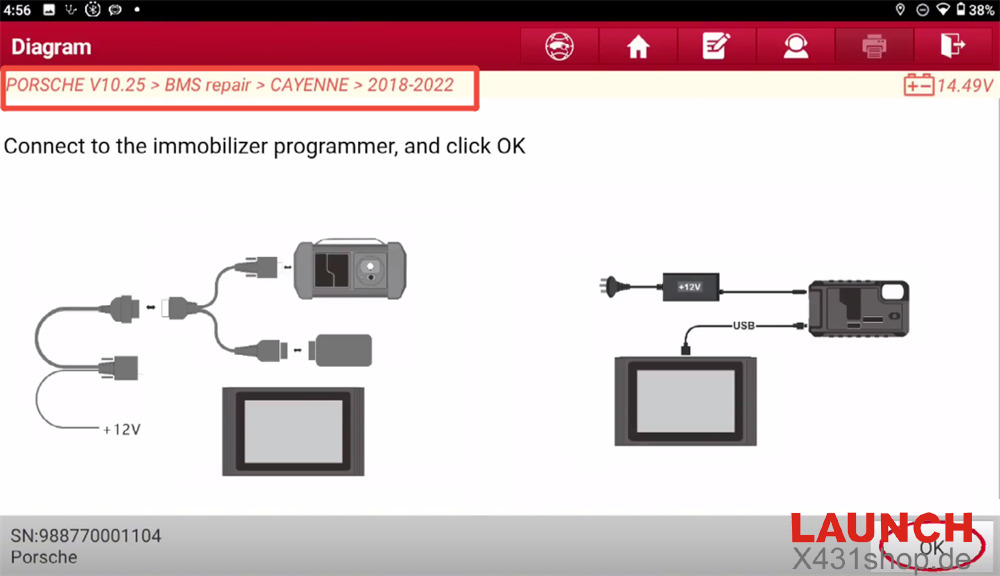
Turn on your Launch tablet and click through the options in this order: Porsche → Porsche V10.25 (or newest version) → BMS repair → CAYENNE → 2018-2022
Step-by-Step Guide
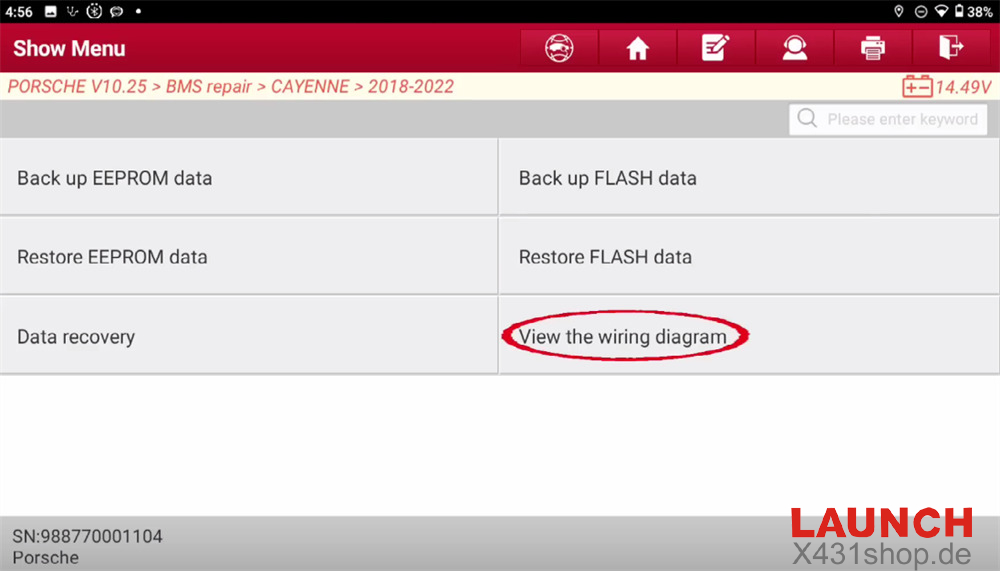
When you choose the car’s year, you will see four main choices. Please do not skip the backup steps. Saving your original data is very important!
Step 1: Check the Wiring Picture
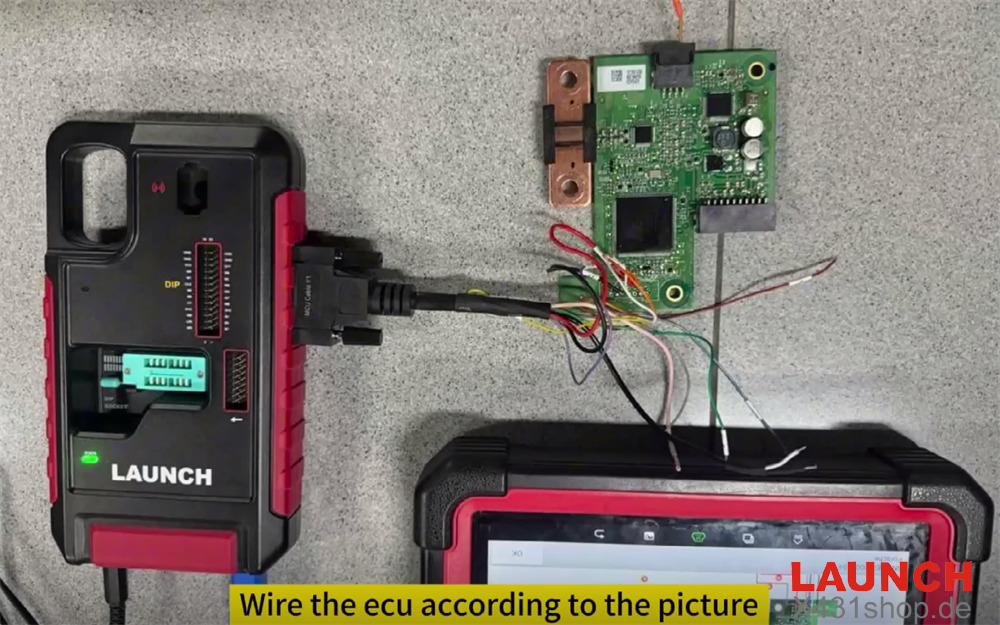
Do not guess where the wires go. First, click View the wiring diagram to see how to connect the tool to the module.
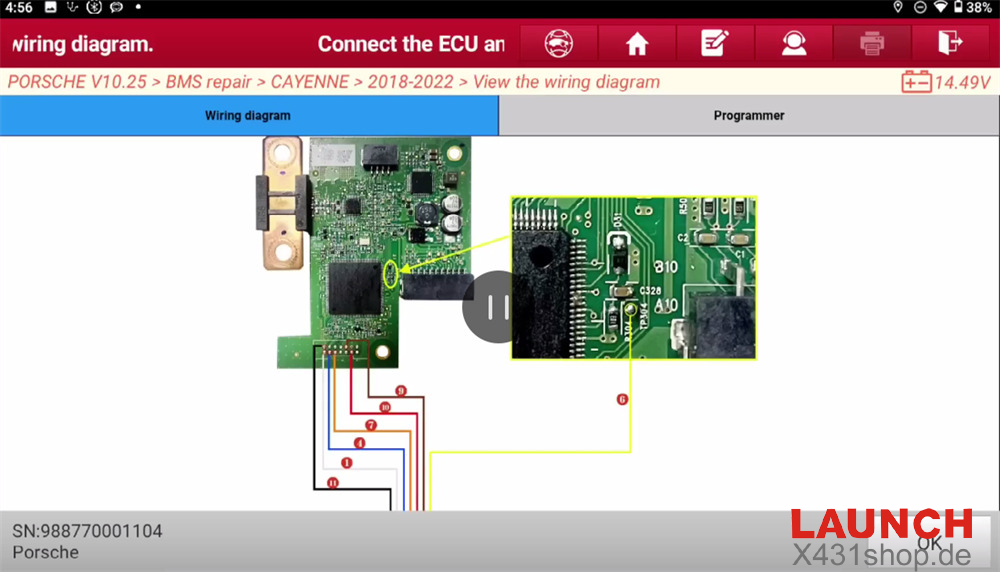
How to take out the battery computer (ECU):
- The car battery is under the passenger seat.
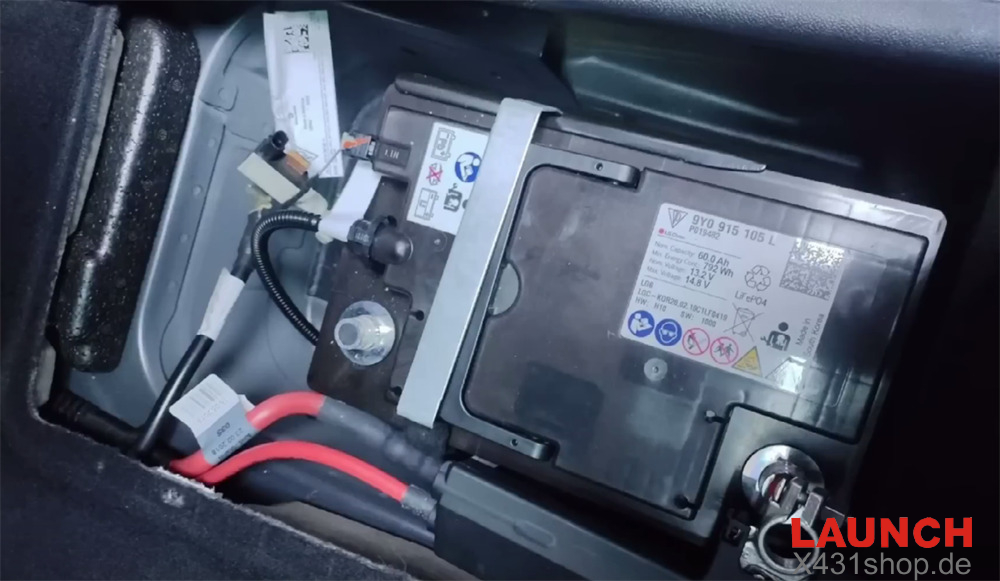
- Take off the battery cover.
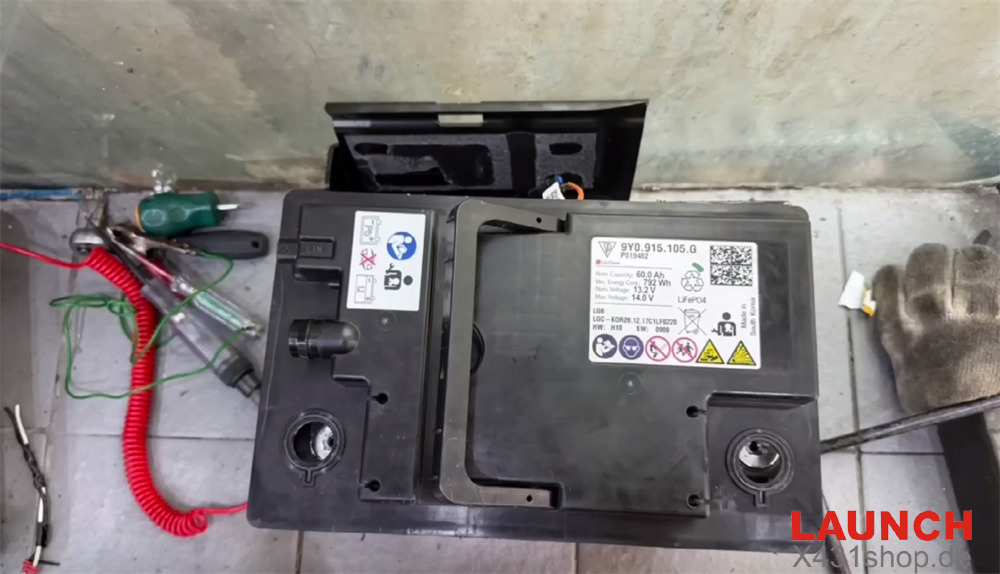
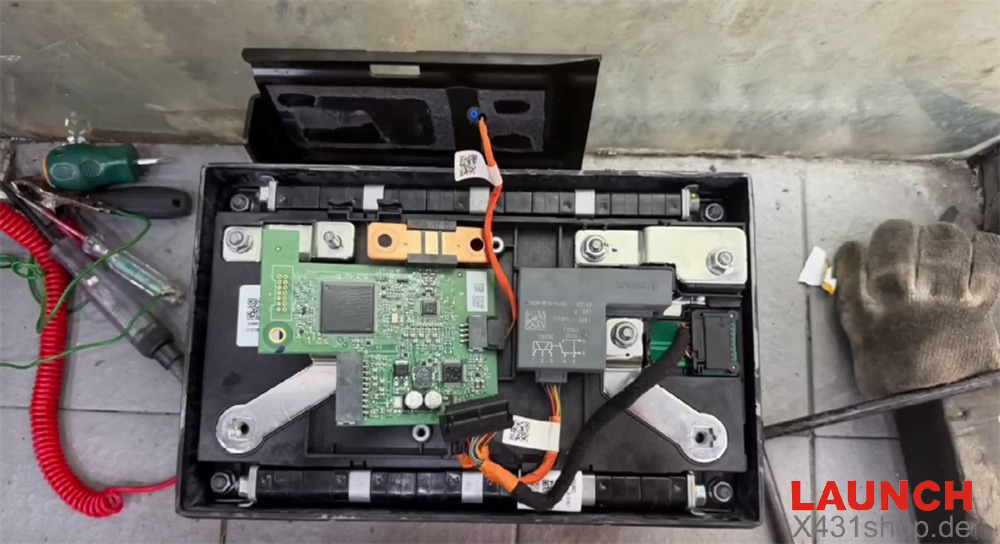
- Remove the small computer (ECU) inside the battery.
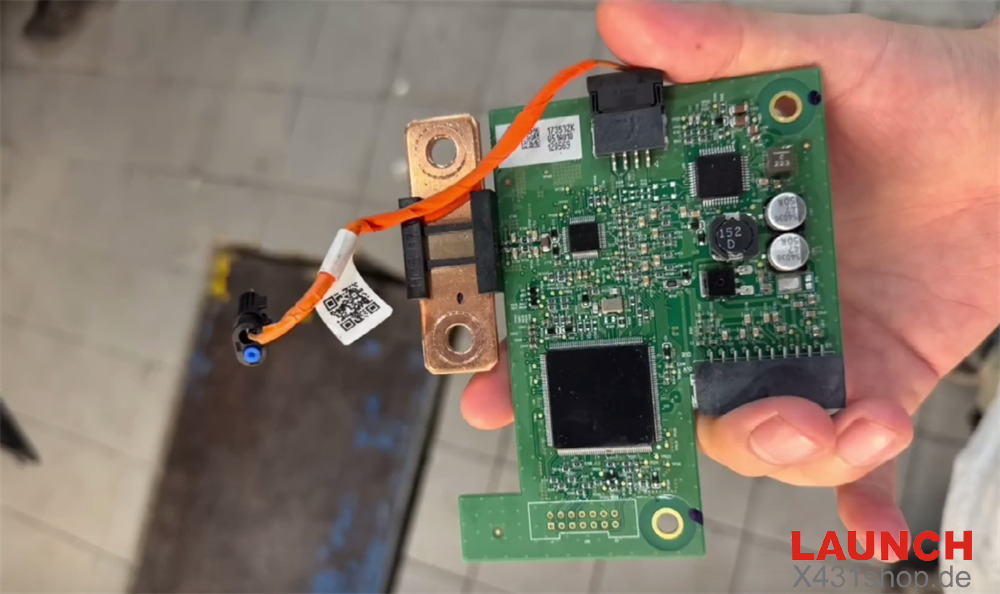
After taking out the ECU, you need to connect it to read and fix the files. Connect the Launch X-PROG5 programmer to the Porsche battery ECU and your Launch X431 IMMO Plus tablet correctly.
Step 2: Save the EEPROM File (Backup)
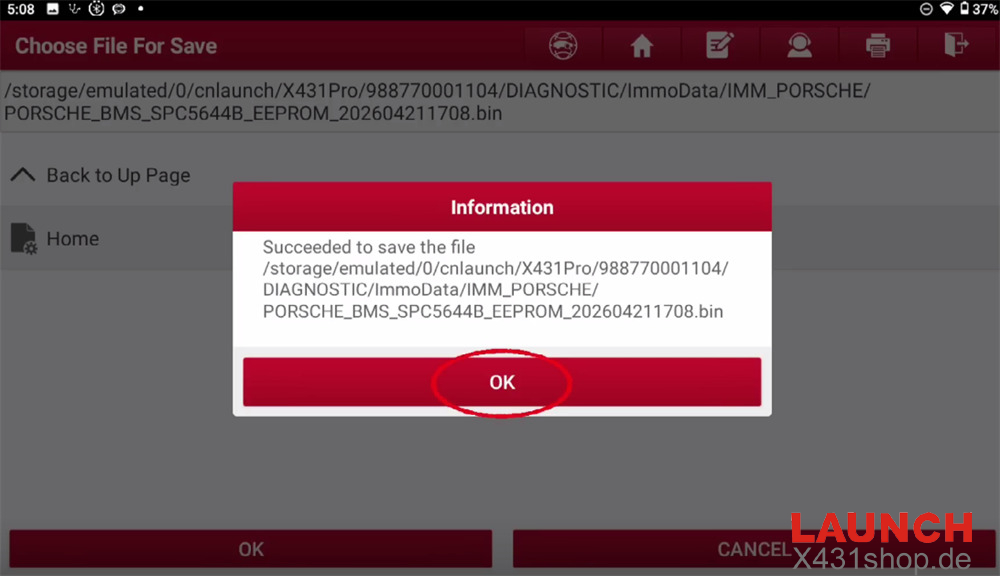
Never change any computer data without saving a copy first. Click Back up EEPROM data.
The tool will read the small memory chip inside. Save this file on your tablet with an easy name, like Cayenne_BMS_Orig_EEPROM.bin. If anything goes wrong later, you can use this file to restore the module.
Step 3: Save the FLASH File (Backup)
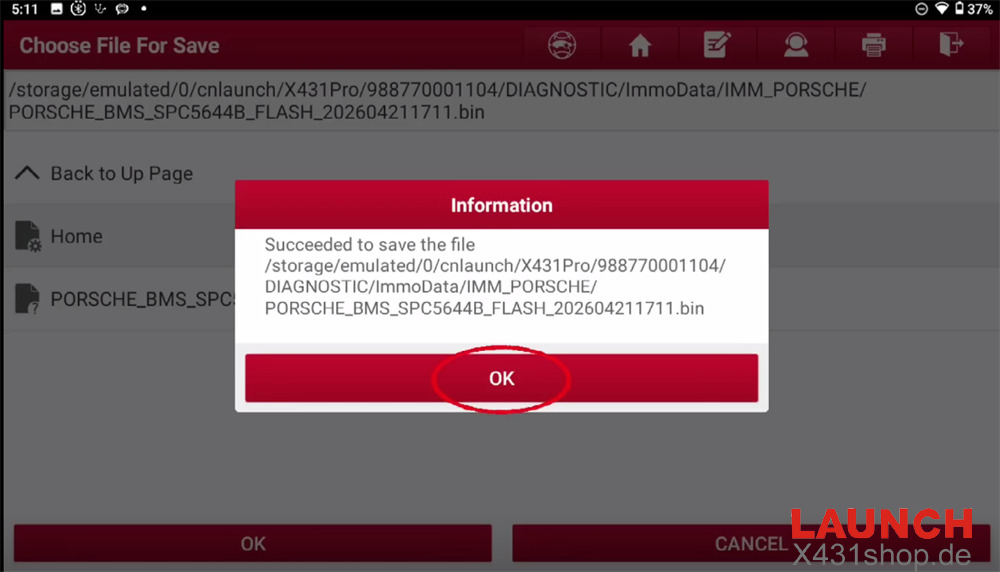
Next, click Back up FLASH data.
This steps saves the main system software of the battery module. Make sure your tablet and power source are stable so the power does not turn off during this step. Save this file safely just like the first one.
Step 4: Fix the Data (Data Recovery)
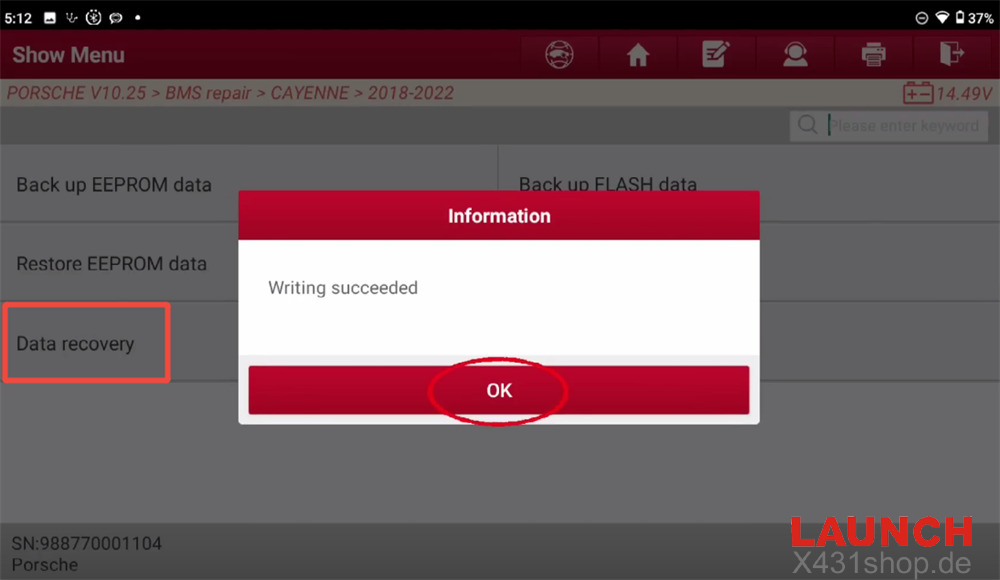
Now that your copies are safe, it is time to repair the error. Click Data recovery.
X431 IMMO Plus/IMMO Elite/IMMO PRO tool will look into the files, find the locked “battery failure” code, and clean it up automatically. Just follow the instructions on the screen while the tool writes the clean data back into the module.
When you see the message “Writing succeeded”, the battery lock is gone!
Finishing Up
Put the battery ECU back together, reinstall the battery into your Porsche Cayenne, and use your diagnostic tool to clear any leftover error codes. The car will now see the battery as normal, charge correctly, and start without any warning lights on the dashboard.
Tech support:
E-Mail: sales@X431shop.de
Business WhatsApp: +86 17782330462
Tel: +86-17782330462