






Customer Issue:
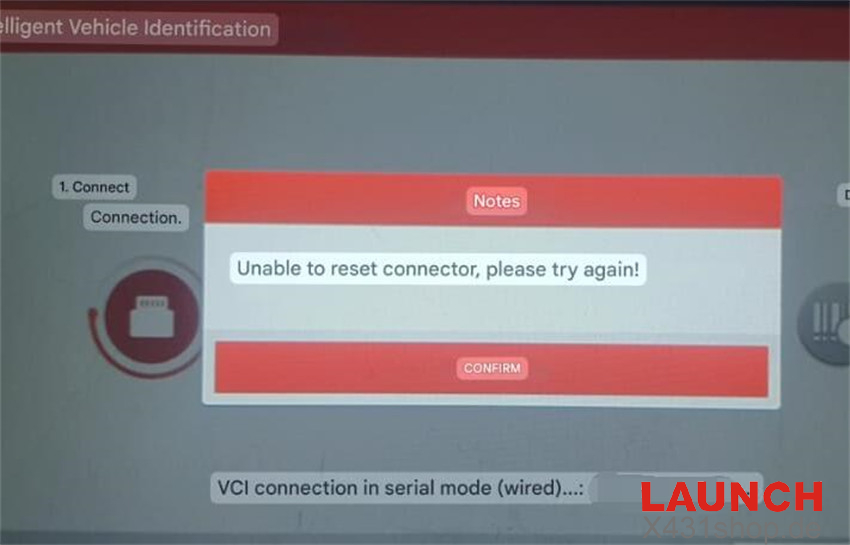
When connecting Launch X431 PROS Elite to the vehicle OBD port and starting the automatic vehicle scan, the message “Unable to reset connector, please try again!” keeps appearing every time.
Solution:
Perform a factory reset on X-431 PROS Elite / X431 PRO Elite tablet and try again.
Step 1: Power on the X-431 PROS Elite tablet.
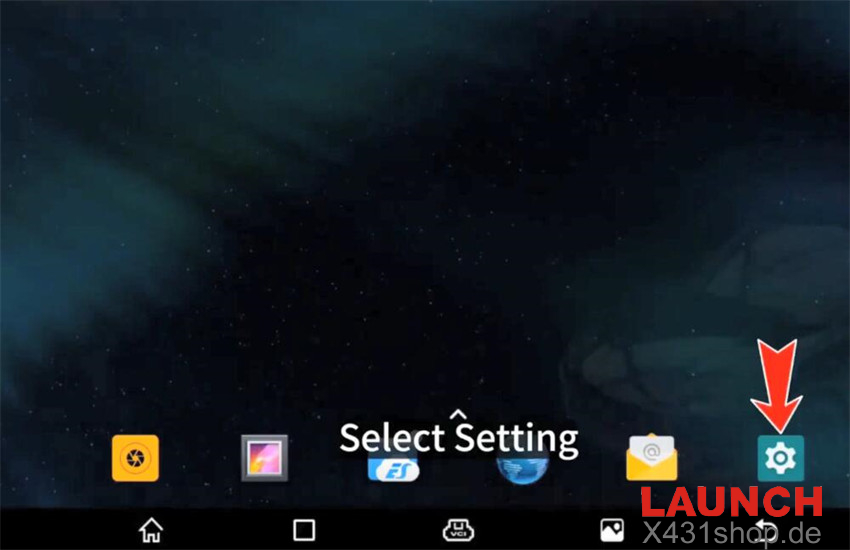
Step 2: Tap “Setting” on the home screen.
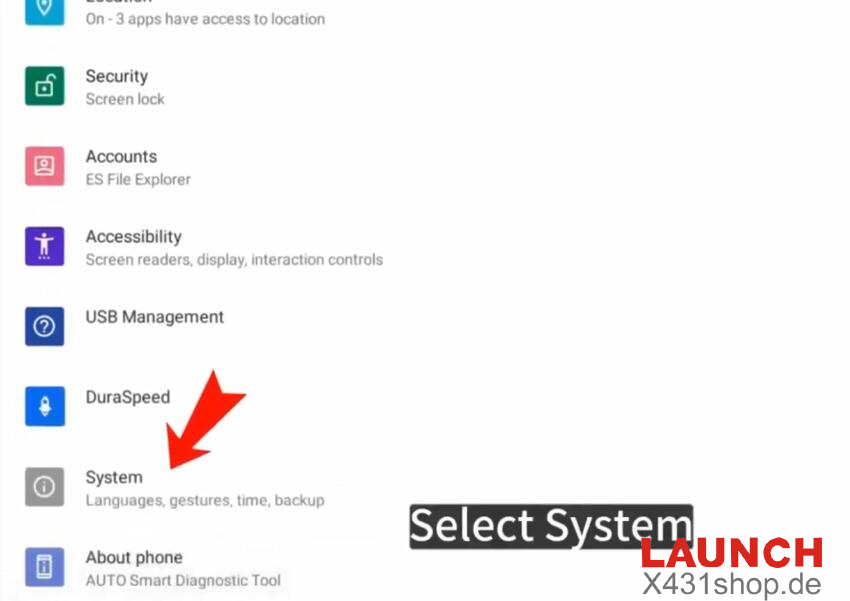
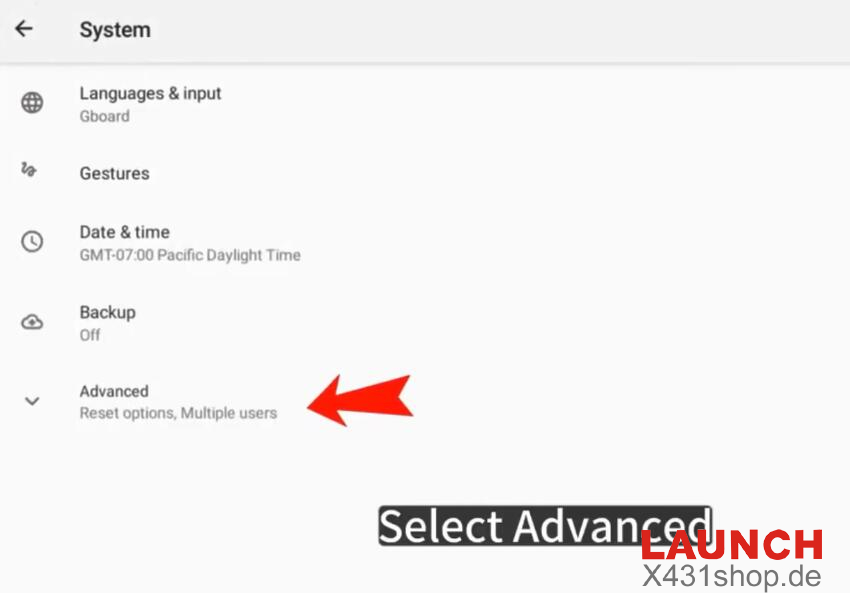
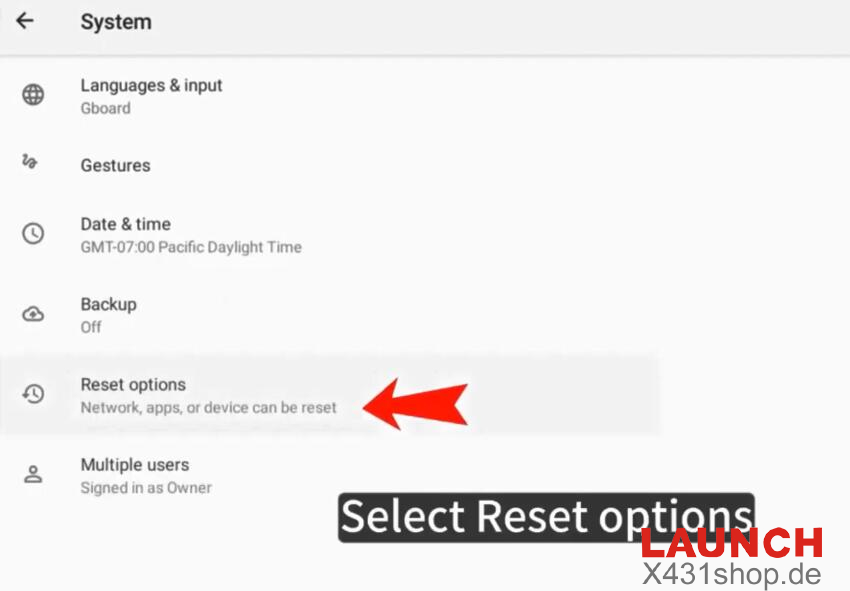
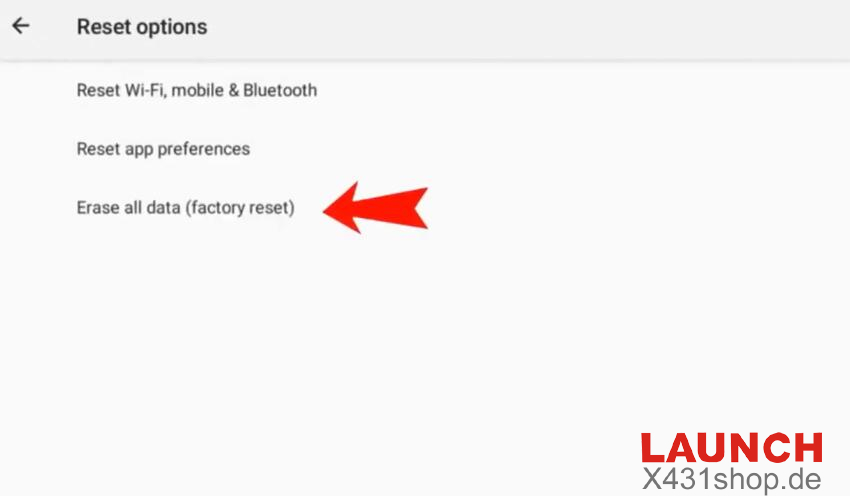
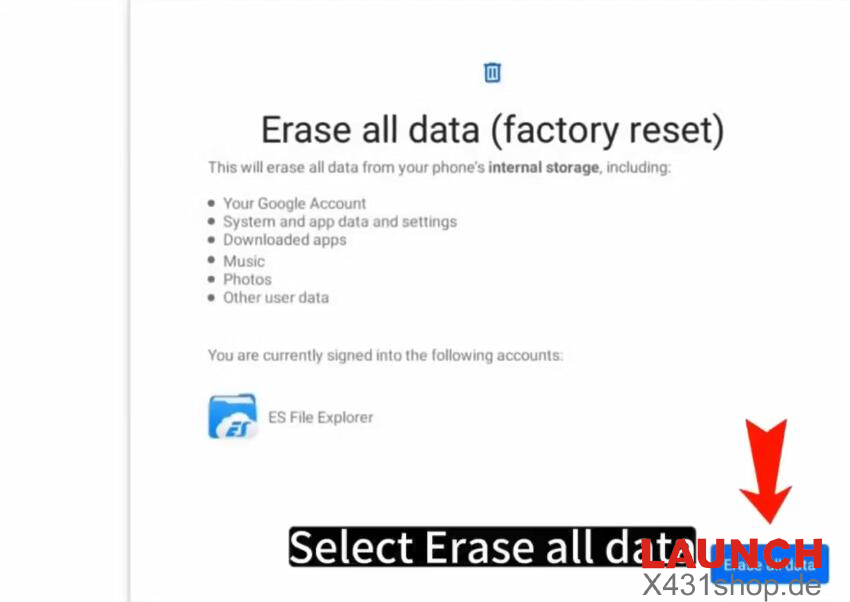
Step 3: Go to System → Advanced → Reset Options → Erase all data (factory reset) → Erase all data.
After the reset is complete, install X431 PROS Elite APP using your device’s SN (serial number) and the 12-digit code. Log in with your existing username and password, then go to “Software Update” to download and install all vehicle diagnostic software.