







You can quickly clone a Citroen MG1CS042 ECU on bench using Launch X431 X-Prog3 and PC Adapter.
Here is the step-by-step process:
Step 1: Connect X431 PC Adapter to your PC and X-Prog3 unit.
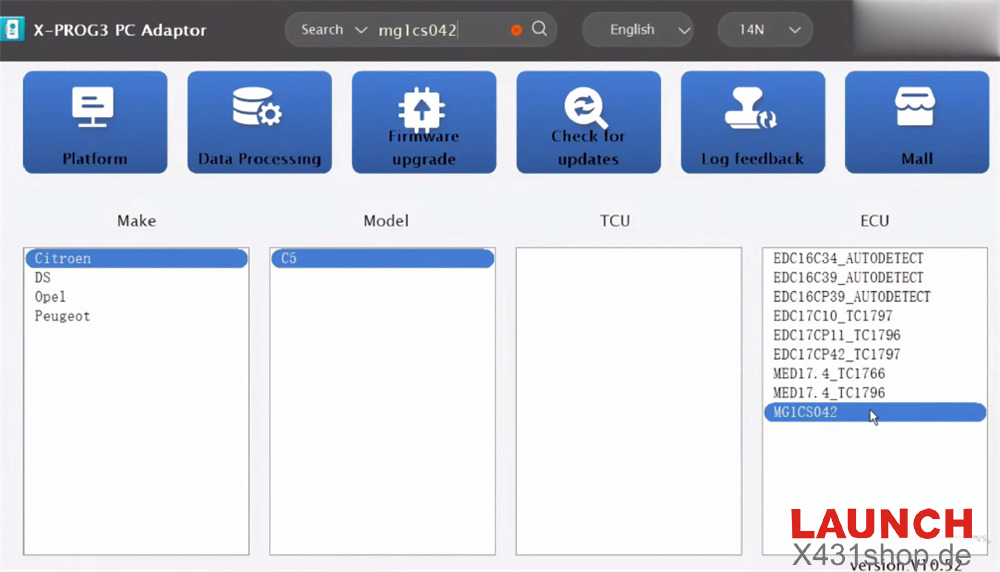
Step 2: Open X-Prog3 PC Adapter software (version 10.52).
Step 3: Search for “mg1cs042” and choose “Citroen C5 MG1CS042”.
Step 4: Pick “Bench” as your connection method.
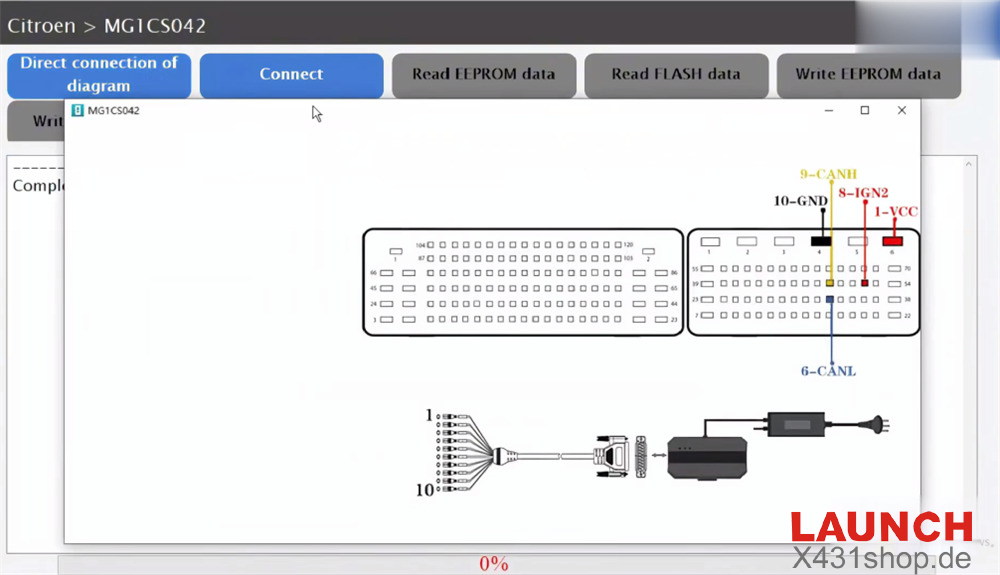
Step 5: Wire the ECU to the adapter following the direct connection diagram
- VCC -> Pin 1
- CANL -> Pin 6
- IGN2 -> Pin 8
- CANH -> Pin 9
- GND -> Pin 10
Apply external power
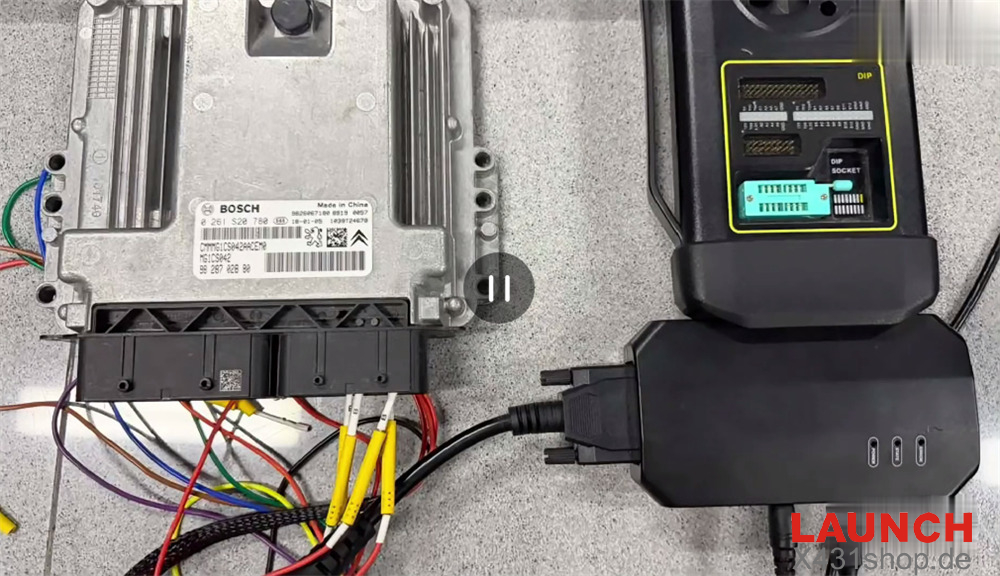
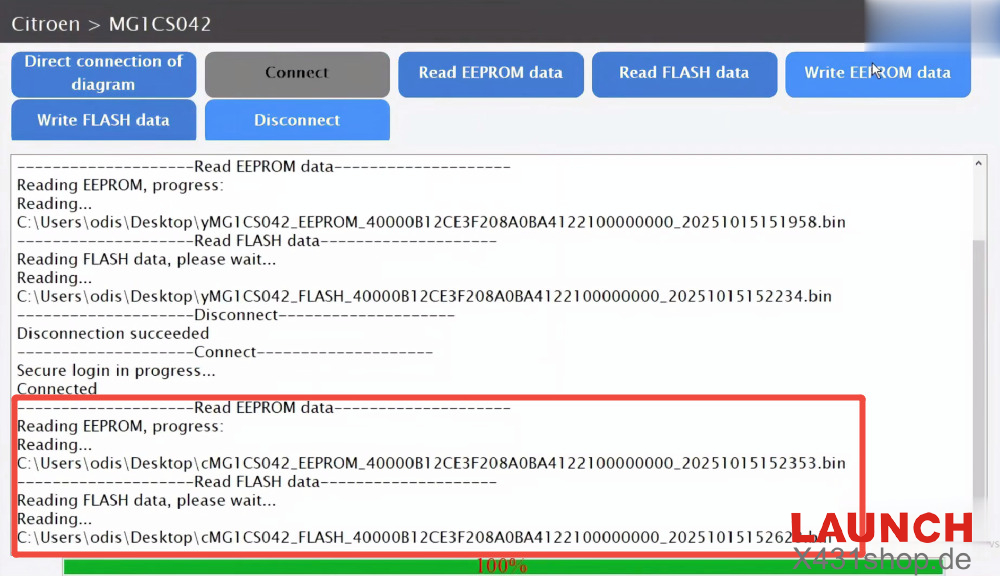
Step 6: Read the EEPROM and FLASH files from the original ECU and save them to your computer
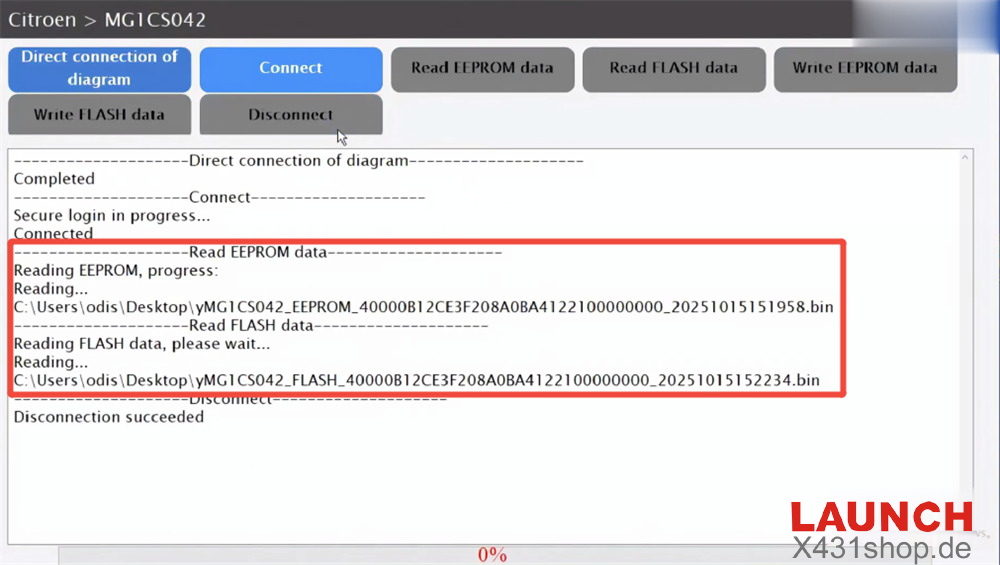
Step 7: Unplug the original ECU. Connect the donor ECU, then read and back up its data.
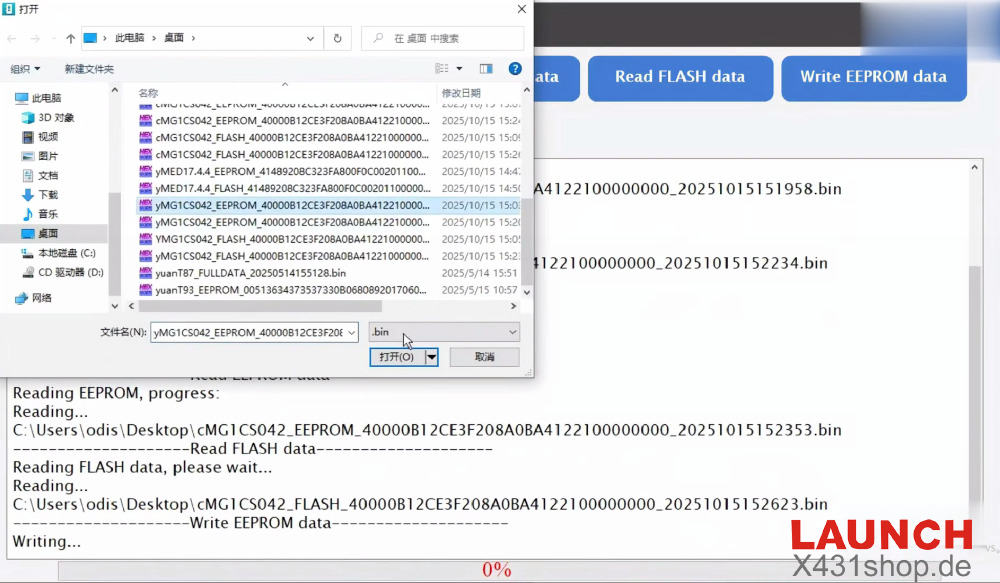
Step 8: Write the original EEPROM and FLASH files into the donor ECU
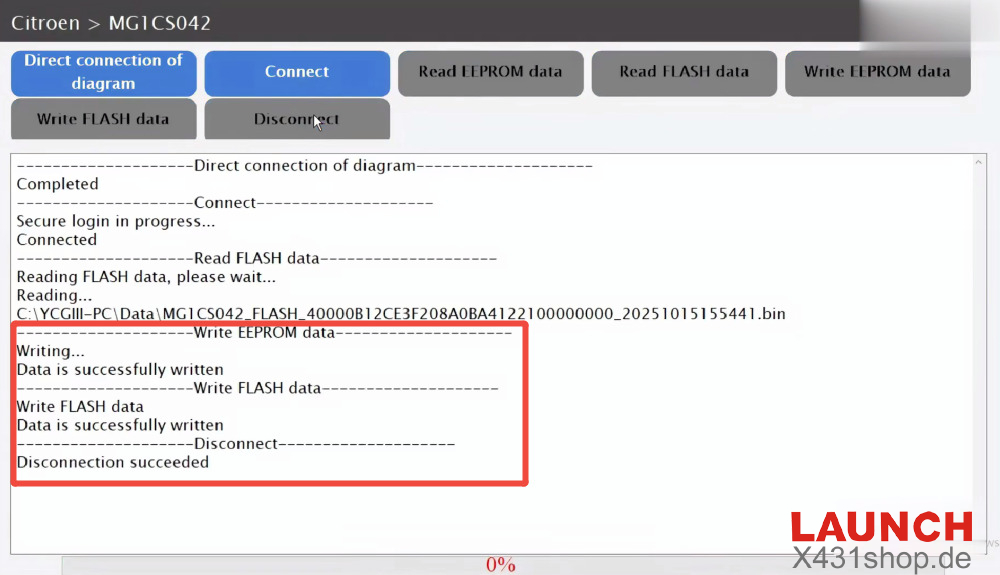
The cloning process is complete, and the new ECU is ready to use.