


Problem
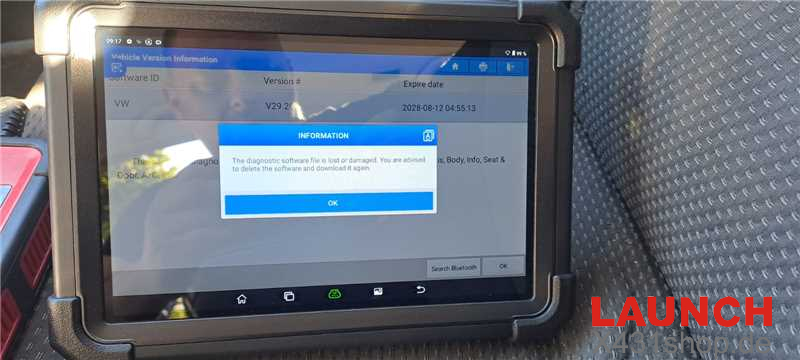
After installing a Volkswagen software update on LAUNCH X431 diagnostic tool, the device may suddenly fail to communicate with the vehicle or perform diagnostic functions.
In this case, the system displays an error message indicating that the downloaded file is corrupted. Re-downloading the Volkswagen software does not resolve the issue, and the same error message appears again.
Solution
If you encounter this problem, try restoring X431 tablet to its factory settings. A factory reset can help remove corrupted or incomplete files that may be affecting the diagnostic software.
Follow the steps below:
Settings → System → Advanced → Erase all data (factory reset) → Erase all data
After the factory reset is completed, reinstall the X431 APP on the tablet and download the required diagnostic software again using the Software Update function.
Technical Support
E-Mail: sales@X431shop.de
WhatsApp: +86 17782330462
Tel: 0086-17782330462
Note: A factory reset will erase data stored on the tablet. Please back up any important personal data before performing the reset.