






LAUNCH Creader CR329 is a compact OBD2 code reader developed with a single-chip microcomputer system. It provides complete OBD diagnostic functions and is specially designed for DIY car owners who want an easy and reliable diagnostic solution.
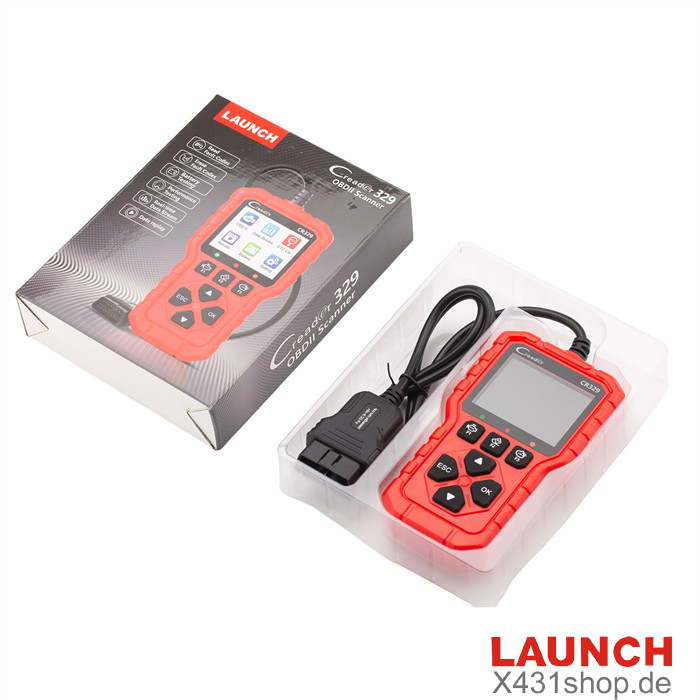
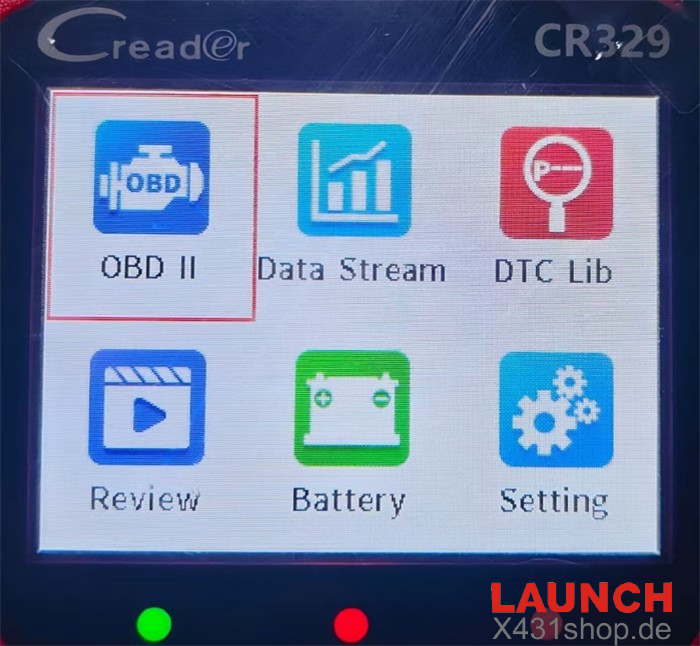
Function Display:
- Main Interface:
- OBD II (Vehicle diagnostic system)
- Data Stream
- DTC Lib (DTC Library)
- Review
- Battery (Battery testing)
- Setting
LAUNCH Creader CR329 Main Functions
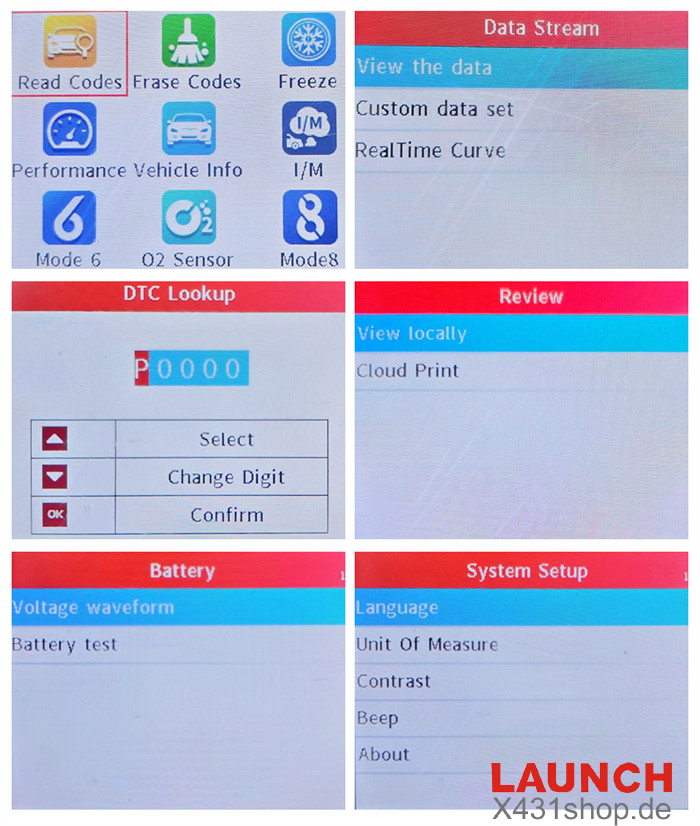
1. OBD II Diagnostic Functions
LAUNCH Creader 329 provides complete OBD II diagnostic capabilities, allowing users to quickly detect and troubleshoot vehicle issues. Supported functions include:
Read diagnostic trouble codes (DTCs)
- Clear fault codes
- View Freeze Frame data
- Perform performance tests
- Access vehicle information
- Check I/M readiness status
- Mode 6 on-board monitoring
- O2 sensor testing
- Mode 8 component testing
2. Data Stream Analysis
The LAUNCH CR329 allows users to monitor live vehicle data with several display options:
- Graph View: Displays a selected data stream as a real-time curve for easier analysis.
- Custom Data Set: Users can filter and choose specific data parameters to monitor.
- Dual Curve Display: Compare two data streams simultaneously with graphical curves.
3. DTC Code Library
The built-in DTC library helps users quickly identify fault codes and understand possible issues.
- One-click fault code lookup for accurate diagnosis
- Extensive internal database of diagnostic trouble codes
- Multi-language support including English, French, Spanish, and German
How to use:
Enter the code → Adjust the characters → Press [OK] to search for the definition.
4. Review and Print
The device allows users to store and print diagnostic results conveniently.
- Local Review: Check previous diagnostic reports and preview them before printing.
- Cloud Printing: Generate a QR code to enable wireless printing through mobile devices.
5. Battery Test
The CR329 also supports basic battery condition analysis.
- Voltage Waveform: Displays voltage changes over time in a graphical format.
- Battery Check: Measures voltage to help evaluate the overall battery condition.
6. System Settings
Users can customize the device through various system configuration options:
- Language: Supports 10 languages including English, French, Spanish, German, Italian, Russian, Portuguese, Polish, Dutch, and Japanese.
- Unit of Measure: Allows users to select preferred measurement units.
- Contrast: Adjust screen contrast for clearer or softer display using the Up/Down buttons.
- Beep: Enable or disable the device’s buzzer sound.
- About: View device version and system information.
How to Use the Launch CR329 Scan Tool
CR329 Scan Tool Hardware Display
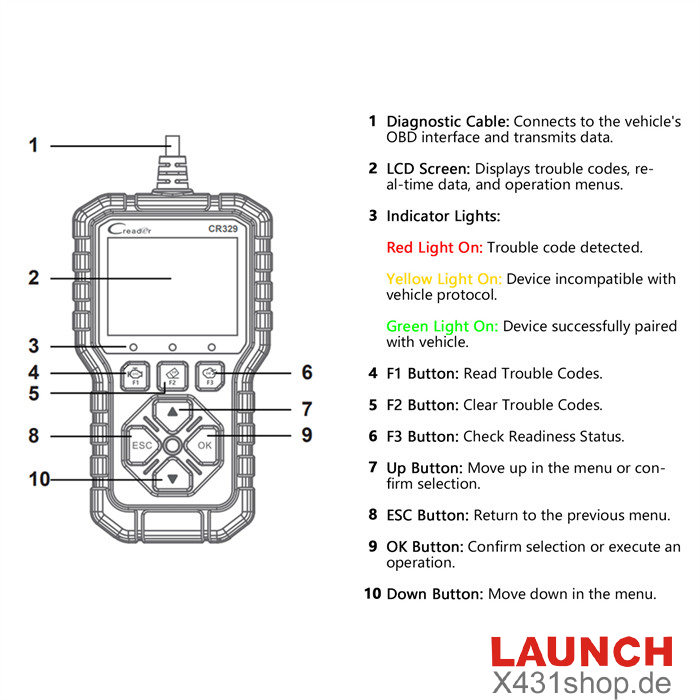
1. Connection Steps
Prepare the Vehicle: Make sure the ignition is turned OFF and the vehicle is parked safely before connecting the device.
Locate the DLC Port: Find the Data Link Connector (DLC), which is usually located under the steering wheel or near the driver’s side dashboard.
Connect the Cable: Insert the diagnostic cable securely into the vehicle’s DLC port.
Turn on the Ignition: Switch the ignition to the ON position (starting the engine is not necessary). The CR329 diagnostic tool will power on automatically.
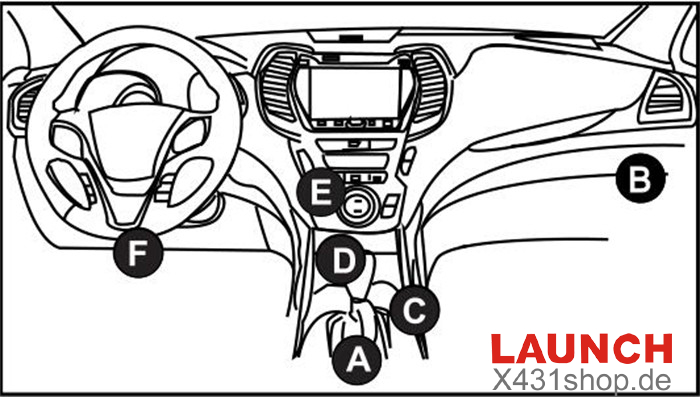
2. Diagnostic Procedure
Device Initialization: After the connection is established and the ignition is on, the CR329 will automatically start and begin communicating with the vehicle.
Access the Main Menu: Once the vehicle is detected successfully, the system will display the main function menu.
Choose a Diagnostic Function: Select the required option, such as Read Codes, Live Data Stream, or Special Tests.
Follow On-Screen Instructions: Simply follow the prompts on the screen to complete the diagnostic process quickly and efficiently.