







This guide explains how to reset engine oil life on a 2021 GM Suburban with the LAUNCH X-431 PRO3 LINK(X431 V+ SmartLink HD) diagnostic scanner, including the step-by-step process used by professional technicians.
Tested Model:
2021 / GM / Suburban
Supported equipment
LAUNCH’s full range of comprehensive diagnostic equipment, the current one for Demo is X-431 PRO3 LINK
Steps:
1. Choose [Local Diagnose]
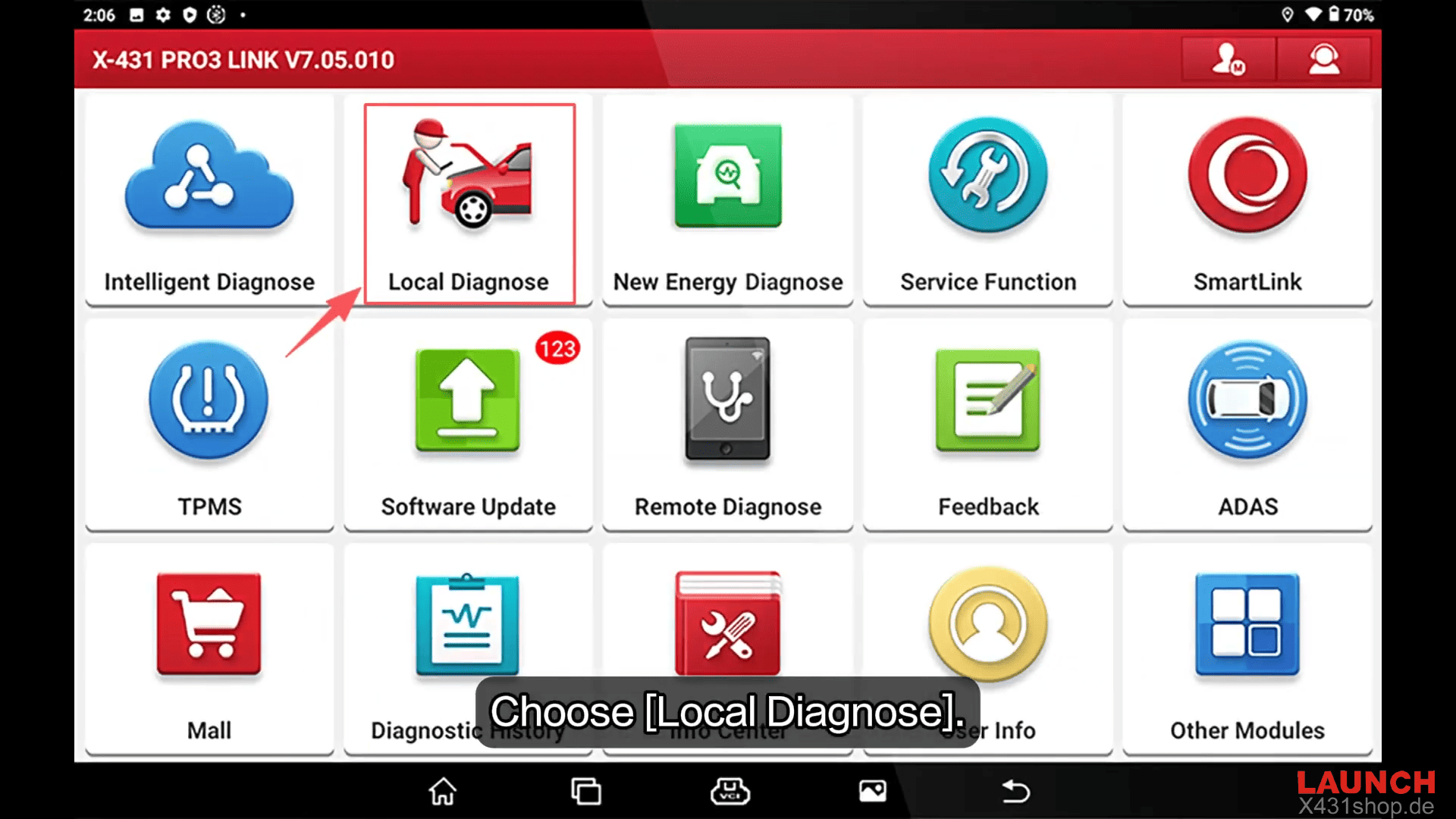
Choose [GM] to test
Check the vehicle version information and click OK
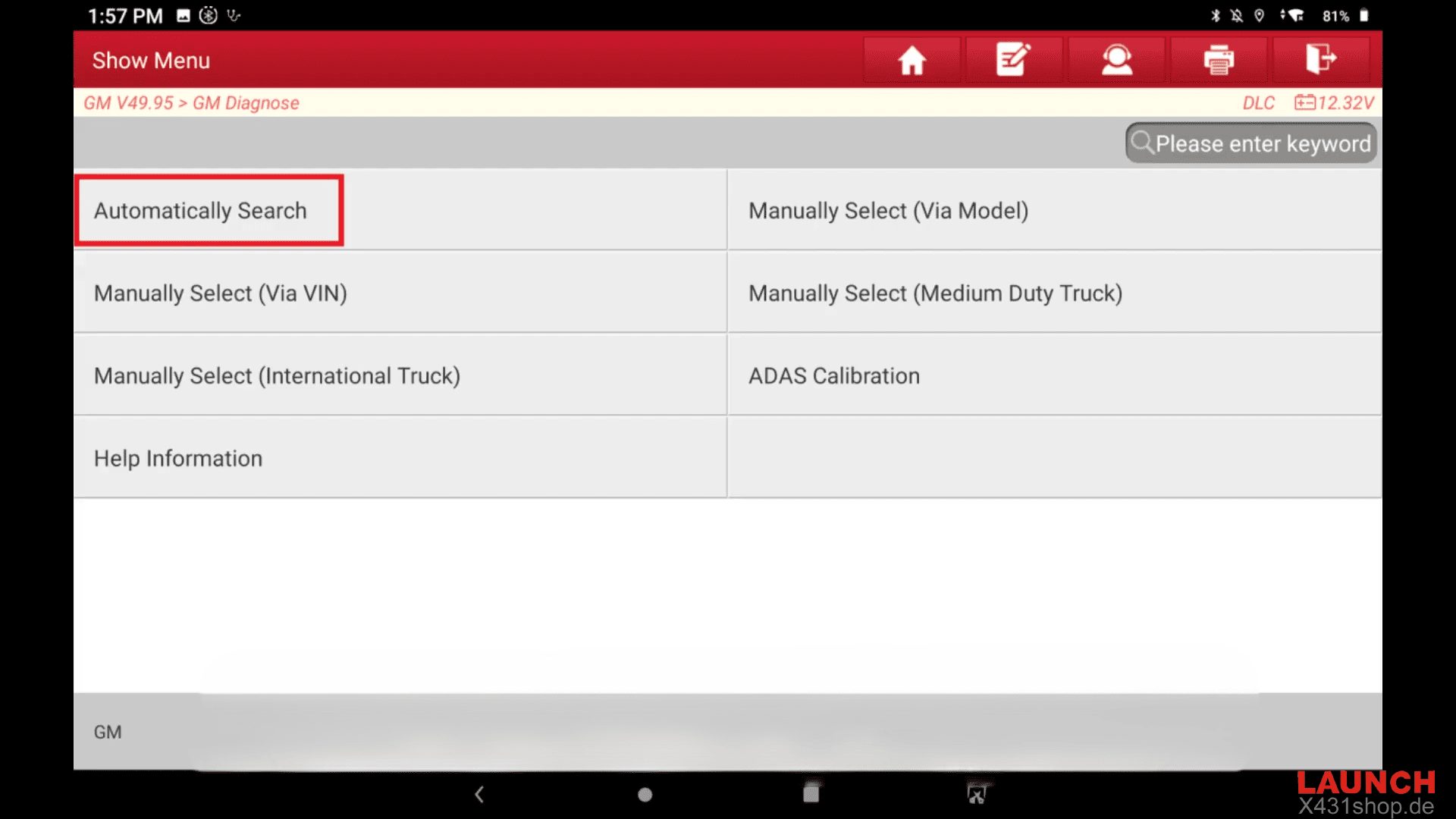
Choose [Automatically Search] to identify car models automatically
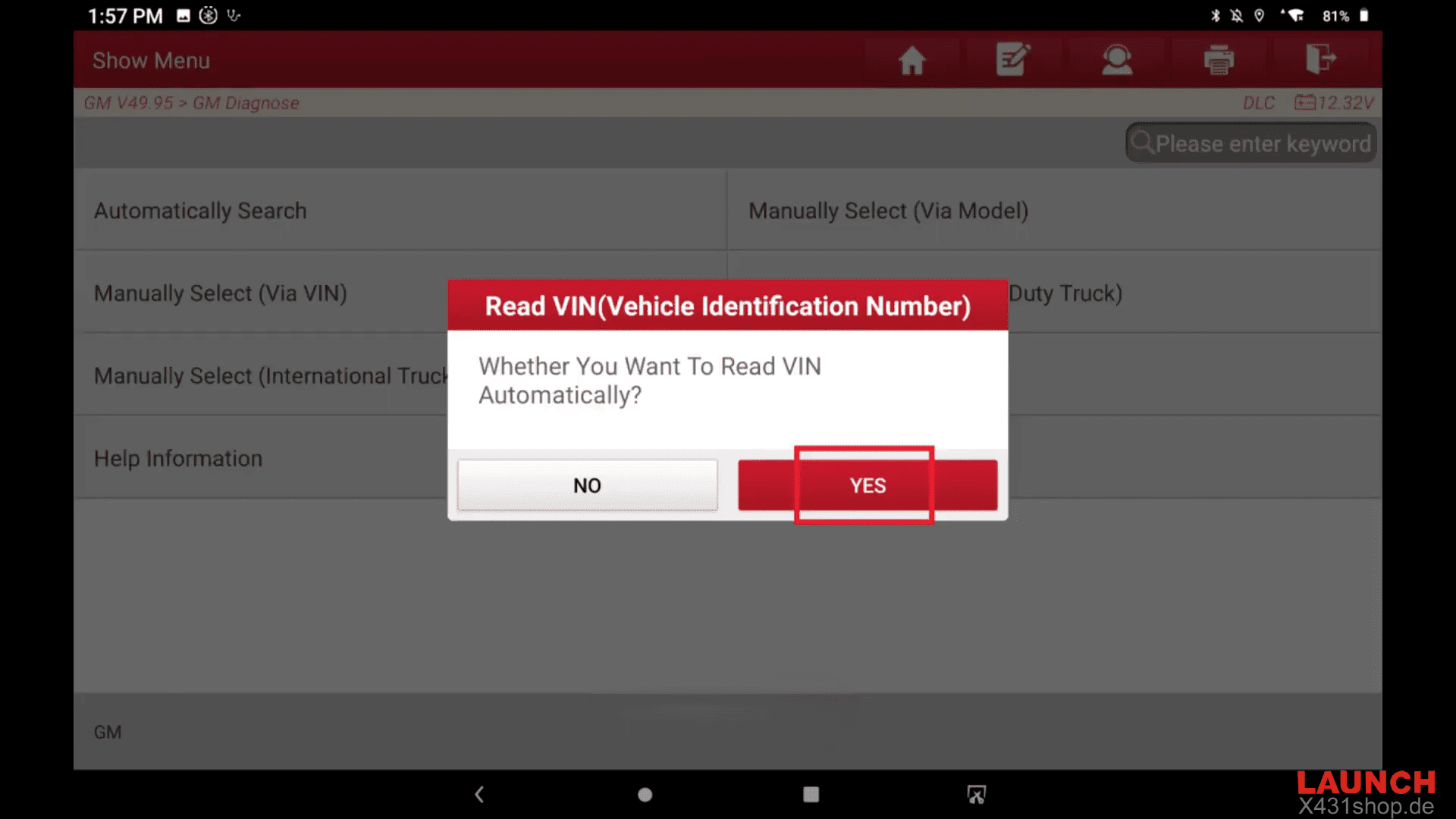
The screen then displays the message “Whether You Want to Read VIN?”
Click YES
The screen then displays the Vehicle Information
Click YES
2. Click [ECM] to access the system
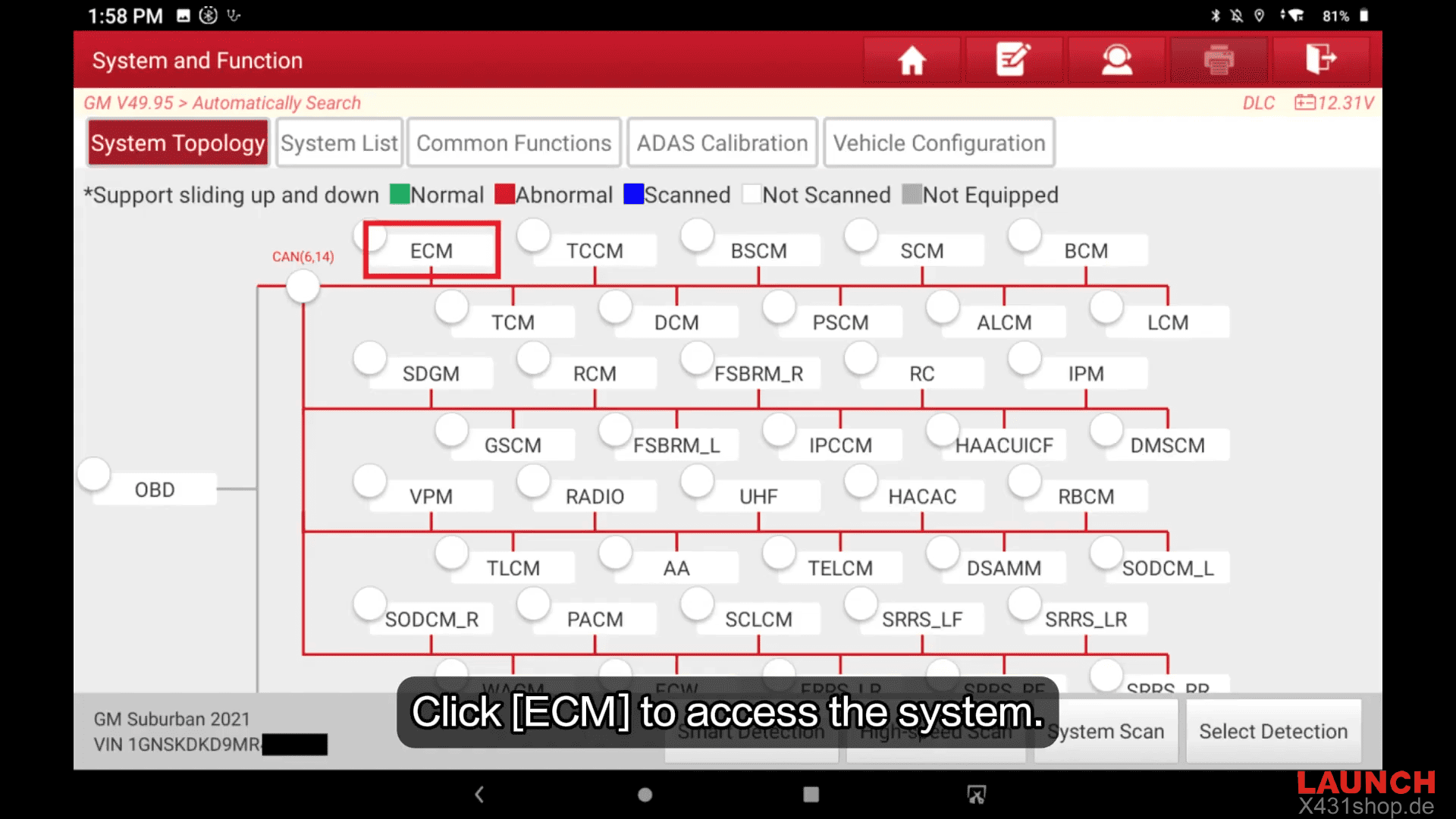
Engine Control Module detected, click ENTER
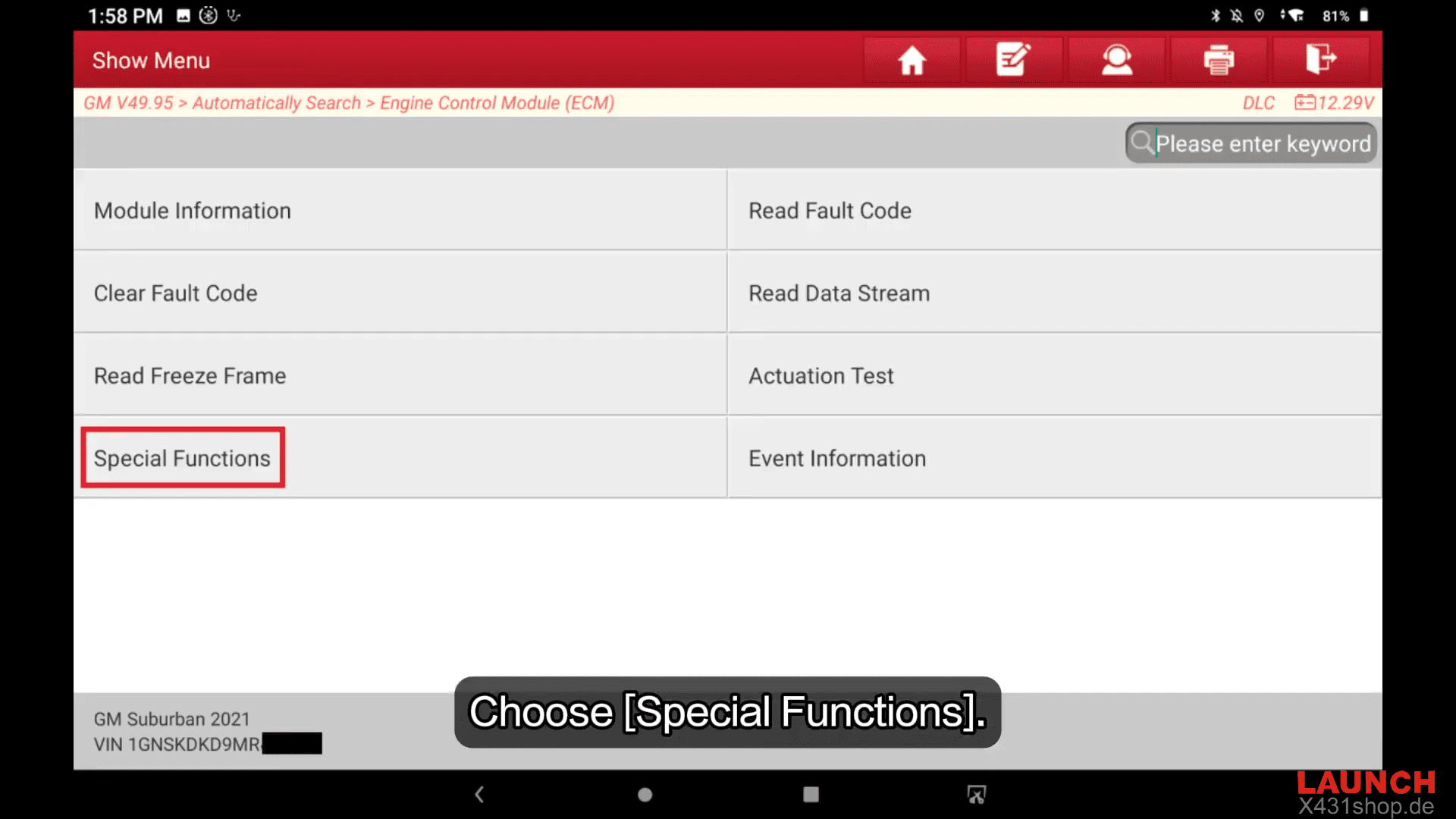
Choose [Special Functions]
Choose [Reset Functions]
Choose [Engine Oil Life Reset]
According to the message, turn on the ignition switch and do not start the engien. Click OK
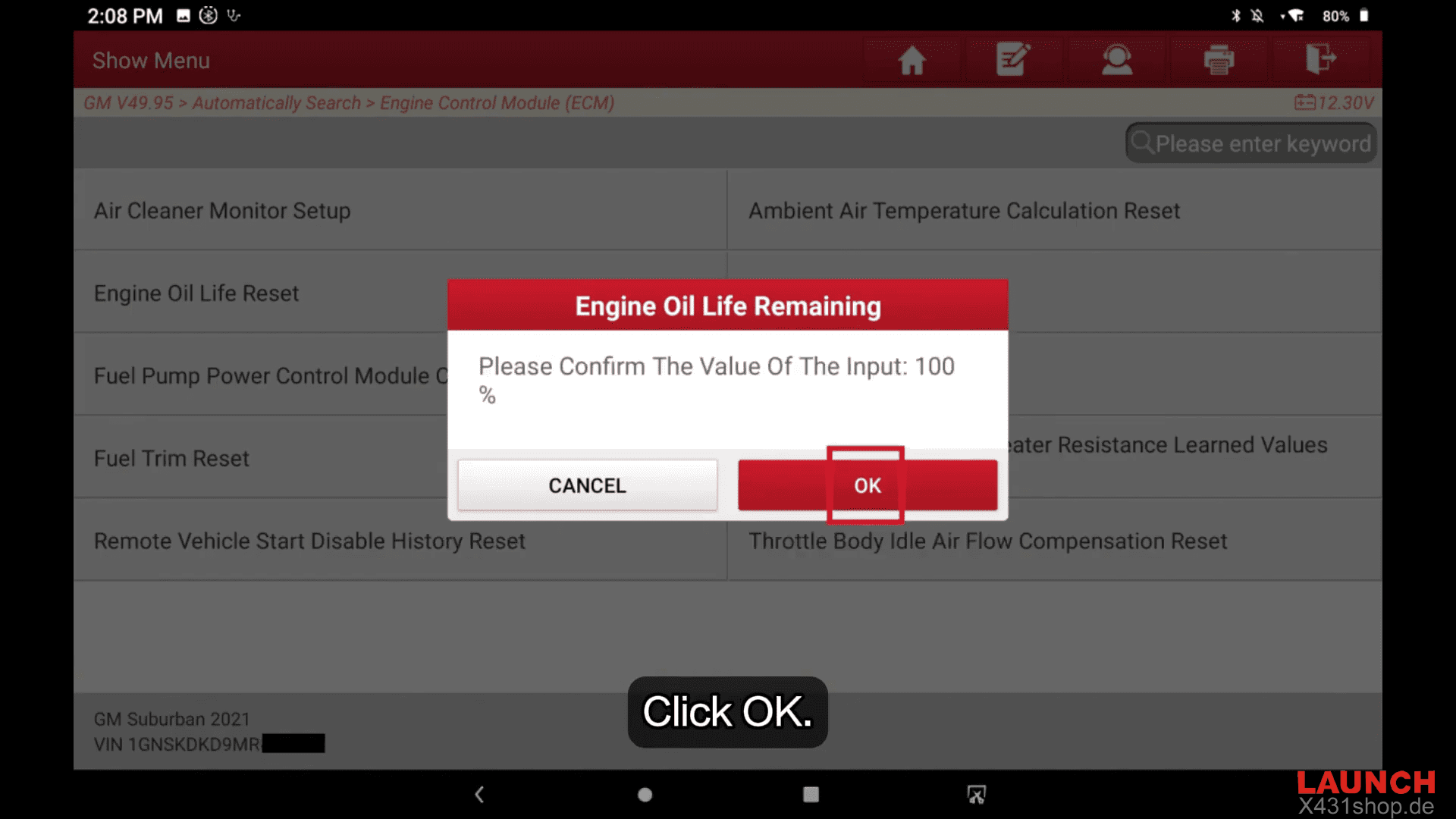
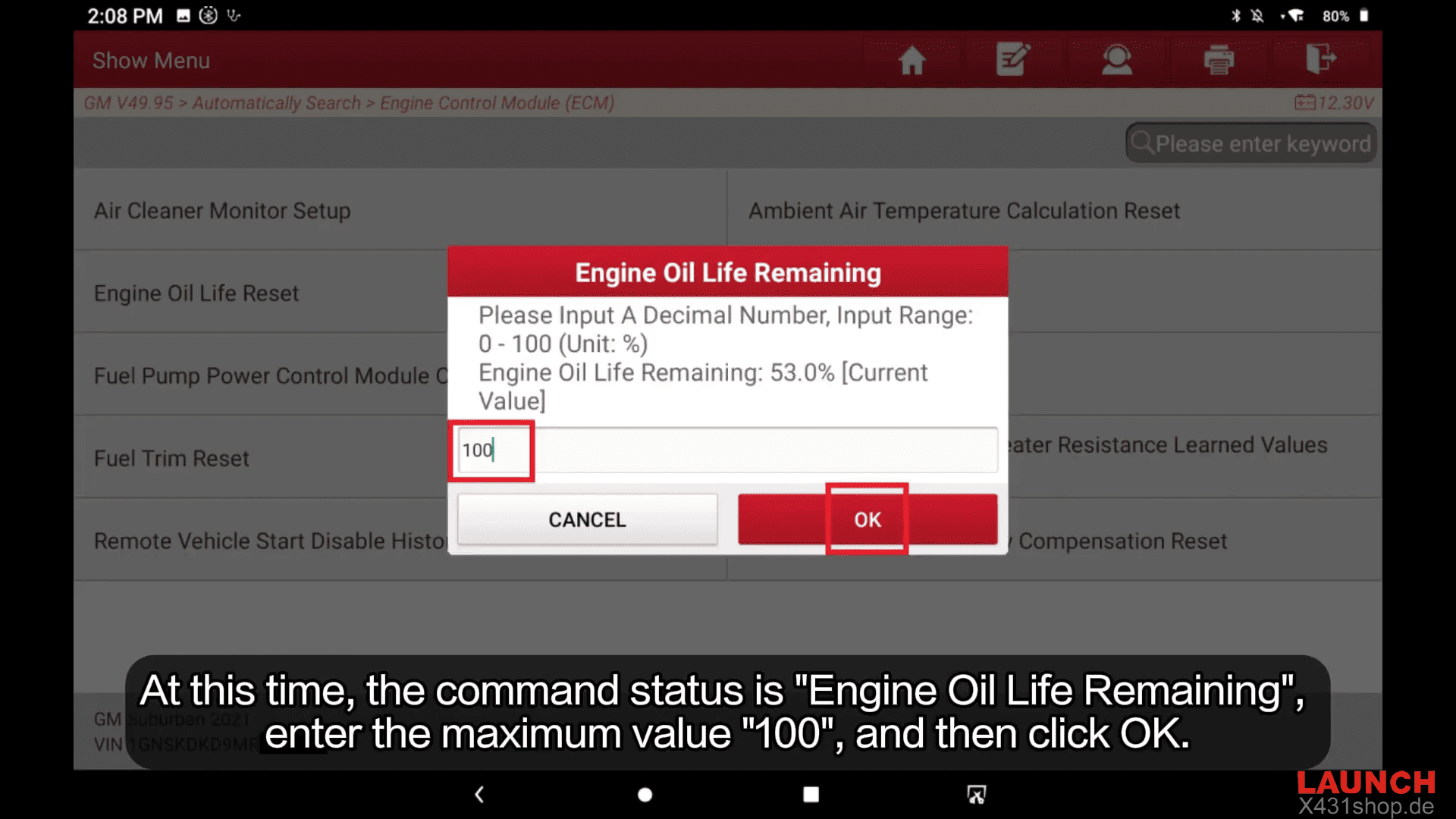
At this time, the command status is “Engine Oil Life Remaining”, enter the maximum value “100”, and then click OK
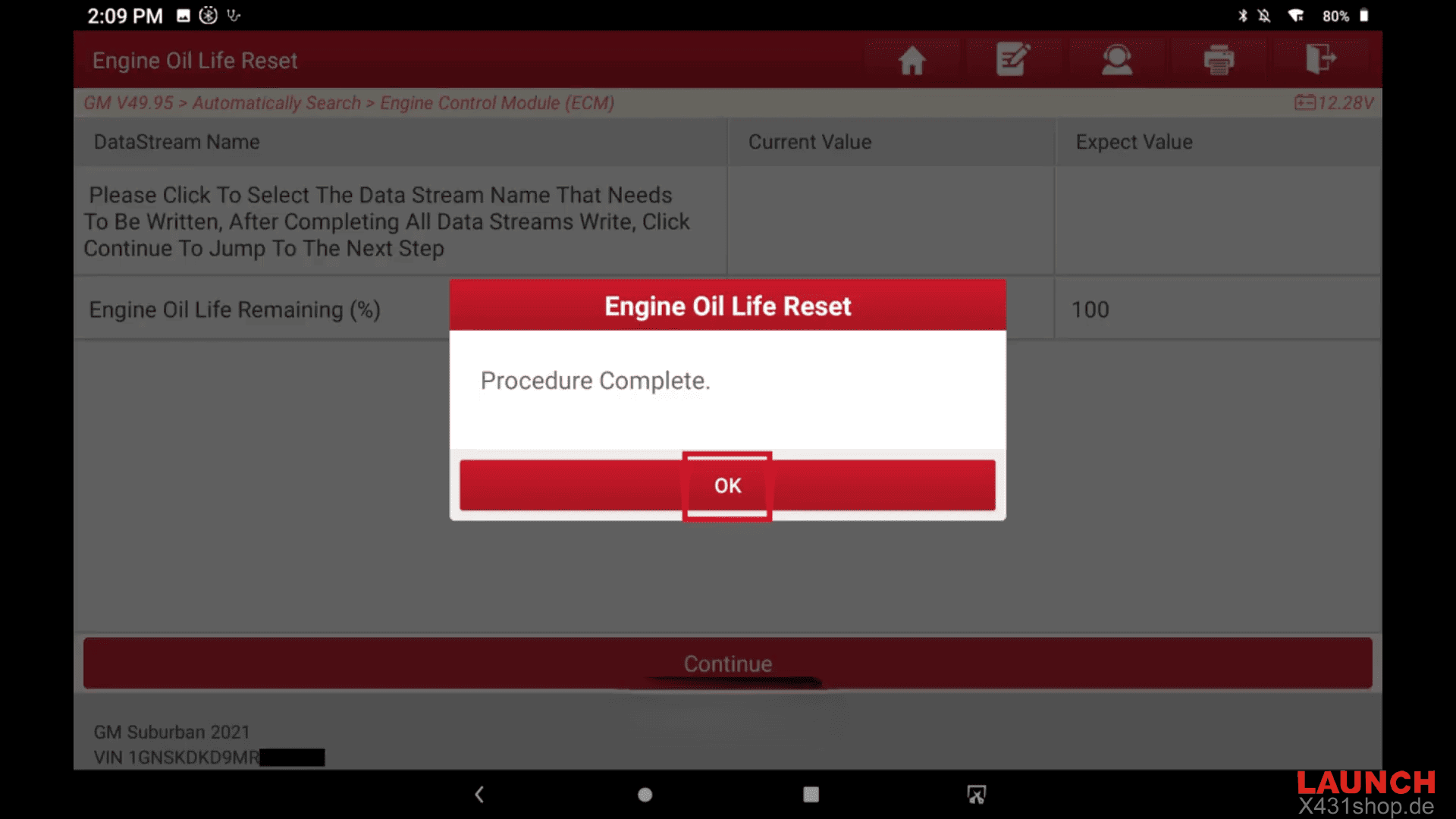
3. At this time, the expected value on the page is “100”, including that the function reset is successful
The screen then displays the message “Procedure Complete”
Video Tutorial
Read also:
How to Buy and Enable ECU Flashing on Launch X431 PRO3 LINK HD
Performing an engine oil life reset on a 2021 GM Suburban using the LAUNCH X-431 PRO3 LINK(X431 V+ SmartLink HD) ensures the oil maintenance system is updated to 100%, allowing the vehicle to correctly monitor the next service interval.