



As of now, all Launch X431 tablets with 7-inch, 8-inch, and 10.1-inch or larger screens can buy VAG, FCA, Renault, and Benz security licenses directly in the Mall. Follow the purchase instructions below.
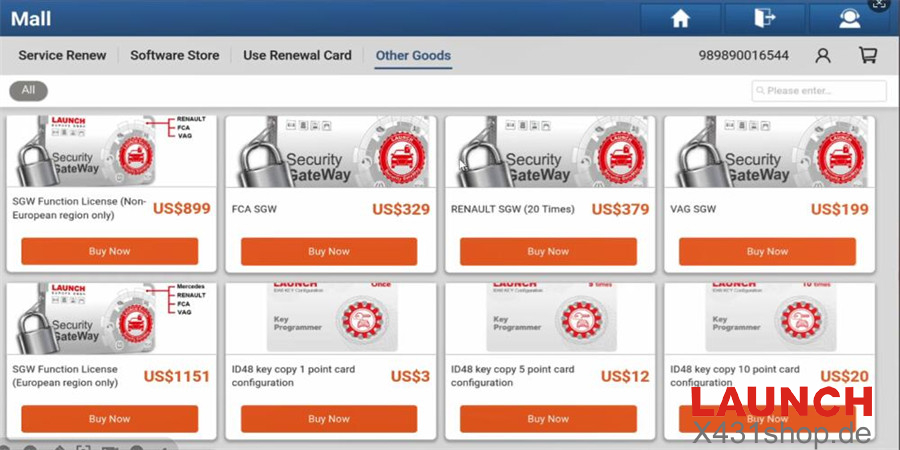
7-inch X431 Tools:
Launch CRP919EBT/CRP919XBT
8-inch X431 Tools:
· X431 PRO STAR
· X431 PRO Elite
· X431 PROS Elite
· X431 PROS V5.0
· X431 PRO TT
10.1-inch and above X431 Tools:
X431 PRO5
X431 PRO3 ACE Elite
X431 PRO3 APEX
X431 PRO DYNO
X431 PRO3S+ V5.0 Elite
X431 PRO3S+ Smartlink HD
X431 PRO3 V+ Elite
X431 PRO3S+ Elite
Purchase Guide
Step 1: Turn on the X431 tablet
.
Step 2: Tap “Mall” on the home screen.
Step 3: Search for “VAG” (or FCA, Renault, Benz) in the search bar.
Step 4: Select the VAG Security Access License (or equivalent for other brands).
Step 5: Tap “Purchase Now”.
Step 6: Choose payment method (PayPal, Credit Card, etc.) and complete the purchase.
Step 7: After payment, the license activates automatically.
Step 8: Check activation in User Info → My Products → Activated.
Step 9: For VAG/FCA, use in diagnostics → Special Functions → Security Access.
Step 10: For Renault/Benz SGW, unlock gateway for full access.
Related Reading
1. How to Unlock European FCA SGW Gateway by Launch X431 Tool?
http://blog.x431shop.de/how-to-unlock-european-fca-sgw-gateway-by-launch-x431-tool/
2. How to solve X431 PAD VII Renault Diagnosis need to input password error?
http://blog.x431shop.de/how-to-solve-x431-pad-vii-renault-diagnosis-need-to-input-password-error/