



Operation Guide:
Step 1: Back Up Original VW AQ600 ECU Data
1. Connect the Launch X431 ECU & TCU Programmer to your computer.
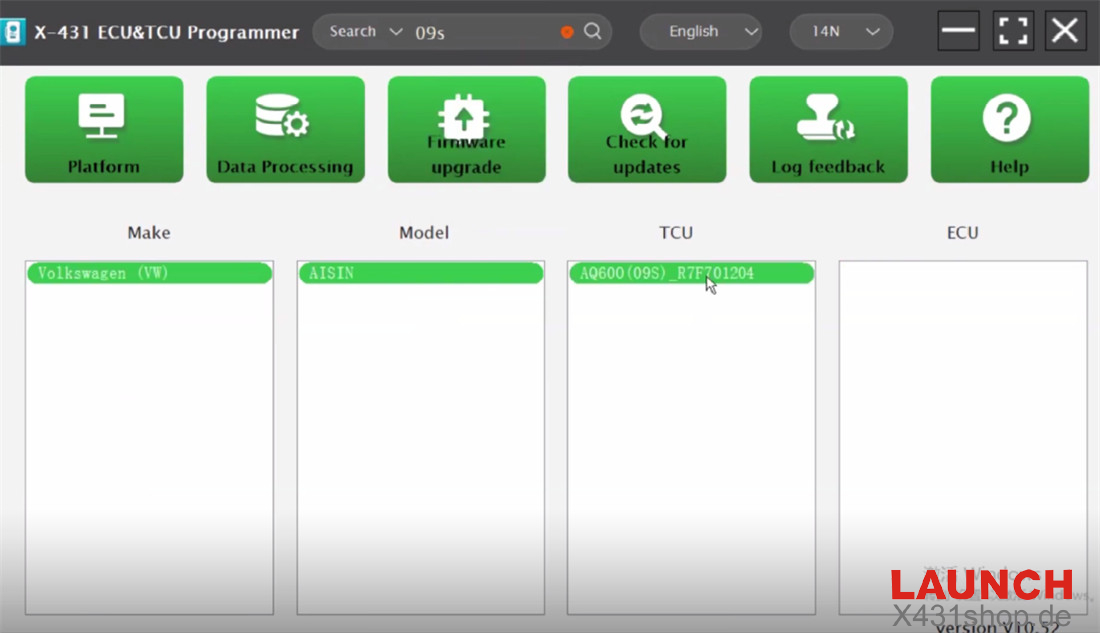
2. Launch the X-431 ECU & TCU Programmer software and enter “09s” to select:
Volkswagen (VW) AISIN AQ600 (09S)_R7F701204
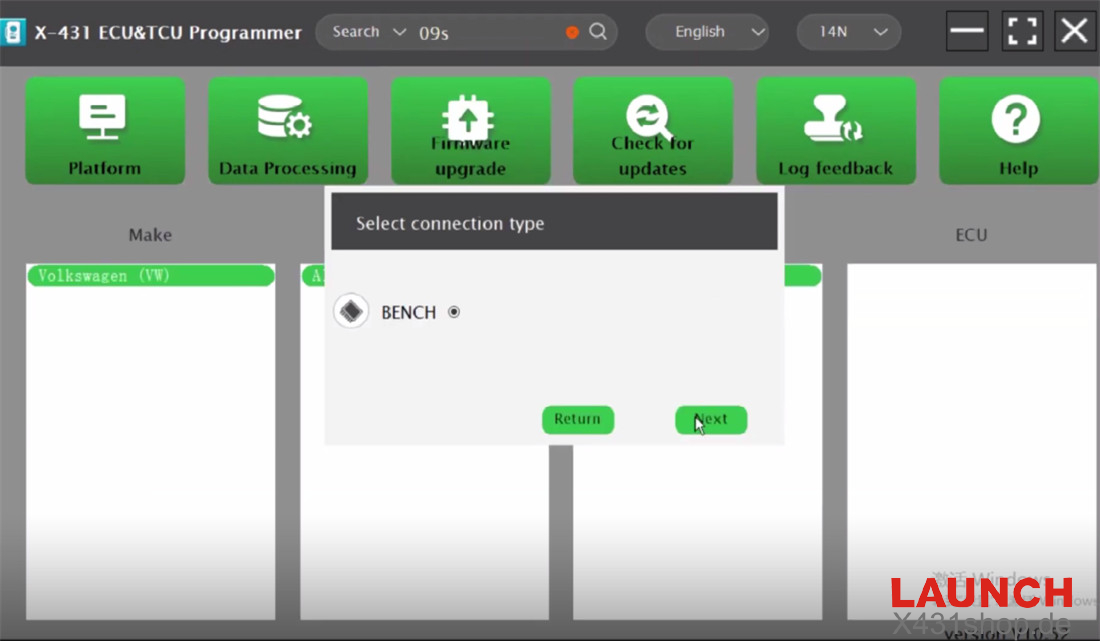
3. Choose “BENCH” as the connection type.
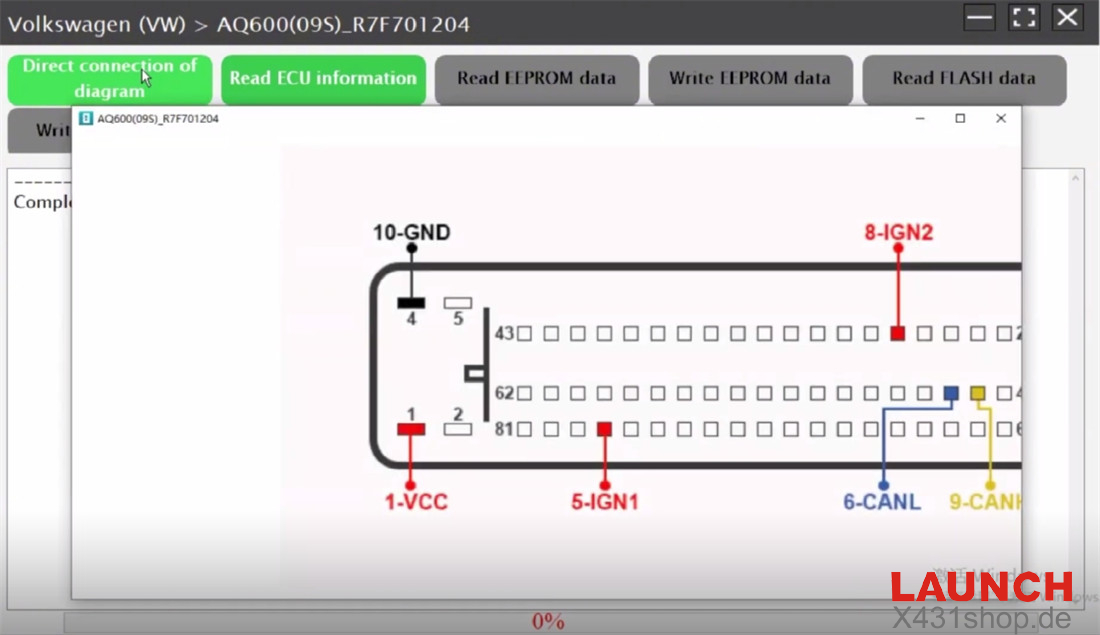
4. Follow the wiring diagram for direct connection:
- 10 – GND (black)
- 8 – IGN2 (red)
- VCC (red)
- 5 – IGN1 (red)
- 6 – CANL (blue)
- 9 – CAN H (yellow)
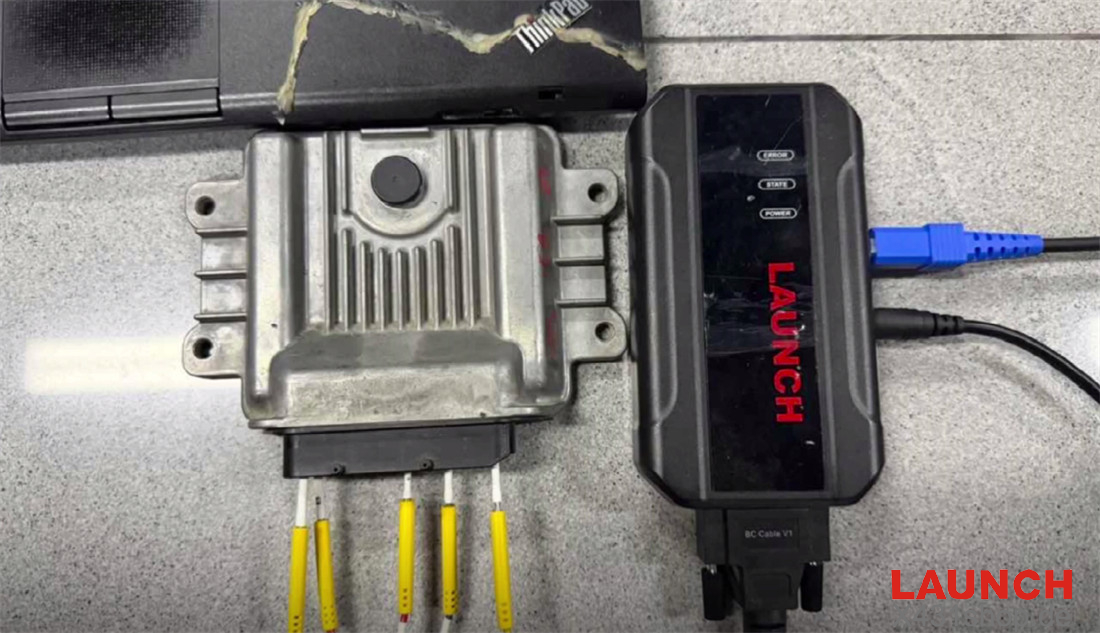
5. Properly connect the X-431 ECU Programmer to the original VW AQ600 ECU according to the diagram.
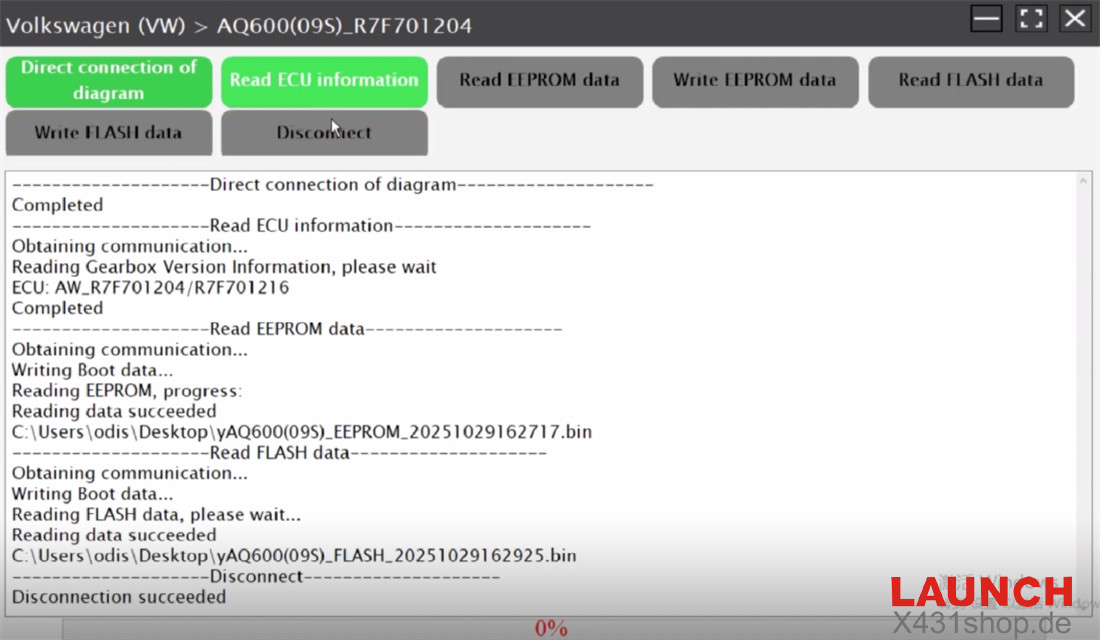
6. Read ECU Information.
7. Read and save EEPROM data.
8. Read and save Flash data.
9. Disconnect the device.
Step 2: Back Up New VW AQ600 ECU Data
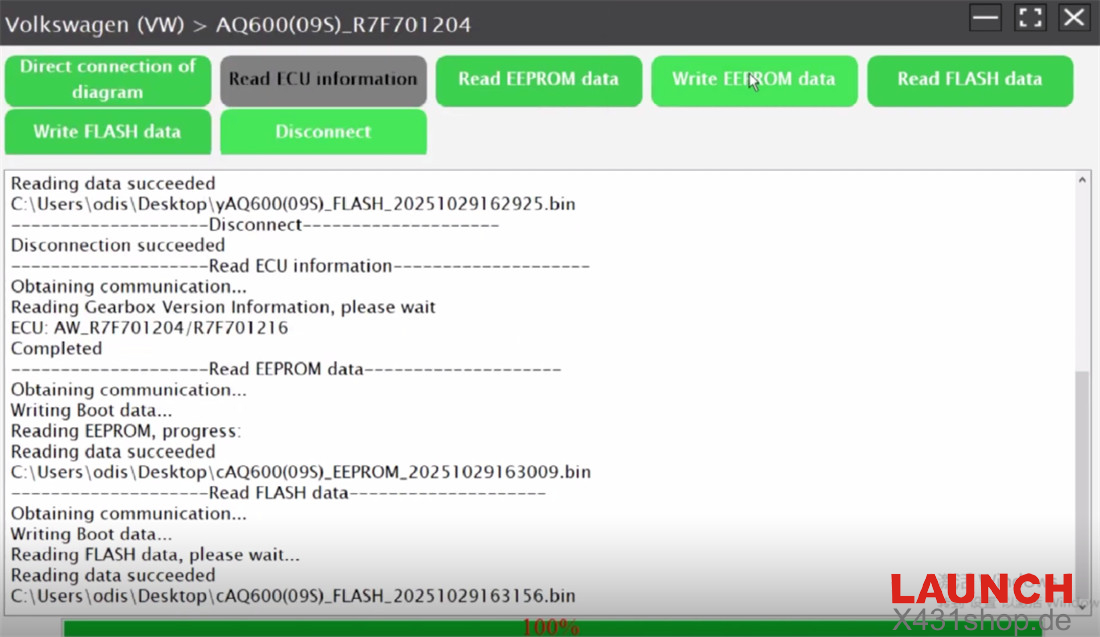
Connect the new VW AQ600 ECU to the X431 ECU & TCU Programmer correctly.
Repeat the process: read ECU info, then read and save both EEPROM and Flash data.
Step 3: Write Original ECU Data to New ECU
Select the original VW AQ600 ECU EEPROM and Flash data files separately.
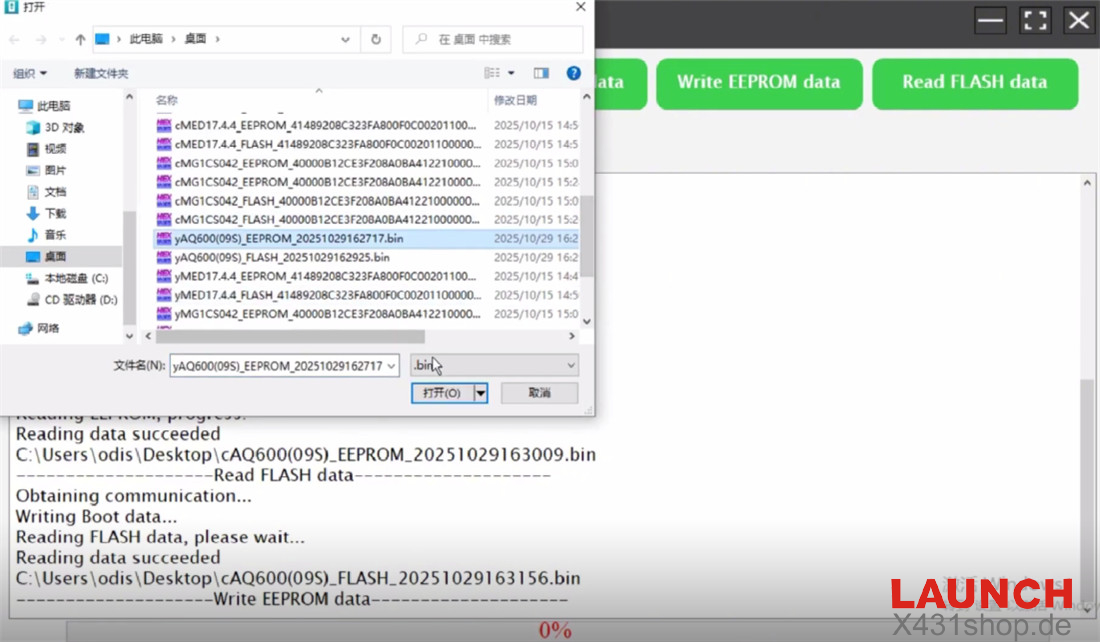
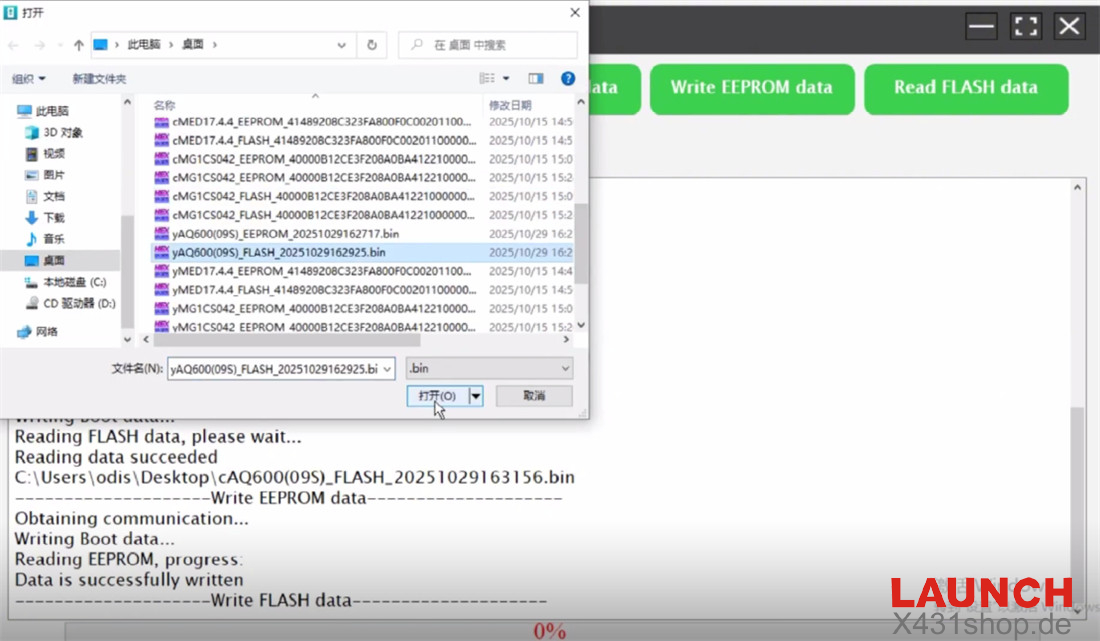
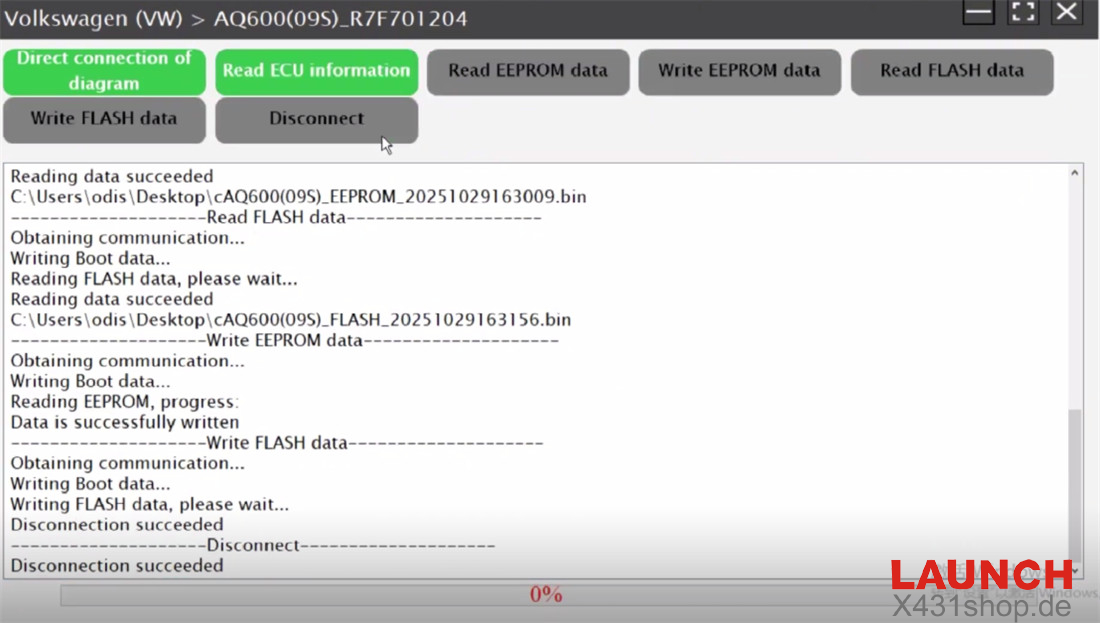
Write each into the new ECU accordingly to complete the cloning process.