
This guide outlines the procedure for executing a Battery Status Info Update on the 2025 Toyota Corolla Hybrid (HV) using Launch X431 diagnostic tools. This service function is mandatory following hybrid battery replacement or major high-voltage system service to recalibrate ECU parameters.
Requirements
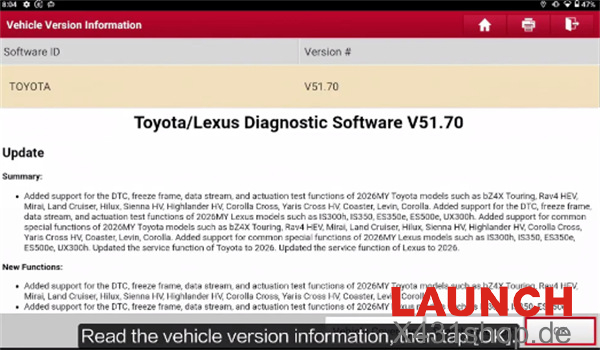
- Software Version: Toyota/Lexus Diagnostic Software 70 (or newer).
- Pre-requisite Condition: No active HV, EV, or battery-related DTCs can be present in the system memory.
- Hardware Support: Compatible with all comprehensive X431 tools, including:
- PAD Series: PAD VII,PAD V
- PRO Series: V+ / V+ 5.0, PRO5, PRO3S+ V5.0, PRO3 APEX, PRO3 ACE, PRO3 LINK HD, PRO TT,PRO ELITE
- CRP919 Series: CRP919E, CRP919X, CRP919E BT, CRP919X BT, CRP919EV
- IMMO Series: IMMO Plus, IMMO Elite
And more
Diagnostic Menu Path
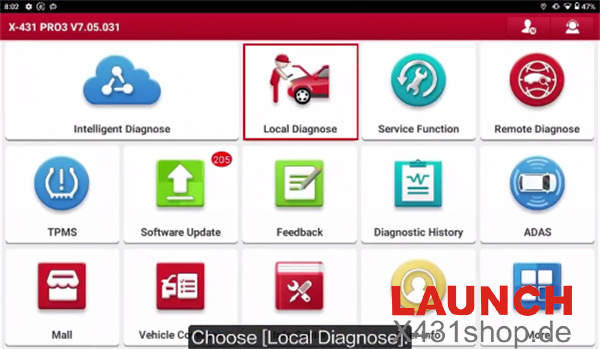
Local Diagnose-> Toyota -> Toyota/Lexus Diagnostic Software V51.70-> Automatic Search-> 2024.05
Confirm Vehicle Info
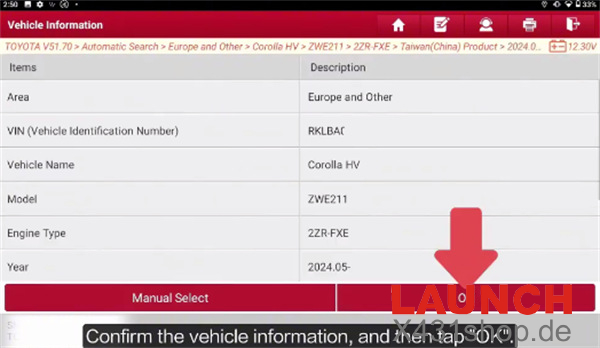
Select System Topology-> Hybrid Control (HC)
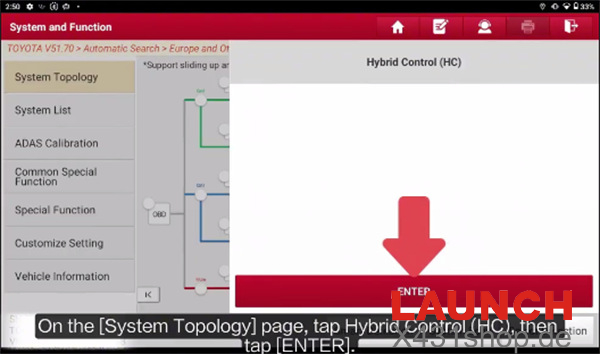
Press [ENTER]
Select Special Function-> Battery Status Info Update
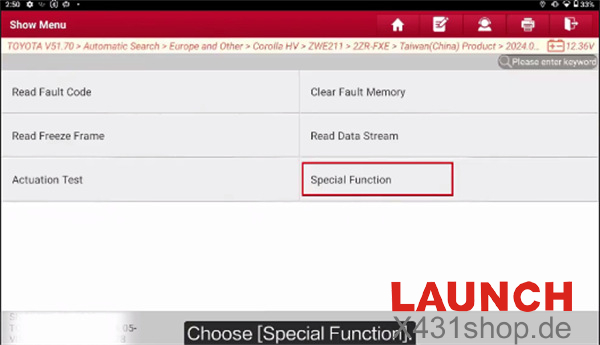
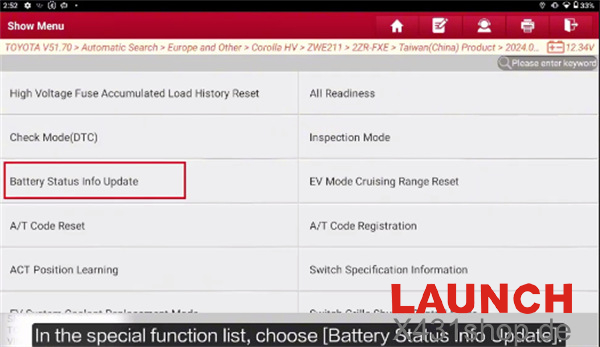
Execution Protocol & Critical Warnings
- Pre-check: Review on-screen safety instructions and verify zero DTC presence.
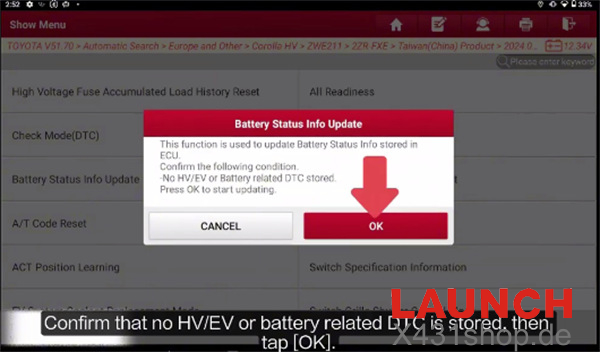
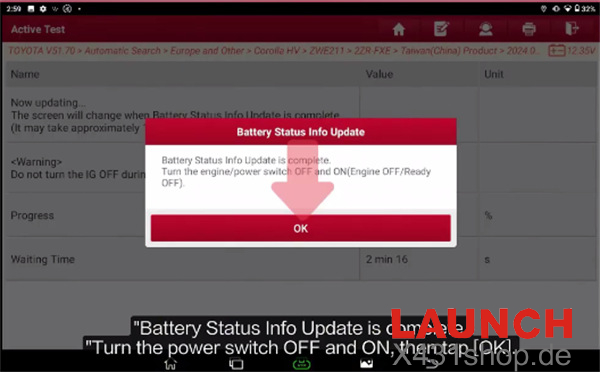
- Execution Duration: > Execution Time: Approximately 12 minutes. Maintain ignition in the ON position (IG ON) Do not interrupt power or disconnect the VCI.
- Post-Procedure Reset: > Complete Reset: Upon receiving the “Update Successful” prompt, cycle the ignition to OFF (IG OFF), wait several seconds, switch back to ON (IG ON), and tap OK to finalize the calibration.