






Issue Description
When using LAUNCH X431 X-PROG5 with Euro TAB II, the tablet may display the following error message when connecting the anti-theft key matching adapter “Error during connection of anti-theft key matching adapter, try again?”
In some cases, the connection problem remains even after updating the X-PROG5 firmware through a PC.
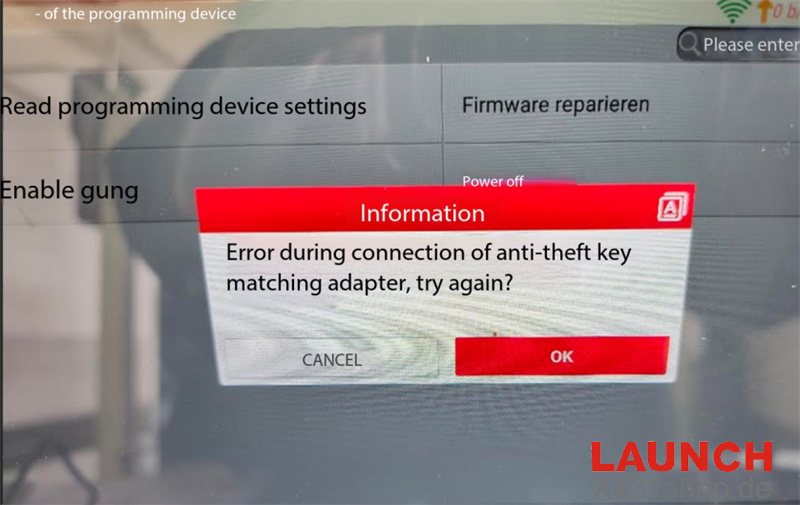
X-PROG5 Firmware Recovery Procedure
If X-PROG5 Programmer cannot establish a connection, or its red power indicator remains continuously on after connecting the programmer to the power supply, try performing a forced firmware recovery.
1. Ground the B2 and B4 Terminals. Connect both B2 and B4 terminals to the GND pin on the panel.
2. Perform Firmware Repair. Open the Programmer interface and select [Firmware Repair]
3. Reconnect and Test. After the firmware repair is completed, reconnect the X-PROG5 and check whether the anti-theft key matching adapter can communicate normally.
What If Firmware Repair Does Not Work?
If the X-PROG5 still cannot connect after performing the forced firmware recovery, the problem may be related to a hardware circuit fault.
In this case, contact your LAUNCH dealer or after-sales service for further inspection and replacement options.
Note: Make sure the terminal connections are correct before performing firmware recovery. Do not proceed with wiring if you are unsure about the terminal locations.
Tech support:
E-Mail: sales@X431shop.de
Business WhatsApp: +86 17782330462
Tel: 0086-17782330462